
Computers
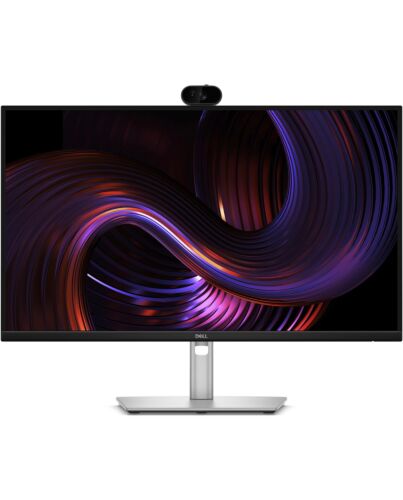
DELL Pro P P2726DEV computer monitor 68.6 cm (27") 2560 x 1440 pixels Quad HD LCD Black, Silver
- Immediately available
- Discreet Packaging
- Free Shipping
Product Details
Description
Key Features
- 27" LCD IPS
- Quad HD, 16:9, 2560 x 1440
- 100Hz, 5ms, 350cd/m²
- USB Hub, USB PD (90W), WebCam
Reasons To Buy
Next generation collaboration experience for open workspaces
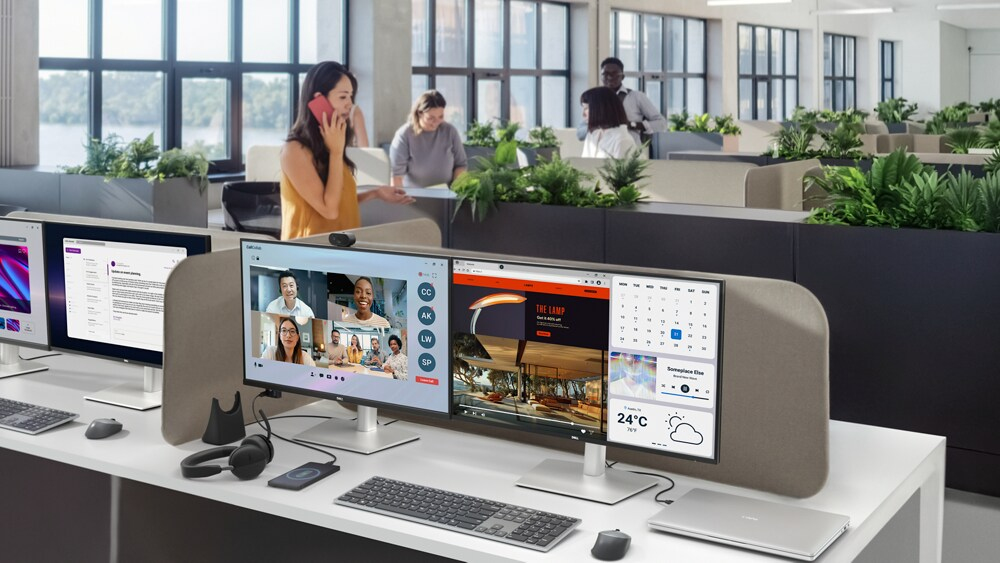
The Sony Starvis 5MP sensor ensures professional-grade video clarity, while the QHD camera with HDR delivers balanced exposure, so you always look your best during virtual meetings.
Spotlight's on you
AI Auto Framing keeps you center-framed even as you move and shift, so the focus is always on you.
Effortless collaboration with secure access
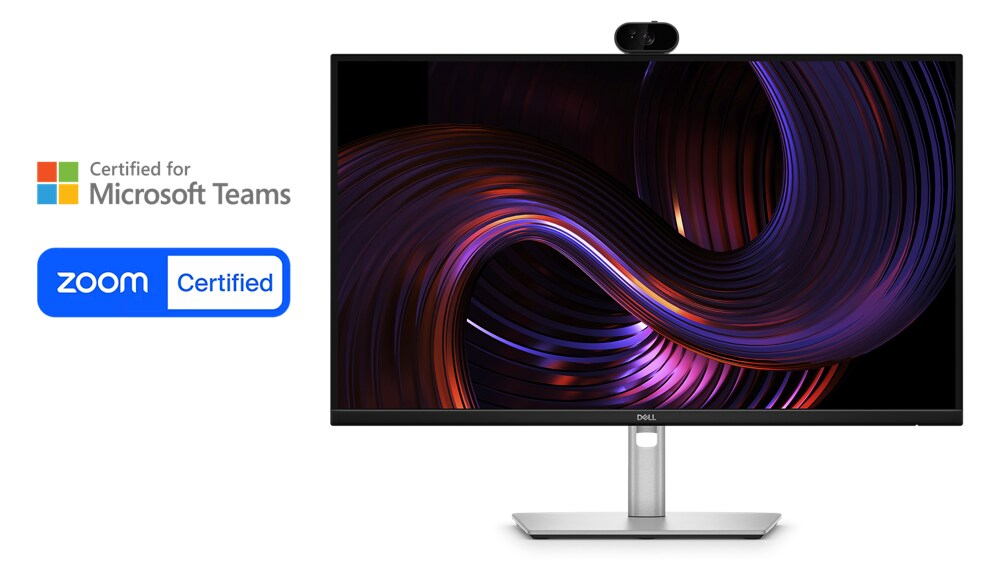
for Microsoft Teams and Zoom, this monitor ensures reliable performance for all your virtual meetings.
Built-in privacy and security
With Windows Hello sign-in and a mechanical tilt and shutter, stay in control of your privacy while enjoying secure, password-free access for a seamless and worry-free collaboration experience.
Single-cable solution
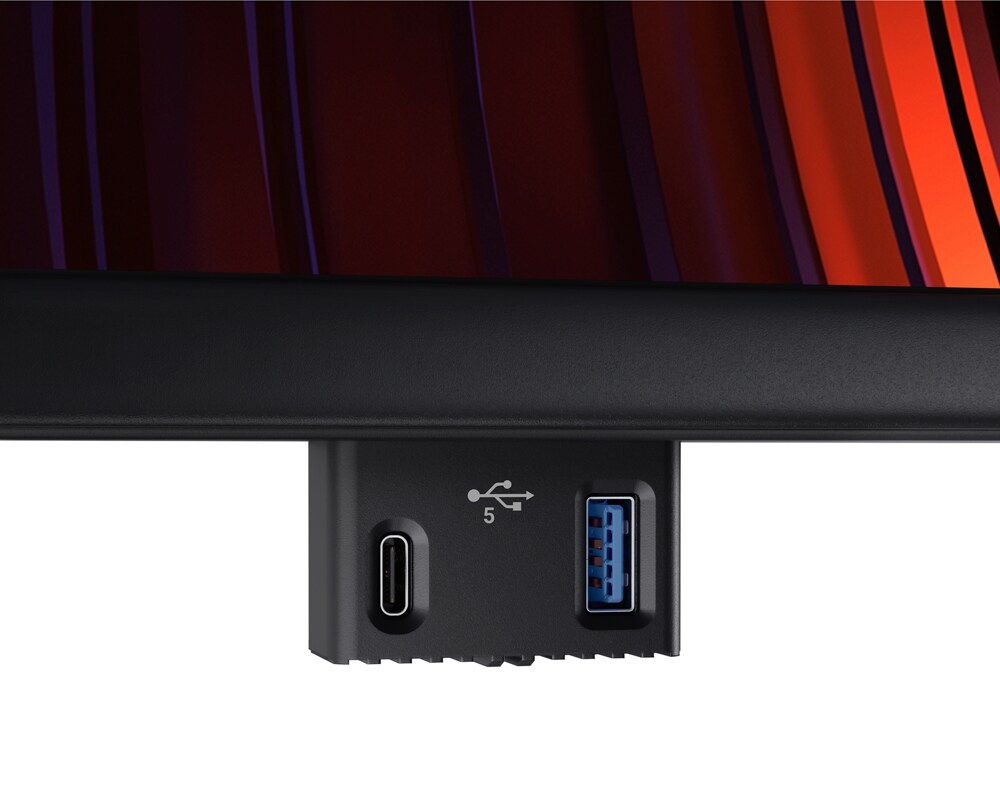
Pop-out quick access ports
Extensive connectivity
Work seamlessly
Works with devices on macOS®
Enhanced eye comfort

Reduces blue light
This monitor features hardware low blue light technology, reducing harmful blue light emissions to ≤35% for all day eye comfort without sacrificing color.
Refresh rate
100Hz refresh rate reduces flicker, enabling smoother scrolling and motion.
Vivid colors
Wide color coverage with up to 16.7m displayable colors and 99% sRGB ensures sharp and vivid visuals.
Colour consistency
Exceptional contrast

Tilt

Swivel

Pivot
Height

Dell Display and Peripheral Manager
Maximise productivity
Easy Arrange tiles apps across screens with pre-set partitions and customises up to five windows, enhancing multitasking. Easy Arrange Memory saves and restores app profiles manually, on schedule, or at start-up.
Customise your views
Work comfortably, day or night. Automate your brightness and contrast settings to match your schedule.
More manageable
Save time and boost IT efficiency with the Dell Device Management Console to manage your Dell peripheral fleet at scale, f a single cloud-based console. Discover expanded Command Line Interface features f Dell Display and Peripheral Manager.
Environmentally forward thinking
Intentional design in every partAt the heart of our design is a commitment to sustainability. That's why our monitor helps reduce waste with a design made f recycled materials with up to 95% post-consumer recycled plastic, 100% recycled aluminium, 50% recycled steel, and 20% recycled glass.
Environmental standards
This monitor is ENERGY STAR®, registered EPEAT Gold with Climate+ and carries the latest TCO Certification and is TCO Edge, ensuring the use of safer materials, renewable energy use, and extended product life.
Seamlessly ernise your tech
We can help you responsibly and securely retire your legacy IT equipment, regardless of brand, while addressing your sustainability goals.
Packaging with purpose
This monitor ships in a box made f 100% recycled or renewable materials. We are reducing paper usage in monitors packaging, which is the equivalent to saving 790 trees annually.
Features
Dell Pro P 27 USB-C Hub Webcam Monitor - P2726DEV


Elevate collaboration in open workspaces with a 27-inch QHD IPS monitor featuring a built-in webcam.


Diagonal Size
27"

Resolution / Refresh Rate
2560 x 1440 at 100Hz

Panel Technology
In-plane Switching (IPS) Technology

Adjustability
Swivel
Height
Pivot
Tilt

Ports
1 HDMI port/s (HDCP 1.4) (Supports up to 2560 x 1440 as specified in HDMI 2.1 (TMDS))
1 DisplayPort 1.4 (HDCP 1.4) port/s
1 DisplayPort Out 1.4 port/s
2 USB Type-A 5Gbps downstream port/s
1 USB Type-B 5Gbps upstream port/s
1 USB-C 5Gbps upstream port/s (DisplayPort 1.4 Alt e, Power Delivery up to 90 W)
1 USB Type-A 5Gbps downstream port/s with Battery Charging 1.2
1 USB-C 5Gbps downstream port/s, Power Delivery up to 15 W

Cables
Power cable
1 x DisplayPort-DisplayPort cable - 1.80 m
1 x USB Type A to Type B downstream cable 1.80 m
1 x USB-C to C 5Gbps 100 W cable 1.80 m

Next generation collaboration experience for open workspaces

See every detail, even in low light
The Sony Starvis 5MP sensor ensures professional-grade video clarity, while the QHD camera with HDR delivers balanced exposure, so you always look your best during virtual meetings.
Spotlight's on you
AI Auto Framing keeps you center-framed even as you move and shift, so the focus is always on you.

Effortless collaboration with secure access
Seamless platform compatibility
for Microsoft Teams and Zoom, this monitor ensures reliable performance for all your virtual meetings.
Built-in privacy and security
With Windows Hello sign-in and a mechanical tilt and shutter, stay in control of your privacy while enjoying secure, password-free access for a seamless and worry-free collaboration experience.
Connectivity meets productivity
Connect your accessories with a wide variety of ports and enhance efficiency via daisy chaining, all in a clutter-free setup.

Single-cable solution
Transmit video, data, Ethernet, and up to 90W power delivery all at once with USB-C.

Pop-out quick access ports
Easily connect or charge devices with a USB-C (up to 15W charging) and a USB Type-A connection.

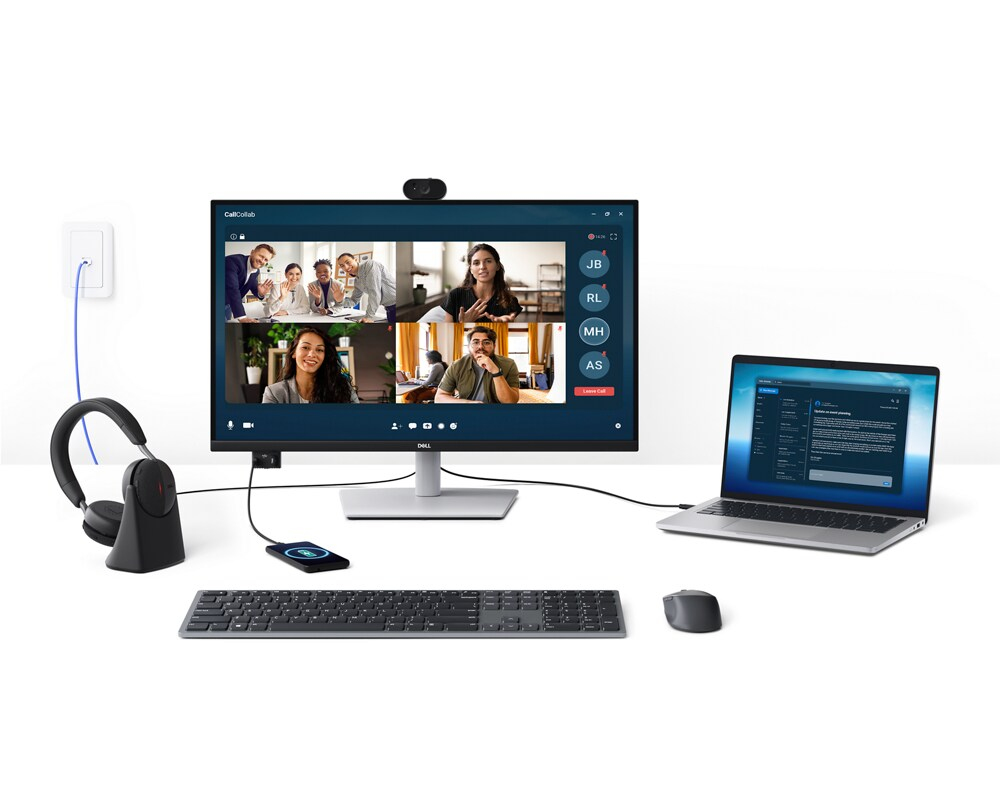
Extensive connectivity
Connect all your accessories with ease using a wide variety of ports, including an RJ45 port for reliable Ethernet connectivity.

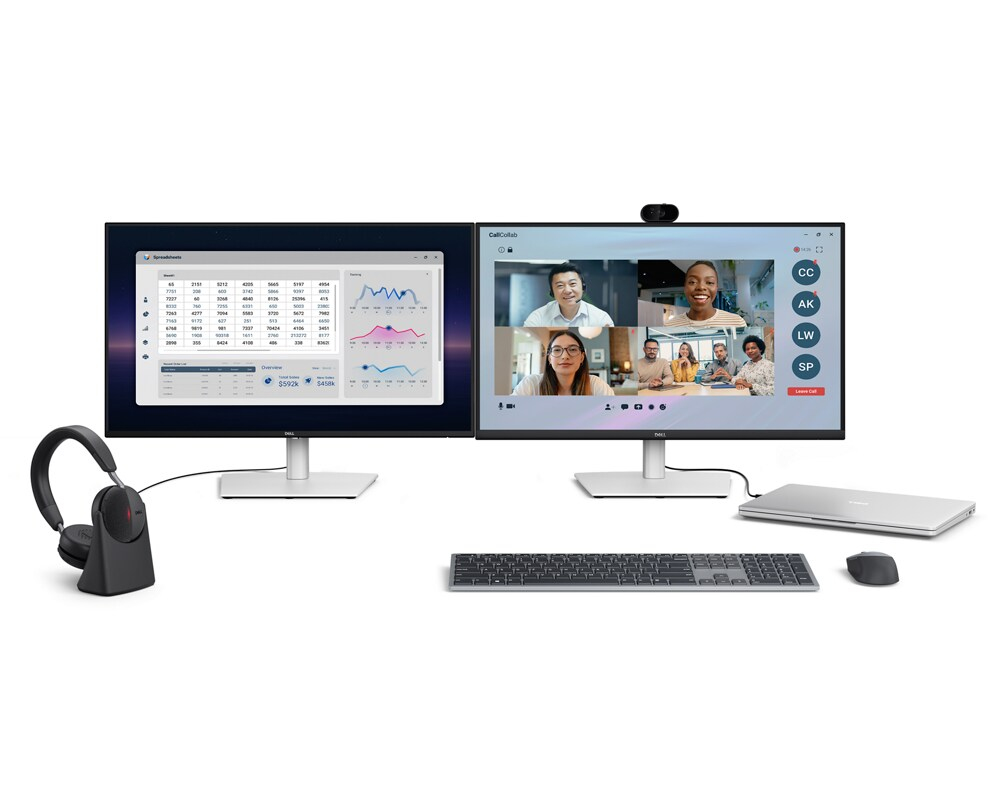
Work seamlessly
Daisy chain multiple monitors for efficient multitasking.
Works with devices on macOS®*
Tested with devices on macOS, this USB-C monitor is ready-to-work with Mac® devices. Requires USB-C or HDMI connectivity. Daisy chaining¹ multiple displays via a single cable requires Thunderbolt connectivity. Please check your device for compatibility, as select M-series chips may not support some features. Install Dell Display and Peripheral Manager application to customized advance settings.
*Based on internal testing of select Dell monitors with USB-C or HDMI connection to devices on macOS, June 2024. Some features may not be supported.
Enhanced eye comfort
TÜV 4-star monitor for eye comfort reduces eye fatigue while you work.
Reduces blue light
This monitor features hardware low blue light technology, reducing harmful blue light emissions to ≤35% for all day eye comfort without sacrificing color.
Refresh rate
100Hz refresh rate reduces flicker, enabling smoother scrolling and motion.

Vivid colors
Wide color coverage with up to 16.7m displayable colors and 99% sRGB ensures sharp and vivid visuals.
Work in clear detail

Color consistency
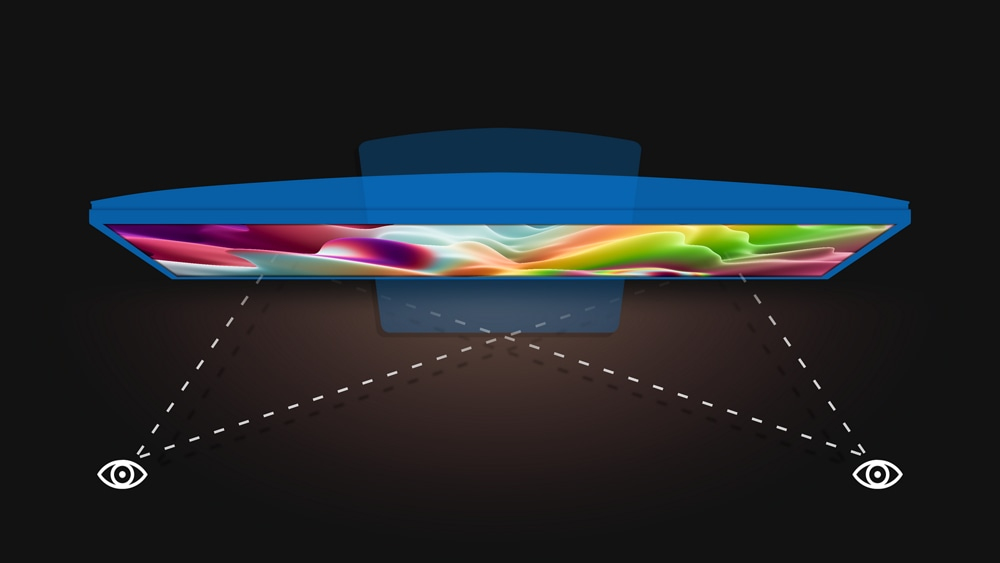
Consistent, vibrant colors across wide viewing angles enabled by In-Plane Switching (IPS) technology.

Exceptional contrast
1500:1 contrast ratio for deeper blacks and brighter whites.
Designed for comfort
Adjustability to meet your preferences throughout the day.

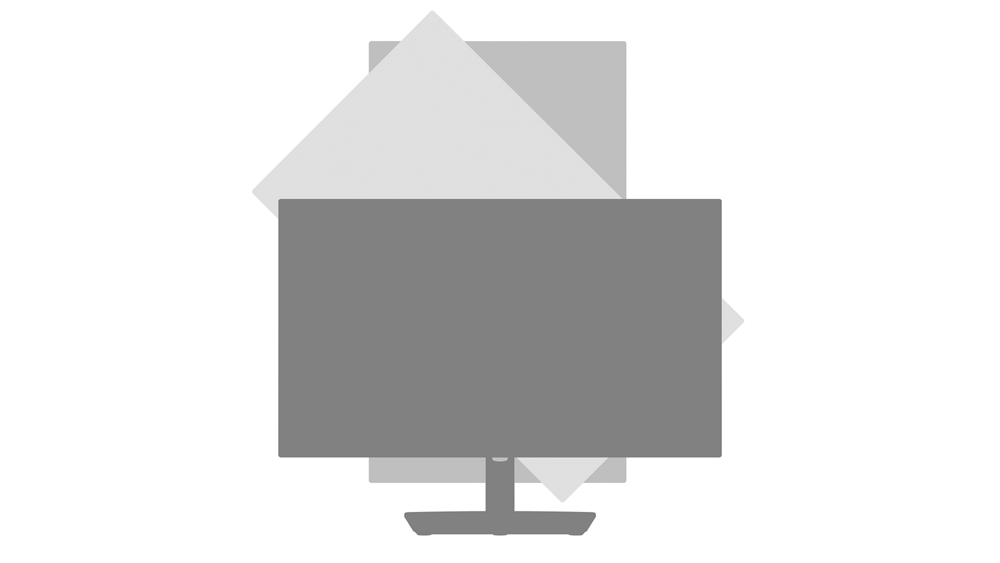
Tilt
Adjustment f -5o / +21o.

Swivel
Bi-directional adjustment up to 45 o.

Pivot
Bi-directional adjustment up to 90 o.

Height
Adjustability up to 150 mm.
Dell Display and Peripheral Manager
Experience Dell’s singular, innovative application to optimize the performance of your entire Dell PC workspace².

Maximize productivity
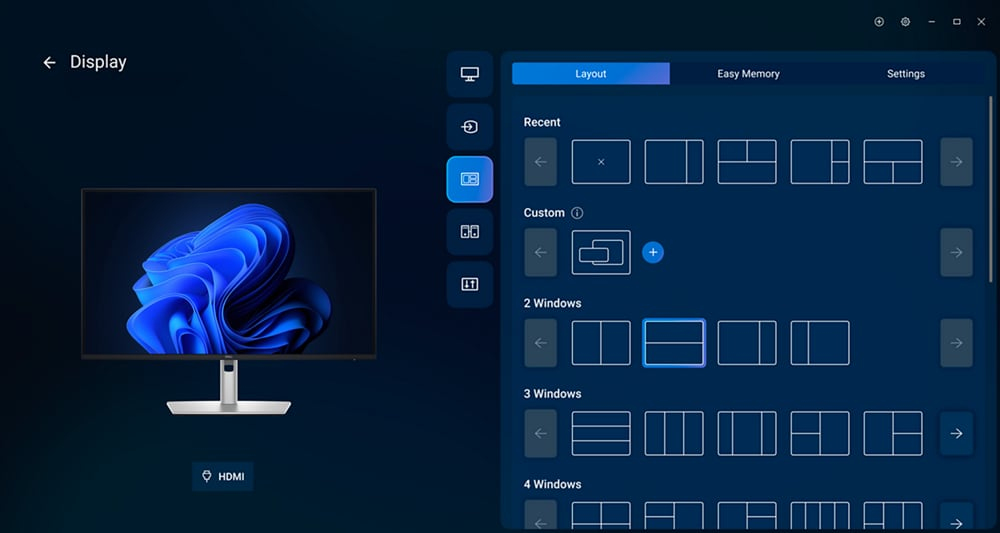
Easy Arrange tiles apps across screens with pre-set partitions and customizes up to five windows, enhancing multitasking. Easy Arrange Memory saves and restores app profiles manually, on schedule, or at start-up.
Customize your views
Work comfortably, day or night. Automate your brightness and contrast settings to match your schedule.
More manageable
Save time and boost IT efficiency with the Dell Device Management Console to manage your Dell peripheral fleet at scale, f a single cloud-based console. Discover expanded Command Line Interface features f Dell Display and Peripheral Manager³.
Disclaimer: Screen image simulated for illustrative purposes only. Monitor el may vary.
Environmentally forward thinking
Intentional design in every part
At the heart of our design is a commitment to sustainability. That's why our monitor helps reduce waste with a design made f recycled materials with up to 95% post-consumer recycled plastic, 100% recycled aluminum, 50% recycled steel, and 20% recycled glass⁴.
Environmental standards
This monitor is ENERGY STAR®, registered EPEAT Gold with Climate+ and carries the latest TCO Certification and is TCO Edge, ensuring the use of safer materials, renewable energy use, and extended product life⁵.
Seamlessly ernize your tech
We can help you responsibly and securely retire your legacy IT equipment, regardless of brand, while addressing your sustainability goals.
Packaging with purpose
This monitor ships in a box made f 100% recycled or renewable materials. We are reducing paper usage in monitors packaging, which is the equivalent to saving 790 trees annually⁶.


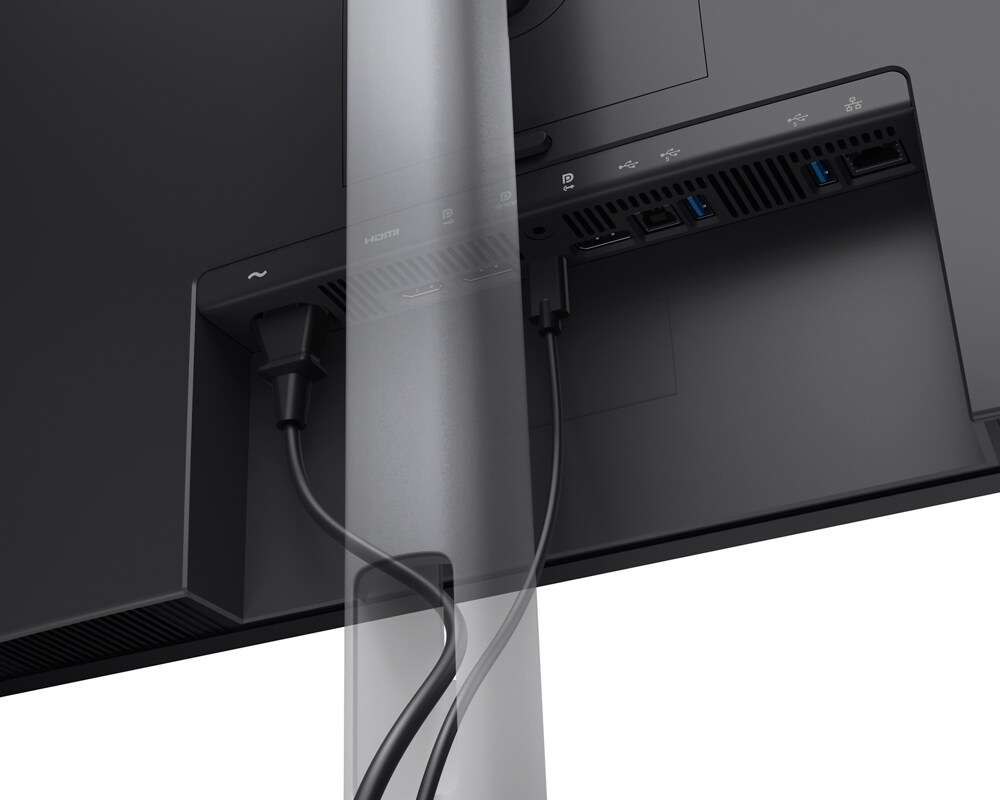
Ports and slots

Rear view
- Power connector
- 1 x HDMI port/s (HDCP 1.4) (Supports up to 2560 x 1440 as specified in HDMI 2.1 (TMDS))
- 1 x DisplayPort 1.4 (HDCP 1.4) port/s
- 1 x USB-C 5Gbps upstream port/s (DisplayPort 1.4 Alt e, Power Delivery up to 90 W)
- 1 x DisplayPort Out 1.4 port/s
- 1 x USB Type-B 5Gbps upstream port/s
- 2 x USB Type-A 5Gbps downstream port/s
- RJ45 Ethernet port/s, 1GbE
- Stand lock
- 1 x USB-C 5Gbps downstream port/s, Power Delivery up to 15 W
- 1 x USB Type-A 5Gbps downstream port/s with Battery Charging 1.2
Cables included
- Power cable
- DisplayPort-DisplayPort 1.4 cable - 1.80 m
- USB Type-A to Type-B 5Gbps cable - 1.80m
- USB-C to C 5Gbps 100 W cable - 1.80 m
Dimensions and weight

1. Monitor height with stand:
Extended: 567.78 mm (22.35 in.)
Compressed: 417.78 mm (16.45 in.)
2. Monitor width: 612.34 mm (24.11 in.)
3. Monitor height: 392.58 mm (15.46 in.)
4. Stand width: 272.80 mm (10.74 in.)

5. Monitor depth: 60.11 mm (2.37 in.)
6. Stand height:
Extended: 428.30 mm (16.86 in.)
Compressed: 381.50 mm (15.02 in.)
7. Stand depth: 192.28 mm (7.57 in.)
Weight
Weight with stand and cables: 6.93 kg (15.27 lb)⁷
Weight without stand and cables: 4.96 kg (10.93 lb)⁷
Peace of mind, guaranteed

A brand you can rely on
As the No. 1 monitor company worldwide⁸, we take pride in our unyielding commitment to quality and the utmost customer satisfaction.
1. Daisy-chaining is supported on select Dell monitors. Please check device compatibility.
2. Based on Dell internal analysis, December 2024.
3. Based on Dell internal analysis, November 2024.
4. Based on internal analysis, December 2025. Up to 95% recycled plastic throughout the device, 100% recycled aluminum in the stand, up to 50% recycled steel in the monitor head and stand, and up to 20% recycled glass in the panel.
5. Based on internal analysis, December 2025. ENERGY STAR certifications may vary by region and configuration. See www.energystar.gov/productfinder/ for certification status. EPEAT registered where applicable. EPEAT registration varies by country. See www.epeat.net for registration status by country. TCO Certification may vary by region and configuration. See www.tco.com/product-finder/ for certification status.
6. Based on internal analysis, December 2025. Packaging applies to all Dell monitors launched since 2023. Made f FSC mix sources which is a mix of material f FSC forests, recycled content and/or FSC controlled wood. January 2025, introduced cushions now made f corrugated materials. Paper reduction applies to all Monitors shipping in 2026. Reductions in paper usage in monitor packaging is attributed to the quick start guide size reduction and calibration sheet digitization. Calculation for trees saved based on : Detailed Calculator | 10 THOUSAND TREES.
7. Weights vary depending on configuration and manufacturing variability.
8. Source: IDC Worldwide Quarterly PC Monitor Tracker, Q4 2025. Excludes Alienware & gaming monitors.
Specifications
Display
Performance
Multimedia
Design
Ports & interfaces
Network
Ergonomics
Ergonomics
Power
Operational conditions
Weight & dimensions
Packaging data
Packaging content
Sustainability
Carbon footprint
Other features
Additional Information
| EAN/UPC | 5397321029007 |
|---|---|
| MPN | DELL-P2726DEV |
| BRAND | DELL |
Disclaimer
Product Carbon Footprint (PCF)
1. Dell calculates the Product Carbon Footprint using one of two methodologies, depending on the product: the Dell PCF calculator (GaBi version , YYYY) or the Product Attribute to Impact Algorithm (PAIA, X.X.X, YYYY). The methodology used is indicated in the "Version of PCF tool used" column.
2. PAIA (Product Attribute Impact Algorithm) is a streamlined LCA tool developed by MIT ‘s Materials System Laboratory. PAIA estimates the product’s carbon footprint using limited system attributes of the product such as component dimension, screen size, system weight, and annual energy consumption.
3. Please note the emission estimate in this report is calculated using the mean value along with the standard deviation for that product el.
4. Use of default inputs (i.e. not primary data) and assumptions on location of use and other fields can introduce a standard deviation which must be taken into account while completing the calculations. For more information refer to the PCF pages on Dell.com.
5. For the PAIA PCF methodology, the transportation f assembly to customer includes the emissions generated during air, ocean and land transportation of finished or semi-finished Dell products between Dell facilities and between Dell facilities to customers.
6. For the Dell PCF calculator and methodology, the transportation phase the default delivery assumptions are 90% of transport happening by sea and 10% happening by air. Trucking distances don’t contribute as much to the PCF impact compared to more influential by sea or by air distances es.
7. Please note, PAIA uses the ecoinvent Database ( whenever primary data is not made available for calculations.
8. For client and commercial end user computing products, minimum configurations were assumed for calculations. For Server and Storage products, typical configurations or ENERGY STAR ( configurations were used for calculations.
9. Use Phase emissions were calculated based on the location of use as "Europe" i.e. the Use Phase emissions are not specific to a single country / location.The Dell PCF Calculator also estimates Use Phase emissions for the U.S. and China, which are available in the PCF PDF documents on Dell.com.
10. The report provides the total emissions separated by the 4 lifecycle phases: manufacturing, transport, use, and end of life to understand the impact of each phase.
11. The Dell PCF Calculator lifetime usage assumption at the product family level is as follows: Desktop, Notebook - 5 years, Display - 6 years and Servers/Storage - 4 years.
12. For Displays, total product weight refers to the weight of the typical product configuration, including any cables and the power cord.
* Blanks indicate we do not have the corresponding metric calculated or data is currently unavailable for the specific product at this time.