Laptop Parts & Accessories
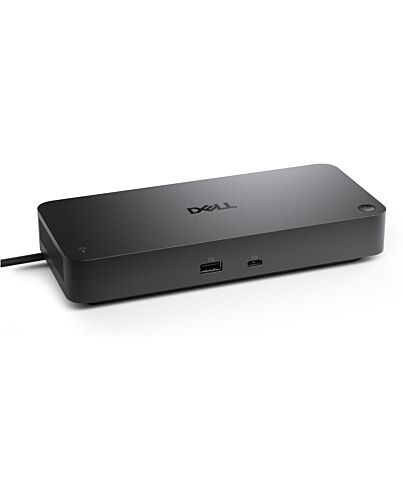
DELL SD25TB5 Wired Thunderbolt 5 Black
- Immediately available
- Discreet Packaging
- Free Shipping
Product Details
Description
Reasons To Buy
Future-proof your productivity
More manageable and secure
Most manageable commercial dock
Reduce IT efforts by scheduling updates during off-hours, while ensuring fleetwide compliance and eliminating end user interruptions.
Most secure smart dock
Keep users working confidently with enterprise-grade WPA-3 192-bit encryption for secure Wi-Fi communication. Safeguard your sensitive data with tamper-resistant, hardware-based encryption built into your Dell Pro Smart Dock.
Effortless maintenance
Remotely configure, deploy and update Dell Pro Smart Docks over Wi-Fi without the user connecting to a PC.
out-of-band management on select Intel vPro® PCs with Intel® Active Management Technology (Intel® AMT) over Thunderbolt f the connected dock.
Connect your way
Designed for sustainability
Features
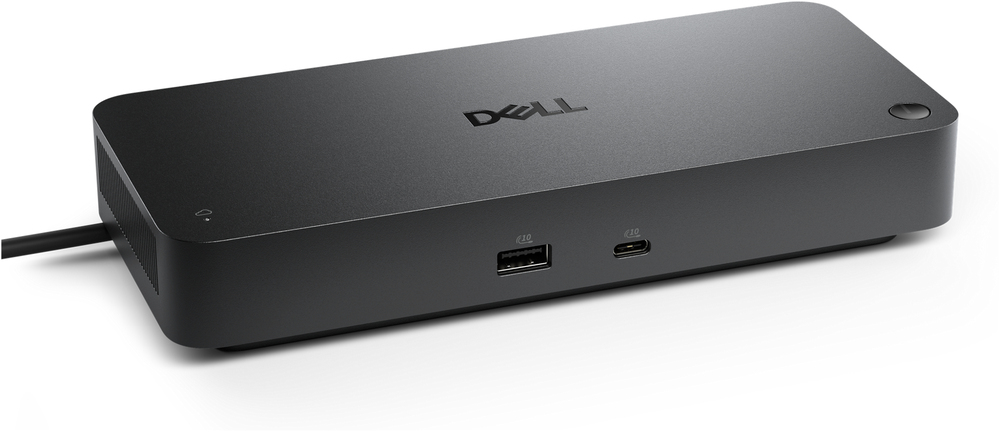
Dell Pro Thunderbolt 5 Smart Dock - SD25TB5
Conquer intense workloads with versatile Thunderbolt 5 smart dock, delivering up to 300W of future-ready power and remote management capabilities.
Video Resolution
3840 x 2160
7680 x 4320
6144 x 3456
5120 x 2160
3440 x 1440
2560 x 1440
Interfaces
Thunderbolt 5
OS Required
CheOS 141
Red Hat Enterprise Linux 9.7
macOS
Ubuntu 24.04
Windows 11
Windows 10
Cables
83 cm
Features / Data Link Protocol
Power Delivery Pass-through
LED Power Indicator
Future-proof your productivity
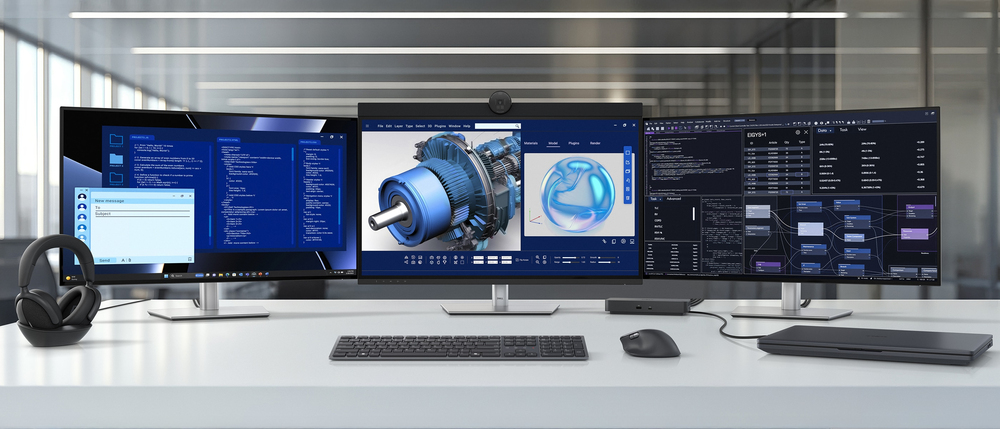
Maximise your AI PC productivity on the industry’s first, and most powerful, Thunderbolt 5 smart dock¹, built for seamless multitasking using Gen AI tools across up to four 4K 120Hz displays. Featuring extended power range, this smart dock delivers up to 300W of power over a single USB-C cable to meet the demands of the highest performance AI PCs. ern ports ensure a wide range of peripheral connectivity.
More manageable and secure
Elevate the IT management experience by directly managing your smart docks f the Dell Device Management Console – no PC connection or software required.
Most manageable commercial dock²
Reduce IT efforts by scheduling updates during off-hours, while ensuring fleetwide compliance and eliminating end user interruptions.
Most secure smart dock³
Keep users working confidently with enterprise-grade WPA-3 192-bit encryption for secure Wi-Fi communication. Safeguard your sensitive data with tamper-resistant, hardware-based encryption built into your Dell Pro Smart Dock.
Effortless maintenance
Remotely configure, deploy and update Dell Pro Smart Docks over Wi-Fi⁴ without the user connecting to a PC.
out-of-band management on select Intel vPro® PCs with Intel® Active Management Technology (Intel® AMT) over Thunderbolt f the connected dock.
Connect your way
Configure your workspace to your liking with an ambidextrous USB-C cable⁵ that can be routed left or right.
Designed for sustainability
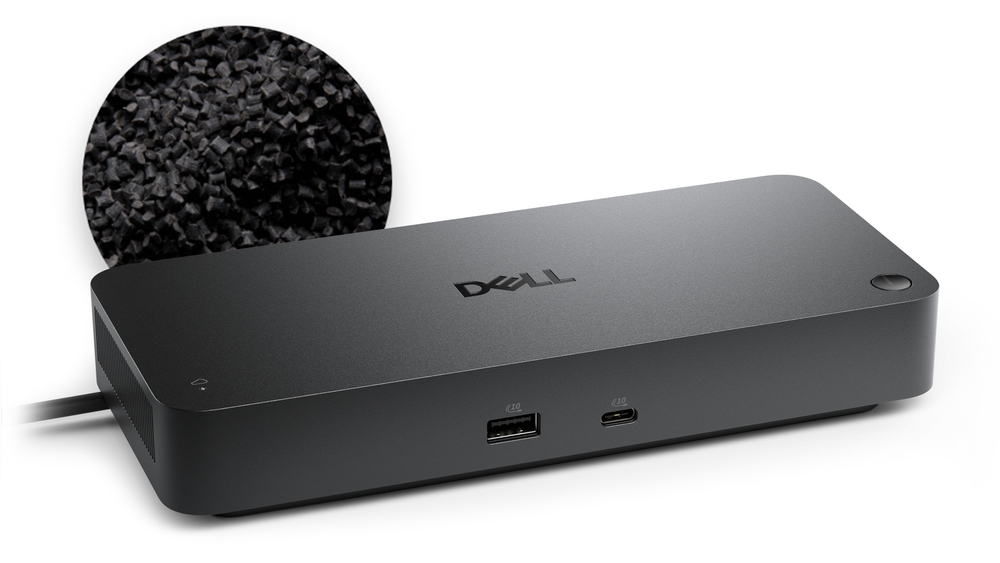
The Dell Pro Thunderbolt 5 Smart Dock is built with at least 65% post-consumer recycled materials⁶ and packaged with 100% recycled or renewable packaging⁶.
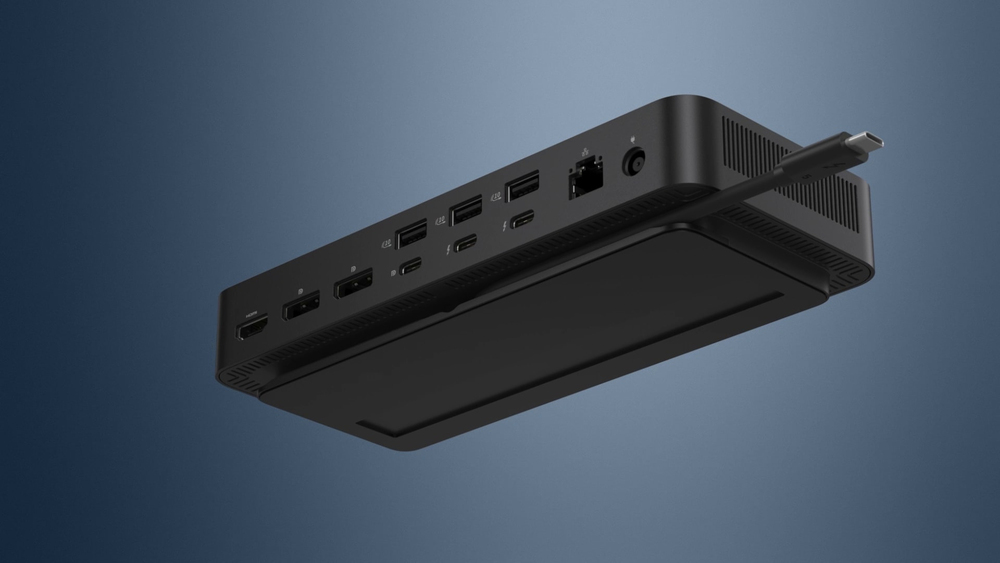
Ports and slots
Front side
1. USB-A 3.2 Gen 2 with PowerShare
2. USB-C 3.2 Gen 2
Rear side
3. USB-A 3.2 Gen 2 with PowerShare
4.USB-A 3.2 Gen 2 with PowerShare
5.USB-A 3.2 Gen 2 with PowerShare
6. HDMI 2.1
7. DisplayPort 2.1
8. DisplayPort 2.1
9. USB-C 3.2 Gen 2 Multifunction DisplayPort 2.1
10. Thunderbolt 5
11. Thunderbolt 5
12. 2.5 Gigabit Ethernet (RJ45)
13. Power In
1. Based on Dell internal analysis, April 2025.
2. Based on Dell internal analysis, December 2024.
3. Based on Dell internal analysis, March 2025.
4. Via Dell Device Management Console.
5. The accurate length of this cable is 0.83 meters. The image provided is for illustrative purposes only.
6. Based on internal analysis, December 2024.
Specifications
Ports & interfaces
Network
Performance
Performance
Power
Software
Weight & dimensions
Packaging data
Packaging content
Carbon footprint
Additional Information
| EAN/UPC | 5397184961827 |
|---|---|
| MPN | DELL-SD25TB5 |
| BRAND | DELL |
Disclaimer
Product Carbon Footprint (PCF)
1. Dell calculates the Product Carbon Footprint using one of two methodologies, depending on the product: the Dell PCF calculator (GaBi version , YYYY) or the Product Attribute to Impact Algorithm (PAIA, X.X.X, YYYY). The methodology used is indicated in the "Version of PCF tool used" column.
2. PAIA (Product Attribute Impact Algorithm) is a streamlined LCA tool developed by MIT ‘s Materials System Laboratory. PAIA estimates the product’s carbon footprint using limited system attributes of the product such as component dimension, screen size, system weight, and annual energy consumption.
3. Please note the emission estimate in this report is calculated using the mean value along with the standard deviation for that product el.
4. Use of default inputs (i.e. not primary data) and assumptions on location of use and other fields can introduce a standard deviation which must be taken into account while completing the calculations. For more information refer to the PCF pages on Dell.com.
5. For the PAIA PCF methodology, the transportation f assembly to customer includes the emissions generated during air, ocean and land transportation of finished or semi-finished Dell products between Dell facilities and between Dell facilities to customers.
6. For the Dell PCF calculator and methodology, the transportation phase the default delivery assumptions are 90% of transport happening by sea and 10% happening by air. Trucking distances don’t contribute as much to the PCF impact compared to more influential by sea or by air distances es.
7. Please note, PAIA uses the ecoinvent Database ( whenever primary data is not made available for calculations.
8. For client and commercial end user computing products, minimum configurations were assumed for calculations. For Server and Storage products, typical configurations or ENERGY STAR ( configurations were used for calculations.
9. Use Phase emissions were calculated based on the location of use as "Europe" i.e. the Use Phase emissions are not specific to a single country / location.The Dell PCF Calculator also estimates Use Phase emissions for the U.S. and China, which are available in the PCF PDF documents on Dell.com.
10. The report provides the total emissions separated by the 4 lifecycle phases: manufacturing, transport, use, and end of life to understand the impact of each phase.
11. The Dell PCF Calculator lifetime usage assumption at the product family level is as follows: Desktop, Notebook - 5 years, Display - 6 years and Servers/Storage - 4 years.
* Blanks indicate we do not have the corresponding metric calculated or data is currently unavailable for the specific product at this time.