
Computers
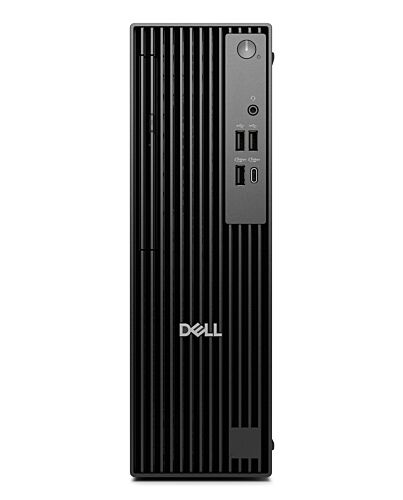
DELL Pro QCS1250 Intel® Core™ i5 i5-14500 16 GB DDR5-SDRAM 512 GB SSD Windows 11 Pro Slim PC PC Blac
£724.86
DELL Pro QCS1250, Intel® Core™ i5, i5-14500, 16 GB, 512 GB, Windows 11 Pro, 64-bit
In stock
- Immediately available
- Discreet Packaging
- Free Shipping
Product Details
Description
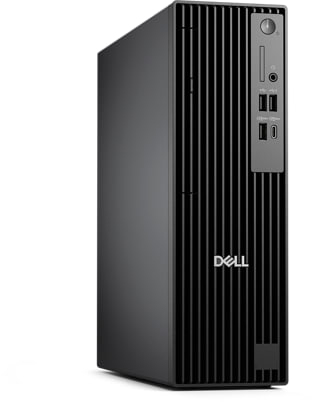
Dell Pro Slim: A compact PC with a sleek design and enhanced thermals with Intel® Core™ (14th Gen) processors or upgrade to Intel® Core™ Ultra (Series 2) processors for enhanced AI performance.
Key Features
- Windows 11 Pro 64-bit
- Intel Core i5-14500 (24MB Cache)
- 16GB DDR5-SDRAM (1 x 16) & 512GB SSD
Reasons To Buy
Big performance in a compact frame
Dell Pro Slim
Next-level AI
Bring AI to your PC
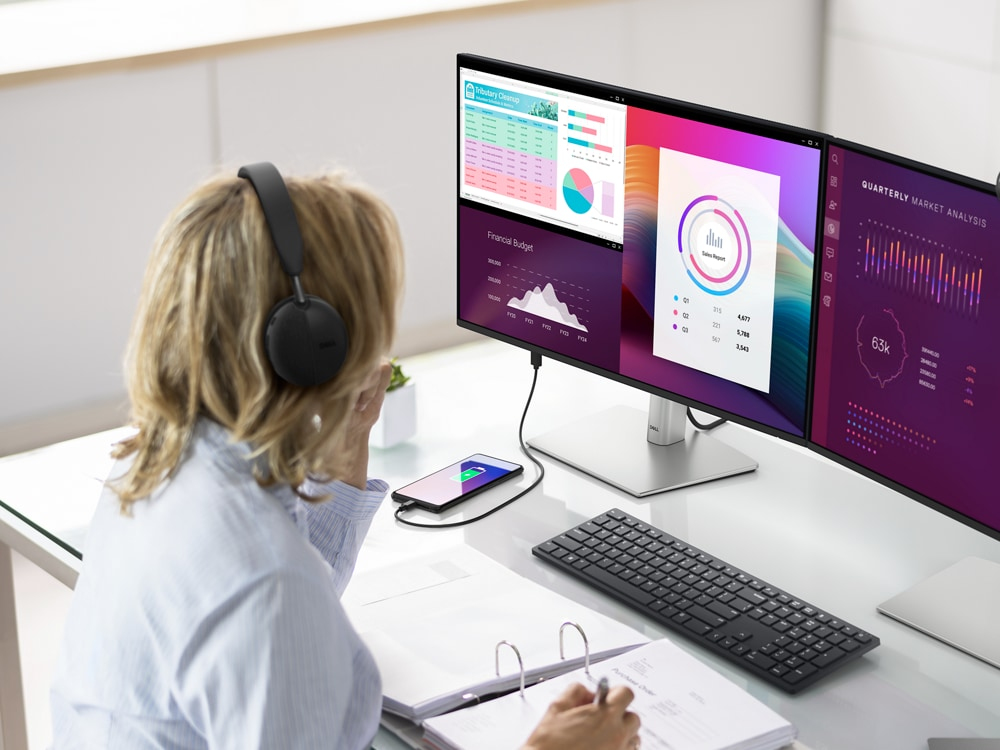
Dell delivers the industry's most comprehensive AI toolkit leveraging NPU technology. Dell Pro AI Studio brings AI directly to your device, delivering cloud-like seamlessness without the hefty price tag. Set up and deploy AI with ease in any workplace.
Increased efficiency
Let your desktop work smarter, not harder, with enhanced AI collaboration that uses up to 58% less processor power during Zoom calls with AI background effects.
Faster AI performance
Get up to 50% faster AI performance with Adobe After Effects’ AI Scene Edit Detection to speed up your editing workflow and more time for creativity, all while delivering stunning results.
Top AI PC security
Work securely with effortless management on the world's most secure and manageable commercial AI PCs. Built to combat ern cyberattacks, these systems feature advanced hardware and protections, integrated validation for all driver and BIOS updates, and a published schedule for driver and download releases. And, with Intel vPro® options, IT departments get multilayer security, remote management and reliable stability.
Purposeful design
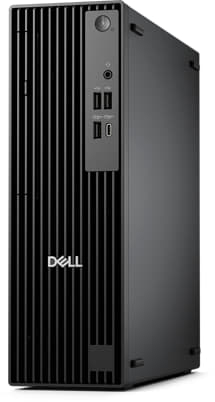
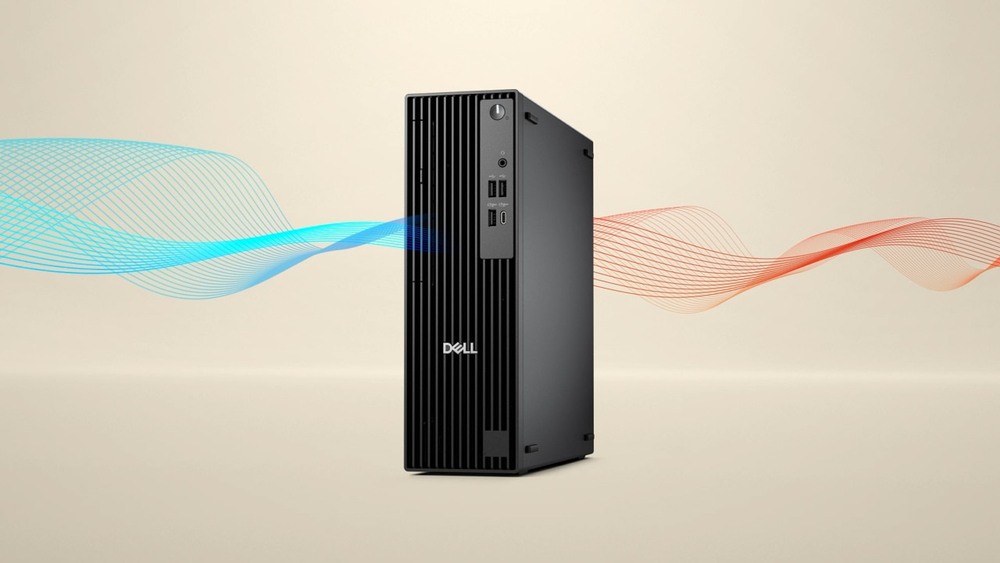
Advanced thermals
Tidy and organized
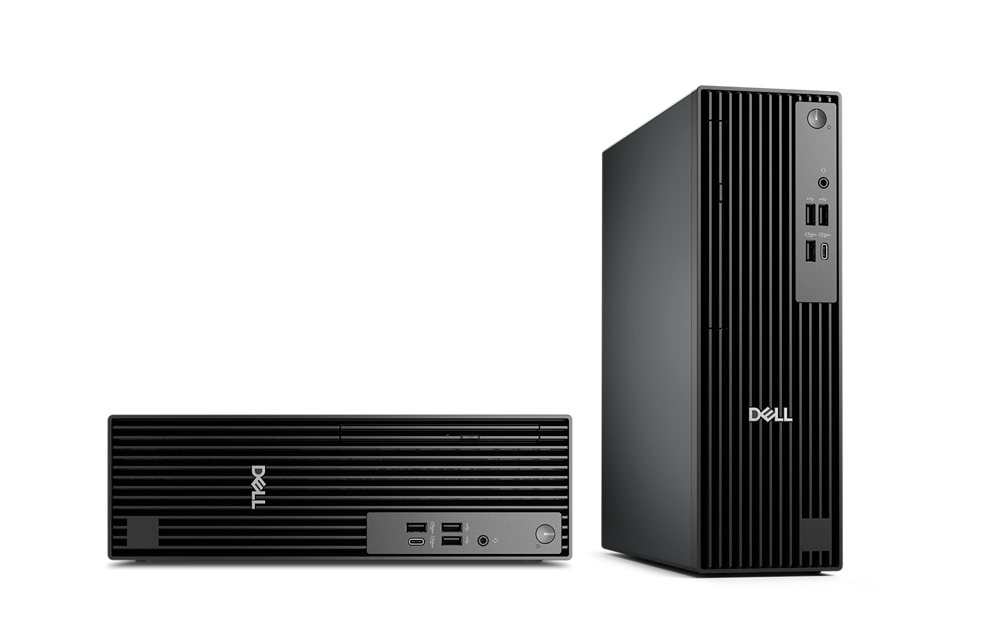
Expand further
Efficiency meets power
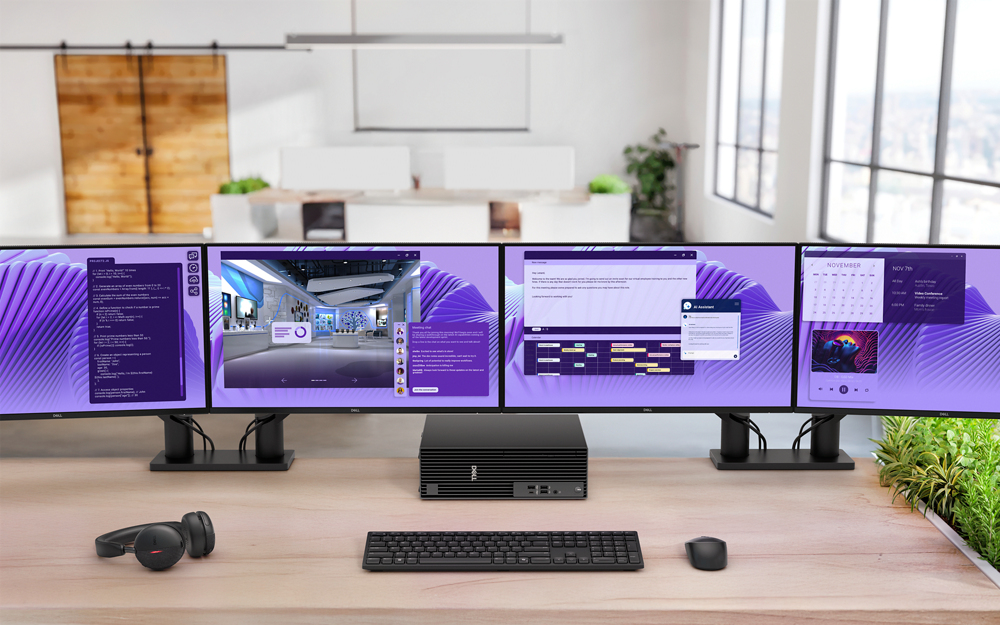
Tackle heavy workloads efficiently with up to 64GB DDR5 memory across 2 slots, one M.2 SSD, plus a second M.2 SSD via Zoom expansion card.
Outstanding graphics:
Enjoy a smooth viewing experience, with optional AMD Radeon™ Discrete Graphics.
Expand your view:
Expand your screen setup with integrated graphics, allowing you to use up to 4 displays at once.
Comprehensive connectivity:
Including USB-C, USB-A, DP and HDMI ports.
ern device management
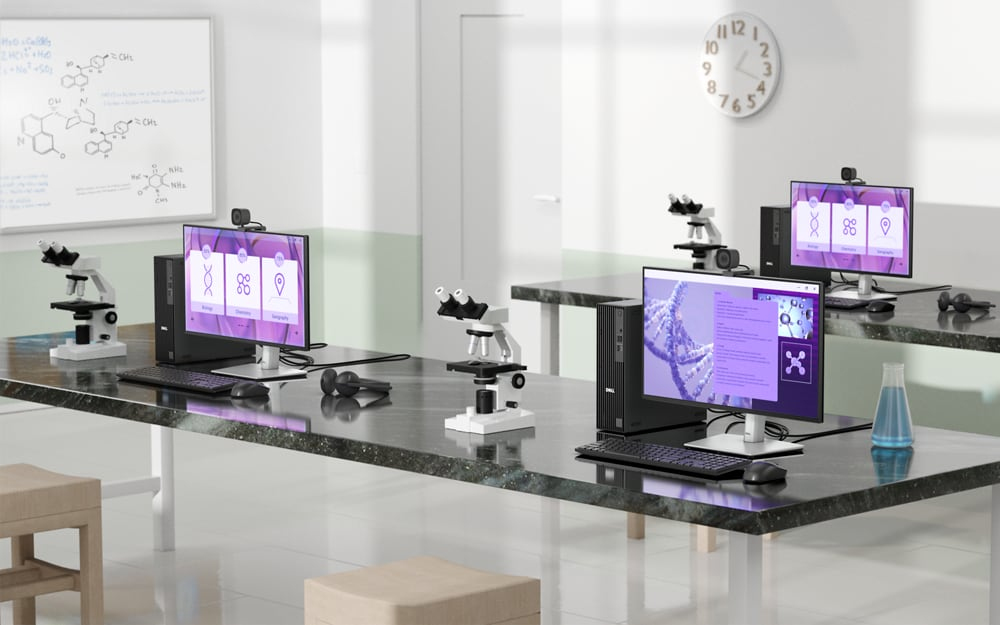
Streamline PC deployment and simplify fleet management with one unified BIOS across Dell Pro Micro, Slim and Tower form factors PCs.
Built to perform
Dell Pro desktops are built for reliability and durability, with less than 1% requiring service in their first year.
Dell Trusted Update Experience
We package the latest BIOS, drivers and versions for our customers – with Dell-exclusive capabilities to simplify PC management.
Simplify IT
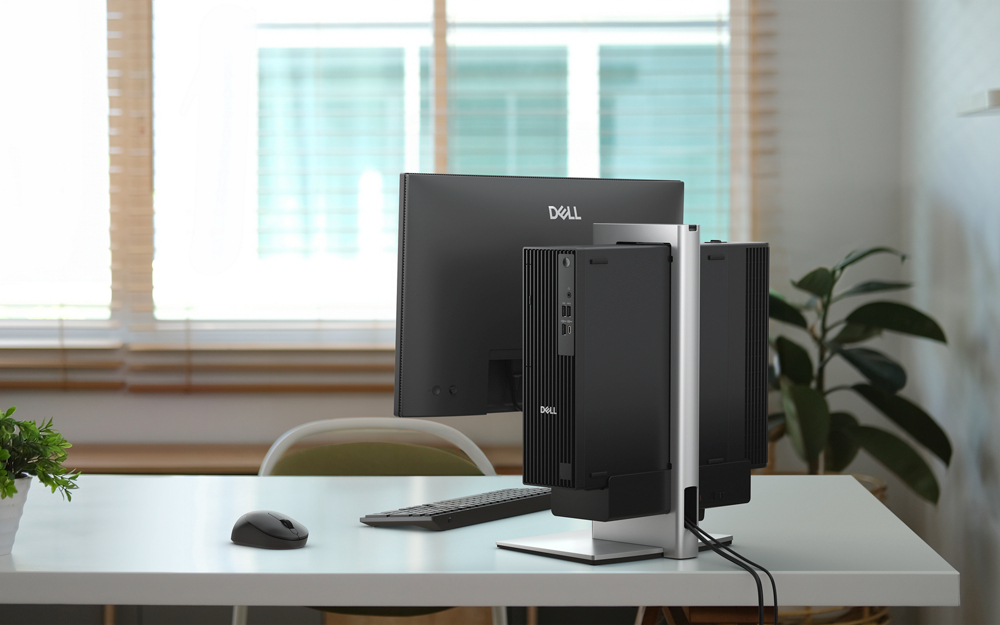
Dell Security
Reduce the attack surface and improve cyber resilience with Dell Trusted Workspace. Supply chain security and BIOS-level tamper detections help maintain device trust while partner software provides advanced threat protection for endpoints, network and the cloud.
Dell Management
Manage your PCs over the cloud, in conjunction with Microsoft Intune, via the Dell Management Portal.
Dell APEX
Experience the world’s first and most comprehensive as-a-service portfolio with Dell APEX. Spanning f multi-cloud to client devices, APEX PC-as-a-Service s capital so you can invest in AI-ready PCs with no upfront investment. Seamlessly deploy, secure, manage, support and responsibly retire devices as part of your subscription.
Advancing sustainability
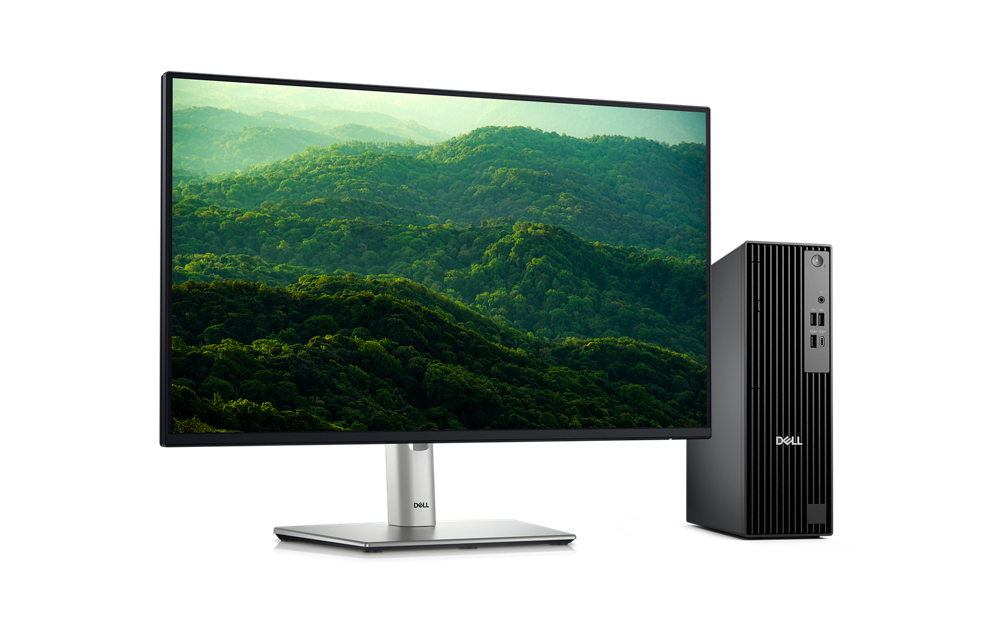
Innovative materials
The Dell Pro Slim desktop is crafted with 48% post-consumer recycled plastic including closed loop plastic. Dell continues to lead the industry in the use of 50% recycled steel in the chassis of this desktop. Plus, it ships in packaging made with up to 100% recycled content or renewable content.
Reduce e-waste when ernising your tech
We can help you responsibly and securely retire your legacy IT equipment, regardless of brand, while addressing your sustainability goals.
Raising environmental standards
This product is ENERGY STAR® and registered EPEAT Gold with Climate+, meaning it meets key sustainability criteria for energy efficiency and climate impact.
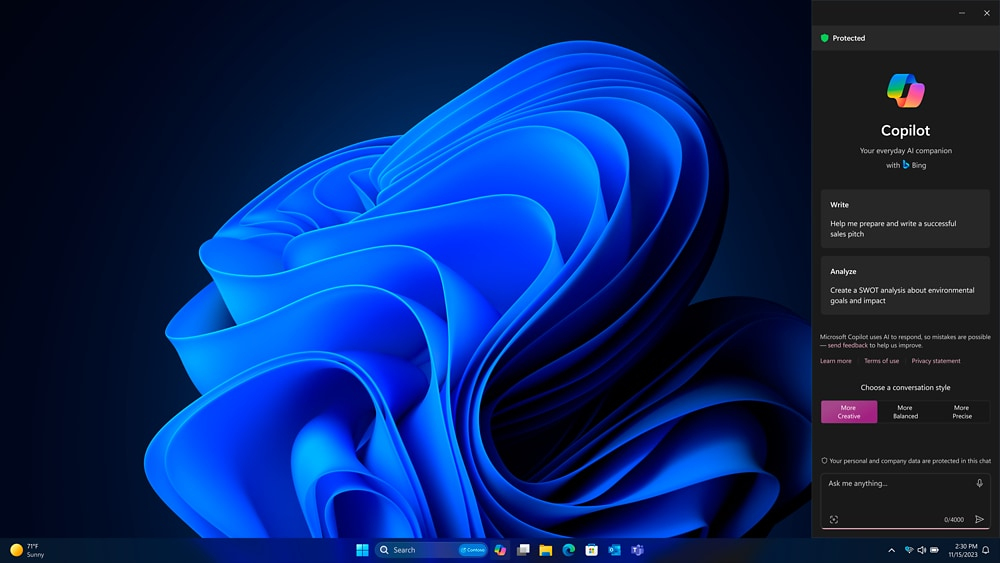
Accelerate business success with Copilot and Windows 11 Pro
Features
Dell Pro Slim Desktop
Big performance in a compact frame
Form meets function with this high-performance space-saving desktop. Sporting a sleek design with enhanced thermals, you can select configurations with Intel® Core™ processors (14th Gen), or upgrade to AI PCs with a neural processing unit (NPU) powered by Intel® Core™ Ultra processors (Series 2) for enhanced AI performance.
Which configuration is right for you?
Both Dell Pro Slim and Dell Pro Slim Plus offer compact, high-performance expandable computing with AI PC options, but Dell Pro Slim Plus offers the flexibility of extra features. See which option is best for you:
Dell Pro Slim
Compact, high-performance expandable PC, powered by Intel® Core™ processors (14th Gen), up to i7, to accelerate work efficiency. Upgrade to Intel® Core™ processors, up to Ultra 7, for AI-enhanced productivity. Features up to 64GB DDR5, two slots, one M.2 SSD slot (expandable to two via Zoom card), DisplayPort and HDMI ports, and optional Wi-Fi 7
Next-level AI
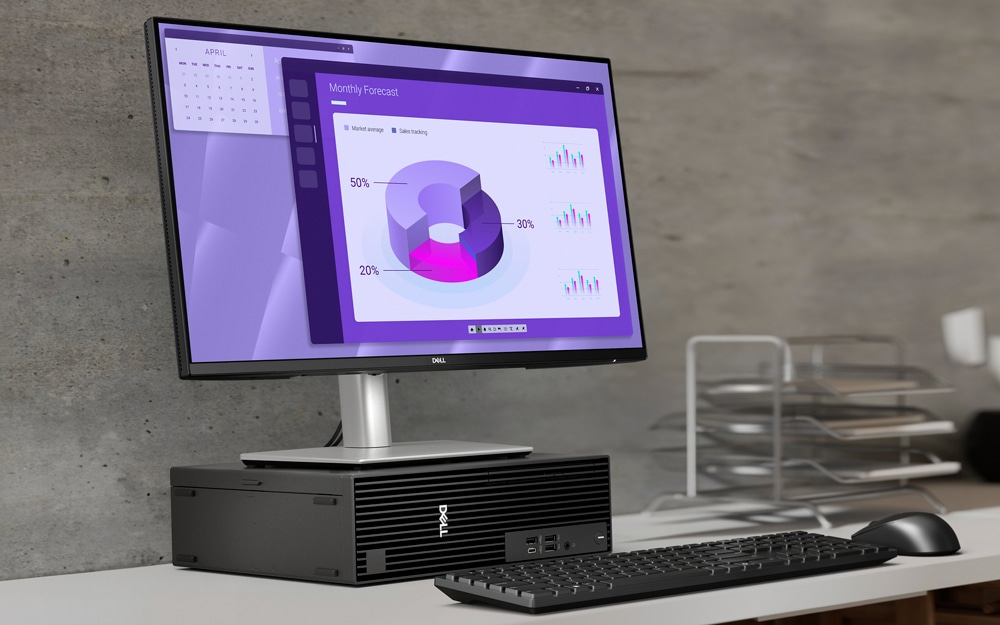
Dell Pro Slim delivers power-efficient performance for demanding workloads with AI PC options featuring Intel® Core™ Ultra desktop processors (Series 2) and three-tier multi-processing architecture combining CPU, GPU and dedicated NPU. This setup ensures AI-driven apps run faster and smoother across any project.
Bring AI to your PC
Dell delivers the industry's most comprehensive AI toolkit leveraging NPU technology². Dell Pro AI Studio brings AI directly to your device, delivering cloud-like seamlessness without the hefty price tag. Set up and deploy AI with ease in any workplace.Increased efficiency
Let your desktop work smarter, not harder, with enhanced AI collaboration that uses up to 58% less processor power during Zoom calls with AI background effects³.Faster AI performance
Get up to 50% faster AI performance with Adobe After Effects’ AI Scene Edit Detection⁴ to speed up your editing workflow and more time for creativity, all while delivering stunning results.Top AI PC security
Work securely with effortless management on the world's most secure and manageable commercial AI PCs⁵. Built to combat ern cyberattacks, these systems feature advanced hardware and protections, integrated validation for all driver and BIOS updates, and a published schedule for driver and download releases. And, with Intel vPro® options, IT departments get multilayer security, remote management and reliable stability.Purposeful design
A stylish, elevated design combining sustainability, functionality and powerful performance. Built for durability, all Dell Pro desktops undergo rigorous military-grade testing⁶ to deliver reliable performance you can count on.
Advanced thermals
Re-engineered, it features an enhanced thermal design to optimise airflow, resulting in up to 57% quieter operation⁷.Expand further
Easily upgrade your desktop's internal components with a tool-less chassis and three PCIe expandable slots. Options include DP and HDMI ports supporting up to 8K resolution⁸ for enhanced video experiences, as well as Wi-Fi 7.Efficiency meets power
High-speed productivity:
Tackle heavy workloads efficiently with up to 64GB DDR5 memory across 2 slots, one M.2 SSD, plus a second M.2 SSD via Zoom expansion card.Expand your view:
Expand your screen setup with integrated graphics, allowing you to use up to 4 displays at once⁹.Outstanding graphics:
Enjoy a smooth viewing experience, with optional AMD Radeon™ Discrete Graphics.Comprehensive connectivity:
Including USB-C, USB-A, DP and HDMI ports.ern device management
Single BIOS strategy
Streamline PC deployment and simplify fleet management with one unified BIOS across Dell Pro Micro, Slim and Tower form factors PCs¹⁰.
Built to perform
Dell Pro desktops are built for reliability and durability, with less than 1% requiring service in their first year¹¹.
Dell Trusted Update Experience
We package the latest BIOS, drivers and versions for our customers – with Dell-exclusive capabilities to simplify PC management.
Simplify IT
We offer the most secure and manageable commercial PCs⁵, along with ern lifecycle services and solutions to make IT management a breeze. Begin your PC refresh with ProDeploy for systems that are ready to use on day one, and ensure they continue working without interruption with our ProSupport solutions.
Dell Security
Reduce the attack surface and improve cyber resilience with Dell Trusted Workspace. Supply chain security and BIOS-level tamper detections help maintain device trust while partner software provides advanced threat protection for endpoints, network and the cloud.
Dell Management
Manage your PCs over the cloud, in conjunction with Microsoft Intune, via the Dell Management Portal.
Dell APEX
Experience the world’s first and most comprehensive as-a-service portfolio with Dell APEX¹². Spanning f multi-cloud to client devices, APEX PC-as-a-Service¹³ s capital so you can invest in AI-ready PCs with no upfront investment. Seamlessly deploy, secure, manage, support and responsibly retire devices as part of your subscription.
Advancing sustainability
This compact and ern desktop is designed for sustainability with recycled materials while meeting key environmental standards.Innovative materials
The Dell Pro Slim desktop is crafted with 48% post-consumer recycled plastic including closed loop plastic¹⁴. Dell continues to lead the industry in the use of 50% recycled steel in the chassis of this desktop¹⁵. Plus, it ships in packaging made with up to 100%¹⁶ recycled content or renewable content¹⁷.
Reduce e-waste when ernising your tech
We can help you responsibly and securely retire your legacy IT equipment, regardless of brand, while addressing your sustainability goals.
Raising environmental standards
This product is ENERGY STAR® and registered EPEAT Gold with Climate+, meaning it meets key sustainability criteria for energy efficiency and climate impact¹⁸.
Accelerate business success with Copilot and Windows 11 Pro
Industry-leading AI. Powerful cybersecurity. Designed for business.AI-powered multi-tasking mastery for a new way of working with Windows 11 Pro. With features like Copilot in Windows¹⁹, get better answers, grow your skills, and effortlessly optimise workflows. Windows 11 Pro on Dell PCs come with the latest advances in security and AI delivered conveniently to your desktop. Benefit f AI-enhanced efficiency, performance, and security today, and innovate to take on new challenges tomorrow.
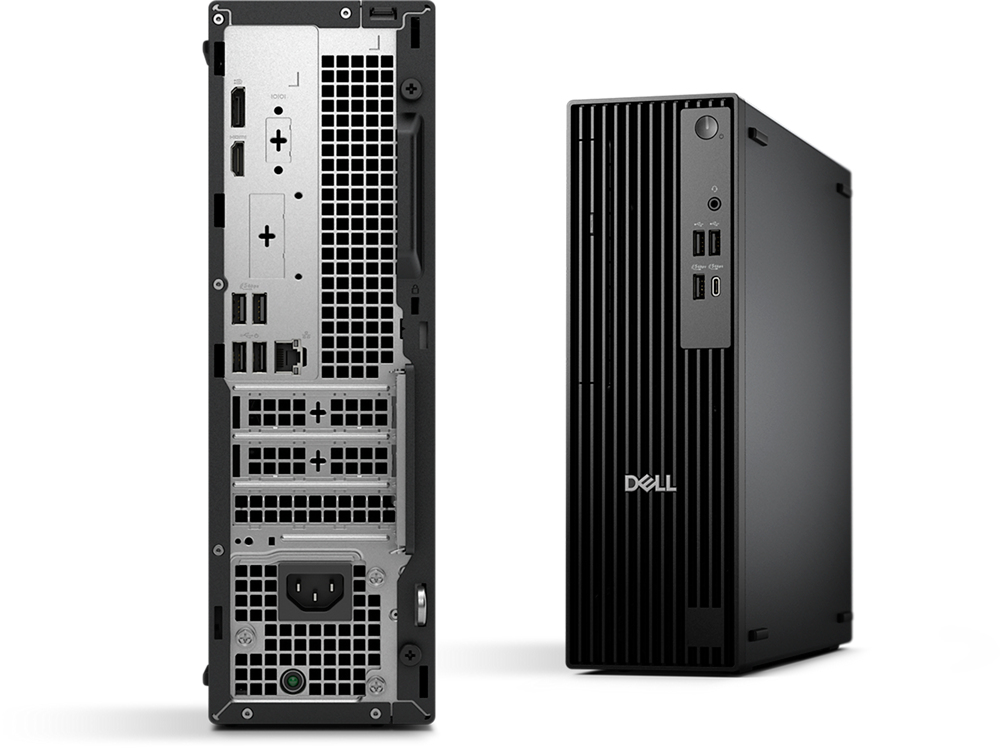
Ports and slots
Front side
1. Power Button with diagnostic LED
2. Global Headset Jack
3. Optical Disc Drive (optional)
4. USB 2.0 (480 Mbps) Type-A Port
5. USB 2.0 (480 Mbps) Type-A Port
6. USB 3.2 Gen 1 (5 Gbps) Type-A Port
7. USB 3.2 Gen 1 (5 Gbps) Type-C Port
1. Power Button with diagnostic LED
2. Global Headset Jack
3. Optical Disc Drive (optional)
4. USB 2.0 (480 Mbps) Type-A Port
5. USB 2.0 (480 Mbps) Type-A Port
6. USB 3.2 Gen 1 (5 Gbps) Type-A Port
7. USB 3.2 Gen 1 (5 Gbps) Type-C Port
Rear side
8. DisplayPort 1.4a, up to 5120 x 3200 @60Hz with Intel® Core™ Ultra Processors (Series 2) CPU; up to 4096 x 2304 @60Hz (HBR2) with Intel® Core™ Processor (14th Gen)
9. HDMI 2.1, up to 4096 x 2160 @60Hz
10. Serial Port (optional)
11. Optional port (choose 1):
HDMI 2.1, up to 5120 x 3200 @60Hz with Intel® Core™ Ultra Processors (Series 2); up to 4096 x 2160 @60Hz with Intel® Core™ (14th Gen)
DisplayPort 2.1, up to 7680 x 4320 @60Hz with Intel® Core™ Ultra Processors (Series 2); 1.4a, up to 5120 x 3200 @60Hz with Intel® Core™ (14th Gen) CPU
VGA, up to 1920 x 1200 @60Hz
USB 3.2 Gen 2 (10 Gbps) Type-C with DisplayPort Alt e, up to 5120 x 3200 @60Hz
2x USB-A 10Gb ports
12. USB 3.2 Gen 1 (5 Gbps) Type-A Port
13. USB 3.2 Gen 1 (5 Gbps) Type-A Port
14. Padlock Ring
15. USB 2.0 (480 Mbps) Type-A Port with SmartPower On
16. USB 2.0 (480 Mbps) Type-A Port with SmartPower On
17. RJ-45 Ethernet Port (1 Gbps)
18. 3x Expansion Slots:
Two Low Profile PCIe x1 Slot
One Low Profile PCIe x16 Slot
19. Power-cord Connector Port
20. Kensington Security Cable Slot
21. Power-supply Diagnostic Light
8. DisplayPort 1.4a, up to 5120 x 3200 @60Hz with Intel® Core™ Ultra Processors (Series 2) CPU; up to 4096 x 2304 @60Hz (HBR2) with Intel® Core™ Processor (14th Gen)
9. HDMI 2.1, up to 4096 x 2160 @60Hz
10. Serial Port (optional)
11. Optional port (choose 1):
HDMI 2.1, up to 5120 x 3200 @60Hz with Intel® Core™ Ultra Processors (Series 2); up to 4096 x 2160 @60Hz with Intel® Core™ (14th Gen)
DisplayPort 2.1, up to 7680 x 4320 @60Hz with Intel® Core™ Ultra Processors (Series 2); 1.4a, up to 5120 x 3200 @60Hz with Intel® Core™ (14th Gen) CPU
VGA, up to 1920 x 1200 @60Hz
USB 3.2 Gen 2 (10 Gbps) Type-C with DisplayPort Alt e, up to 5120 x 3200 @60Hz
2x USB-A 10Gb ports
12. USB 3.2 Gen 1 (5 Gbps) Type-A Port
13. USB 3.2 Gen 1 (5 Gbps) Type-A Port
14. Padlock Ring
15. USB 2.0 (480 Mbps) Type-A Port with SmartPower On
16. USB 2.0 (480 Mbps) Type-A Port with SmartPower On
17. RJ-45 Ethernet Port (1 Gbps)
18. 3x Expansion Slots:
Two Low Profile PCIe x1 Slot
One Low Profile PCIe x16 Slot
19. Power-cord Connector Port
20. Kensington Security Cable Slot
21. Power-supply Diagnostic Light
Dimensions and weight
1. Width: 95.00 mm (3.74")
2. Depth: 293.00 mm (11.54")
3. Height: 303.50 mm (11.95")
Starting weight: 3.90 kg (8.61 lb) ²⁰
Regulatory Product Compliance & Environmental
Dell Technologies is committed to compliance with the laws and regulations in each country into which the company ships it's products. Dell products are designed and tested to meet the appropriate worldwide standards for Product Safety, Electagnetic Compatibility, Ergonomics, and other regulatory compulsory requirements when used for their intended purpose.
In addition, Dell products are developed with design for the environment in mind. Our environmental stewardship program drives conservation of product energy consumption, develops methods to reduce or eliminate materials for disposal, prolongs product life span, and provides effective and convenient equipment recovery solutions.
1. Supports up to 5Gbps connectivity via peer-to-peer transmission. Actual speed via network depends on equipment compatibility, requiring both transceiver and switch at the same maximum speed
2. Based on Dell internal testing against publicly available comprehensive information, November 2024.
3. Based on Intel testing, October 2024. As measured by processor power during 1x1 Zoom call with background blur on NPU. Results may vary. See www.intel.com/PerformanceIndex for workloads and configurations. Results may vary.
4. Based on Intel testing, October 2024. As measured by Adobe After Effects AI Scene Edit Detection feature. Results may vary. See www.intel.com PerformanceIndex for workloads and configurations. Results may vary.
5. Most secure is based on Dell internal analysis, October 2024. Applicable to PCs on Intel processors. Not all features available with all PCs. Additional purchase required for some features. Validated by Principled Technologies. A comparn of security features, April 2024. Most-manageable commercial PCs when comparing the systems management capabilities of Dell Update Processes, Dell Manageability Solution capabilities and integrations with 3rd Party Management Solutions, with competitor update processes, systems management solution capabilities and integrations with 3rd party management solutions. 3rd Party Management Solution - Microsoft Intune, is a separate purchase. Based on Dell internal analysis, January 2025.
6. Based on third-party testing conducted in Dec, 2024. Passed 12 out of 14 MIL-STD-810H tests. Actual results may vary; testing results do not guarantee performance under test conditions.
7. Versus the previous generation. Based on Dell internal testing, January 2025.
8. Optional DisplayPort supports up to 8K resolution, HDMI supports up to 5K resolution; please refer to technical specs for details.
9. Support for (4) displays is enabled by daisy-chaining via DisplayPort 1.4a. Maximum display resolution and refresh rates are contingent on selected video port specifications and may be limited by each additional display connected by daisy-chain. This is the expected display resolution when connecting 1 or more of your display(s) to:One Native DisplayPort 1.4a – One display: up to 5120 x 3200 @60Hz resolution -or- – Two displays via MST/daisy-chain: up to 3840 x 2160 @60Hz resolution -or- – Three displays via MST/daisy-chain: up to 2560 x 1600 @60Hz resolution -or- – Four displays via MST/daisy-chain: up to 2560 x 1440 @60Hz resolution; Two Native DisplayPort 1.4a – Two displays: up to 5120 x 3200 @60Hz -or- – Three displays: one up to 5K @60Hz resolution, two via MST/daisy-chain: up to 3840 x 2160 @60Hz resolution -or- – Four displays via MST/daisy-chain: up to 2560x1440 @60Hz resolution; Three Native DisplayPort 1.4a – Three displays: up to 5120 x 3200 @60Hz resolution –or- – Four displays: two up to 5K resolution, two via MST/daisy-chain: up to 3840 x 2160 @60Hz resolution Please visit Dell.com/Support and search for technical support resources for your Dell Pro Desktops, and Dell Displays and Peripherals (by product el number) for more details on setup and troubleshooting.
10. Dell Pro Micro, Slim and Tower PCs with Intel® processors.
11. Based on Dell Quality Intelligence (Qi) tool - Dell Internal Analysis, January 2025.
12. Based on Dell Analysis. April 2024.
13. Payment solutions provided and serviced by Dell Financial Services L.L.C. or its affiliate or designee (“DFS”) for qualified customers. Offers may not be available or may vary in certain countries. Where available offers may be changed without notice and are subject to product availability, applicable law, credit approval, documentation provided by and acceptable to DFS and may be subject to minimum transaction size. Offers not available for personal, family or household use. Dell Technologies and the Dell Technologies logo are trademarks of Dell Inc. Restrictions and additional requirements may apply to transactions with governmental or public entities. Dell APEX PCaaS: At the end of the contract, the customer may renew the contract or return the equipment to DFS.
14. Based on internal analysis January 2025. 43.3% post-consumer recycled plastic and 4.7% closed loop ITE derived plastic.
15. Percentage applies to total steel weight in the chassis. Includes OptiPlex Micro, OptiPlex Micro Plus, OptiPlex Tower, OptiPlex SFF , OptiPlex SFF Plus, Dell Pro Micro, Dell Pro Micro Plus, Dell Pro Tower, Dell Pro Slim and Dell Pro Slim Plus. Based on internal analysis, January 2025
16. Contains up to 56.7% recycled content and up to 50.7% renewable materials. Renewable materials in the form of sustainably forested materials. Percentages may vary slightly by regionand formfactor. Excludes optional items added to order and included
17. Contains up to 56.7% recycled content and up to 50.7% renewable materials. Renewable materials in the form of sustainably forested materials. Percentages may vary slightly by regionand formfactor. Excludes optional items added to order and included in the box.
18. Based on internal analysis, January 2025.EPEAT registered where applicable. EPEAT registration varies by country. See www.epeat.net for registration status by country.
19. Copilot is only supported in selected regions.Timing of feature delivery and availability varies by market and device. Use Copilot with a Microsoft Account or use Copilot with commercial data protection at no additional cost by signing into a work or school account (Microsoft Entra ID) with Microsoft 365 E3, E5, F3, A3 or A5 for faculty, Business Premium, and Business Standard. Coming to more Entra ID users over time.
20. Weights vary depending on configurations and manufacturing variability.
2. Based on Dell internal testing against publicly available comprehensive information, November 2024.
3. Based on Intel testing, October 2024. As measured by processor power during 1x1 Zoom call with background blur on NPU. Results may vary. See www.intel.com/PerformanceIndex for workloads and configurations. Results may vary.
4. Based on Intel testing, October 2024. As measured by Adobe After Effects AI Scene Edit Detection feature. Results may vary. See www.intel.com PerformanceIndex for workloads and configurations. Results may vary.
5. Most secure is based on Dell internal analysis, October 2024. Applicable to PCs on Intel processors. Not all features available with all PCs. Additional purchase required for some features. Validated by Principled Technologies. A comparn of security features, April 2024. Most-manageable commercial PCs when comparing the systems management capabilities of Dell Update Processes, Dell Manageability Solution capabilities and integrations with 3rd Party Management Solutions, with competitor update processes, systems management solution capabilities and integrations with 3rd party management solutions. 3rd Party Management Solution - Microsoft Intune, is a separate purchase. Based on Dell internal analysis, January 2025.
6. Based on third-party testing conducted in Dec, 2024. Passed 12 out of 14 MIL-STD-810H tests. Actual results may vary; testing results do not guarantee performance under test conditions.
7. Versus the previous generation. Based on Dell internal testing, January 2025.
8. Optional DisplayPort supports up to 8K resolution, HDMI supports up to 5K resolution; please refer to technical specs for details.
9. Support for (4) displays is enabled by daisy-chaining via DisplayPort 1.4a. Maximum display resolution and refresh rates are contingent on selected video port specifications and may be limited by each additional display connected by daisy-chain. This is the expected display resolution when connecting 1 or more of your display(s) to:One Native DisplayPort 1.4a – One display: up to 5120 x 3200 @60Hz resolution -or- – Two displays via MST/daisy-chain: up to 3840 x 2160 @60Hz resolution -or- – Three displays via MST/daisy-chain: up to 2560 x 1600 @60Hz resolution -or- – Four displays via MST/daisy-chain: up to 2560 x 1440 @60Hz resolution; Two Native DisplayPort 1.4a – Two displays: up to 5120 x 3200 @60Hz -or- – Three displays: one up to 5K @60Hz resolution, two via MST/daisy-chain: up to 3840 x 2160 @60Hz resolution -or- – Four displays via MST/daisy-chain: up to 2560x1440 @60Hz resolution; Three Native DisplayPort 1.4a – Three displays: up to 5120 x 3200 @60Hz resolution –or- – Four displays: two up to 5K resolution, two via MST/daisy-chain: up to 3840 x 2160 @60Hz resolution Please visit Dell.com/Support and search for technical support resources for your Dell Pro Desktops, and Dell Displays and Peripherals (by product el number) for more details on setup and troubleshooting.
10. Dell Pro Micro, Slim and Tower PCs with Intel® processors.
11. Based on Dell Quality Intelligence (Qi) tool - Dell Internal Analysis, January 2025.
12. Based on Dell Analysis. April 2024.
13. Payment solutions provided and serviced by Dell Financial Services L.L.C. or its affiliate or designee (“DFS”) for qualified customers. Offers may not be available or may vary in certain countries. Where available offers may be changed without notice and are subject to product availability, applicable law, credit approval, documentation provided by and acceptable to DFS and may be subject to minimum transaction size. Offers not available for personal, family or household use. Dell Technologies and the Dell Technologies logo are trademarks of Dell Inc. Restrictions and additional requirements may apply to transactions with governmental or public entities. Dell APEX PCaaS: At the end of the contract, the customer may renew the contract or return the equipment to DFS.
14. Based on internal analysis January 2025. 43.3% post-consumer recycled plastic and 4.7% closed loop ITE derived plastic.
15. Percentage applies to total steel weight in the chassis. Includes OptiPlex Micro, OptiPlex Micro Plus, OptiPlex Tower, OptiPlex SFF , OptiPlex SFF Plus, Dell Pro Micro, Dell Pro Micro Plus, Dell Pro Tower, Dell Pro Slim and Dell Pro Slim Plus. Based on internal analysis, January 2025
16. Contains up to 56.7% recycled content and up to 50.7% renewable materials. Renewable materials in the form of sustainably forested materials. Percentages may vary slightly by regionand formfactor. Excludes optional items added to order and included
17. Contains up to 56.7% recycled content and up to 50.7% renewable materials. Renewable materials in the form of sustainably forested materials. Percentages may vary slightly by regionand formfactor. Excludes optional items added to order and included in the box.
18. Based on internal analysis, January 2025.EPEAT registered where applicable. EPEAT registration varies by country. See www.epeat.net for registration status by country.
19. Copilot is only supported in selected regions.Timing of feature delivery and availability varies by market and device. Use Copilot with a Microsoft Account or use Copilot with commercial data protection at no additional cost by signing into a work or school account (Microsoft Entra ID) with Microsoft 365 E3, E5, F3, A3 or A5 for faculty, Business Premium, and Business Standard. Coming to more Entra ID users over time.
20. Weights vary depending on configurations and manufacturing variability.
Specifications
Processor
Processor manufacturer*
Intel
Processor family*
Intel® Core™ i5
Processor generation
Intel® Core™ i5 (14th gen)
Processor el*
i5-14500
Processor cores
14
Processor threads
20
Processor boost frequency
5 GHz
Performance cores
6
Efficient cores
8
Performance-core Max Turbo Frequency
5 GHz
Efficient-core Max Turbo Frequency
3.7 GHz
Performance-core base frequency
2.6 GHz
Efficient-core base frequency
1.9 GHz
Processor cache
24 MB
Processor cache type
Smart Cache
Number of processors installed
1
Processor base power
65 W
Maximum turbo power
154 W
Memory
Internal memory*
16 GB
Maximum internal memory*
64 GB
Internal memory type
DDR5-SDRAM
Memory layout (slots x size)
1 x 16 GB
Memory slots
2x DIMM
Non-ECC
Yes
Memory channels
Single-channel
Memory data transfer rate
4800 MT/s
Storage
Total storage capacity*
512 GB
Storage media*
SSD
Optical drive type*
No
Number of storage drives installed
1
Total SSDs capacity
512 GB
Number of SSDs installed
1
SSD capacity
512 GB
SSD interface
PCI Express
NVMe
Yes
SSD form factor
M.2
Graphics
Discrete graphics card*
No
On-board graphics card*
Yes
Discrete graphics card el*
Not available
On-board GPU manufacturer
Intel
On-board graphics card family
Intel® UHD Graphics
On-board graphics card el*
Intel UHD Graphics 770
Network
Ethernet LAN*
Yes
Ethernet LAN data rates
10,100,1000 Mbit/s
Cabling technology
10/100/1000Base-T(X)
LAN controller
Intel® I219-LM
Wi-Fi*
No
Ports & interfaces
USB 2.0 ports quantity*
4
USB 3.2 Gen 1 (3.1 Gen 1) Type-A ports quantity*
3
USB 3.2 Gen 1 (3.1 Gen 1) Type-C ports quantity*
1
HDMI ports quantity*
1
HDMI version
2.1
DisplayPorts quantity
1
DisplayPort version
1.4a
Ethernet LAN (RJ-45) ports
1
Combo headphone/mic port
Yes
DC-in jack
Yes
Ports & interfaces
Number of rear USB ports
4
Number of front USB ports
4
Number of SATA III connectors
2
Expansion slots
PCI Express x1 (Gen 3.x) slots
2
PCI Express x16 (Gen 3.x) slots
1
Design
Chassis type*
Slim PC
Placement supported
Horizontal/Vertical
Cable lock slot
Yes
Cable lock slot type
Kensington
Product colour*
Black
Intel® vPro™ Platform Eligibility
Yes
Performance
Market positioning
Business
Audio chip
tek ALC3204
Audio system
High Definition Audio
Trusted Platform ule (TPM)
Yes
Product type*
PC
Trusted Platform ule (TPM) version
2.0
Software
Operating system architecture
64-bit
Operating system installed*
Windows 11 Pro
Trial software
Activate Your Microsoft 365 For A 30 Day Trial
Power
Power supply*
180 W
Power supply input voltage
90 - 264 V
Power supply input frequency
47/63 Hz
Operational conditions
Operating temperature (T-T)
10 - 35 °C
Storage temperature (T-T)
-40 - 65 °C
Operating relative humidity (H-H)
10 - 90%
Storage relative humidity (H-H)
0 - 95%
Operating altitude
-15.2 - 3048 m
Non-operating altitude
-15.2 - 10668 m
Operating vibration
0.66 G
Non-operating vibration
1.3 G
Operating shock
110 G
Non-operating shock
160 G
Sustainability
Sustainability certificates
ENERGY STAR, EPEAT Climate +, EPEAT Gold
Doesn't contain
PVC/BFR
Weight & dimensions
Width*
95 mm
Depth*
293 mm
Height*
303.5 mm
Weight*
5.89 kg
Packaging content
Mouse included on selected markets
Dell Optical Mouse-MS116 - Black
Keyboard included on selected markets
Dell Wired Keyboard - KB216 - UK (QWERTY) - Black
Cables included
AC
Carbon footprint
Total carbon footprint (kg of CO2e)
163
Carbon emissions, manufacturing (kg of CO2e)
91.117
Carbon emissions, logistics (kg of CO2e)
9.943
Carbon emissions, energy usage (kg of CO2e)
58.517
Carbon emissions, end-of-life (kg of CO2e)
3.42
PAIA version
GaBi version 1, 2024
Display
Display included*
No
Additional Information
| EAN/UPC | 5397184935606 |
|---|---|
| MPN | JX4DR |
| BRAND | DELL |
Disclaimer
Actual configuration might differ f illustration
Product Carbon Footprint (PCF)
1. Dell calculates the Product Carbon Footprint using one of two methodologies, depending on the product: the Dell PCF calculator (GaBi version , YYYY) or the Product Attribute to Impact Algorithm (PAIA, X.X.X, YYYY). The methodology used is indicated in the "Version of PCF tool used" column.
2. PAIA (Product Attribute Impact Algorithm) is a streamlined LCA tool developed by MIT ‘s Materials System Laboratory. PAIA estimates the product’s carbon footprint using limited system attributes of the product such as component dimension, screen size, system weight, and annual energy consumption.
3. Please note the emission estimate in this report is calculated using the mean value along with the standard deviation for that product el.
4. Use of default inputs (i.e. not primary data) and assumptions on location of use and other fields can introduce a standard deviation which must be taken into account while completing the calculations. For more information refer to the PCF pages on Dell.com.
5. For the PAIA PCF methodology, the transportation f assembly to customer includes the emissions generated during air, ocean and land transportation of finished or semi-finished Dell products between Dell facilities and between Dell facilities to customers.
6. For the Dell PCF calculator and methodology, the transportation phase the default delivery assumptions are 90% of transport happening by sea and 10% happening by air. Trucking distances don’t contribute as much to the PCF impact compared to more influential by sea or by air distances es.
7. Please note, PAIA uses the ecoinvent Database ( whenever primary data is not made available for calculations.
8. For client and commercial end user computing products, minimum configurations were assumed for calculations. For Server and Storage products, typical configurations or ENERGY STAR ( configurations were used for calculations.
9. Use Phase emissions were calculated based on the location of use as "Europe" i.e. the Use Phase emissions are not specific to a single country / location.The Dell PCF Calculator also estimates Use Phase emissions for the U.S. and China, which are available in the PCF PDF documents on Dell.com.
10. The report provides the total emissions separated by the 4 lifecycle phases: manufacturing, transport, use, and end of life to understand the impact of each phase.
11. The Dell PCF Calculator lifetime usage assumption at the product family level is as follows: Desktop, Notebook - 5 years, Display - 6 years and Servers/Storage - 4 years.
* Blanks indicate we do not have the corresponding metric calculated or data is currently unavailable for the specific product at this time.
Product Carbon Footprint (PCF)
1. Dell calculates the Product Carbon Footprint using one of two methodologies, depending on the product: the Dell PCF calculator (GaBi version , YYYY) or the Product Attribute to Impact Algorithm (PAIA, X.X.X, YYYY). The methodology used is indicated in the "Version of PCF tool used" column.
2. PAIA (Product Attribute Impact Algorithm) is a streamlined LCA tool developed by MIT ‘s Materials System Laboratory. PAIA estimates the product’s carbon footprint using limited system attributes of the product such as component dimension, screen size, system weight, and annual energy consumption.
3. Please note the emission estimate in this report is calculated using the mean value along with the standard deviation for that product el.
4. Use of default inputs (i.e. not primary data) and assumptions on location of use and other fields can introduce a standard deviation which must be taken into account while completing the calculations. For more information refer to the PCF pages on Dell.com.
5. For the PAIA PCF methodology, the transportation f assembly to customer includes the emissions generated during air, ocean and land transportation of finished or semi-finished Dell products between Dell facilities and between Dell facilities to customers.
6. For the Dell PCF calculator and methodology, the transportation phase the default delivery assumptions are 90% of transport happening by sea and 10% happening by air. Trucking distances don’t contribute as much to the PCF impact compared to more influential by sea or by air distances es.
7. Please note, PAIA uses the ecoinvent Database ( whenever primary data is not made available for calculations.
8. For client and commercial end user computing products, minimum configurations were assumed for calculations. For Server and Storage products, typical configurations or ENERGY STAR ( configurations were used for calculations.
9. Use Phase emissions were calculated based on the location of use as "Europe" i.e. the Use Phase emissions are not specific to a single country / location.The Dell PCF Calculator also estimates Use Phase emissions for the U.S. and China, which are available in the PCF PDF documents on Dell.com.
10. The report provides the total emissions separated by the 4 lifecycle phases: manufacturing, transport, use, and end of life to understand the impact of each phase.
11. The Dell PCF Calculator lifetime usage assumption at the product family level is as follows: Desktop, Notebook - 5 years, Display - 6 years and Servers/Storage - 4 years.
* Blanks indicate we do not have the corresponding metric calculated or data is currently unavailable for the specific product at this time.