Currency
  • Home
  • Computers
  • Philips
  • Philips 6000 series 34B2U6603CH/00 computer monitor 86.4 cm (34") 3440 x 1440 pixels Wide Quad HD LCD Grey

Computers

Philips 6000 series 34B2U6603CH/00 computer monitor 86.4 cm (34") 3440 x 1440 pixels Wide Quad HD LC

£558.44
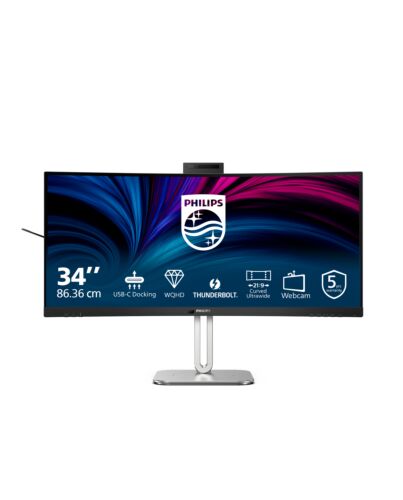
Philips 6000 series 34B2U6603CH/00, 86.4 cm (34"), 3440 x 1440 pixels, Wide Quad HD, LCD, 4 ms, Grey
In stock
  • Immediately available
  • Discreet Packaging
  • Free Shipping

Product Details

Description

This monitor introduces you to lightning-fast connectivity. With its Thunderbolt 4 port, Smart KVM feature, and Display HDR 400 qualification, this combination offers power delivery, source switching, and beautiful imagery in one monitor.

Reasons To Buy

Thunderbolt™ 4 Connection: for lightning-fast connectivity
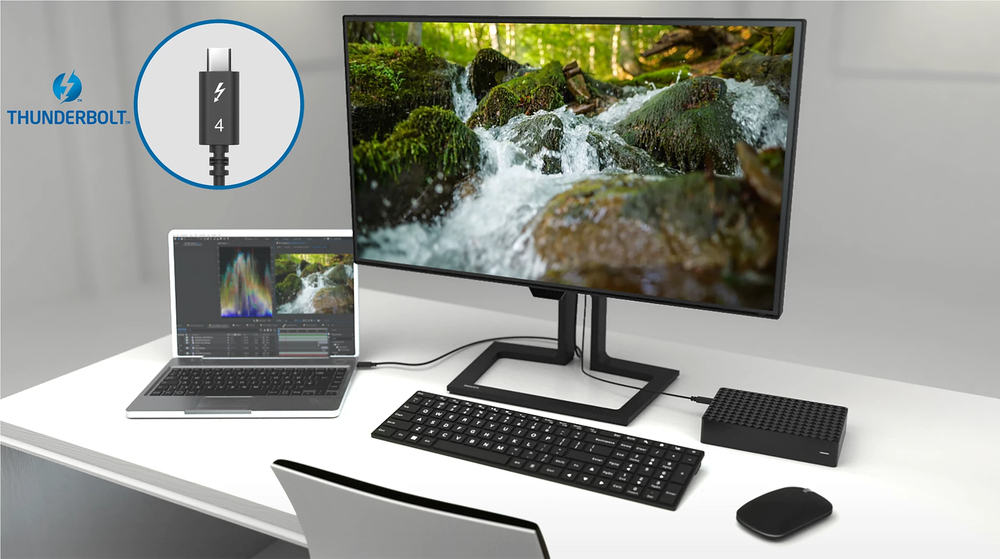
IMAGE-NOT-AVAILABLE
This Philips docking monitor is equipped with Thunderbolt 4 connection. Compared with conventional USB-C monitors, Thunderbolt 4 technology provides lightning-fast data transfer speeds, supports high resolution video, offers multi-stream transport for daisy chaining, and has the capability of up to 100W of power delivery to external devices.

VA display delivers awesome images with wide viewing angles
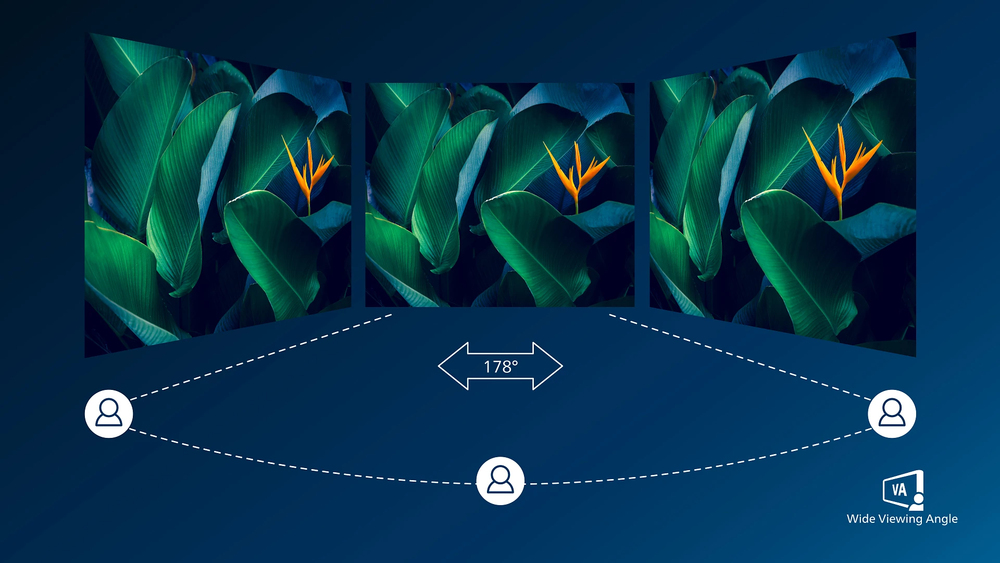
IMAGE-NOT-AVAILABLE
Philips VA LED display uses an advanced multi-domain vertical alignment technology which gives you super-high static contrast ratios for extra vivid and bright images. While standard office applications are handled with ease, it is especially suitable for photos, web-browsing, movies, gaming, and demanding graphical applications. It's optimized pixel management technology gives you 178/178 degree extra wide viewing angle, resulting in crisp images.

DisplayHDR 400 for more lifelike and outstanding visuals
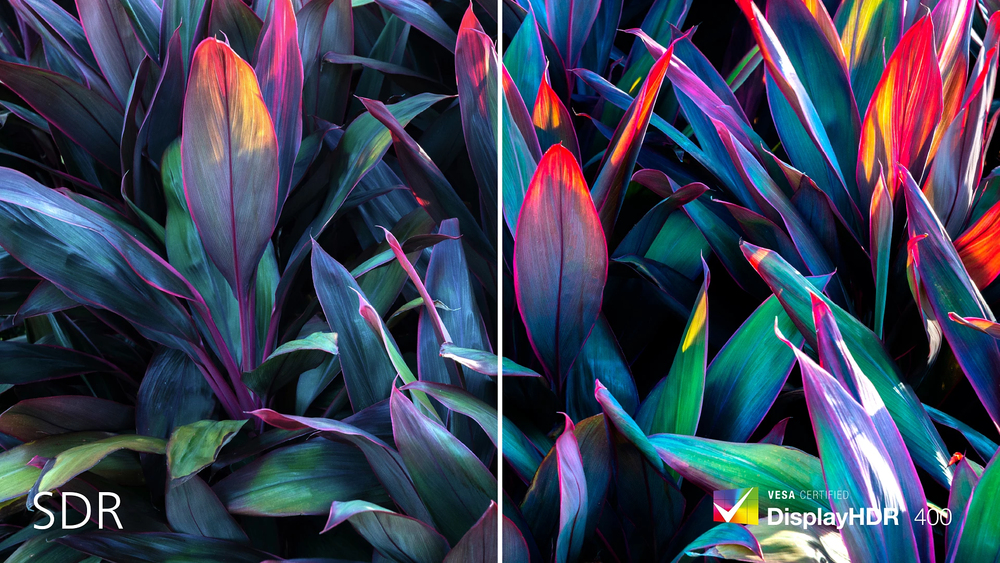
IMAGE-NOT-AVAILABLE
VESA- DisplayHDR 400 delivers a significant step-up f normal SDR displays. Unlike, other 'HDR compatible' screens, true DisplayHDR 400 produces astonishing brightness, contrast and colors. With global dimming and minimum 400 nits brightness, images come to life with notable highlights while featuring deeper, more nuanced blacks. It renders a fuller palette of rich new colors, delivering a visual experience that engages your senses.

Adjustable Webcam: for video conferencing in comfort.
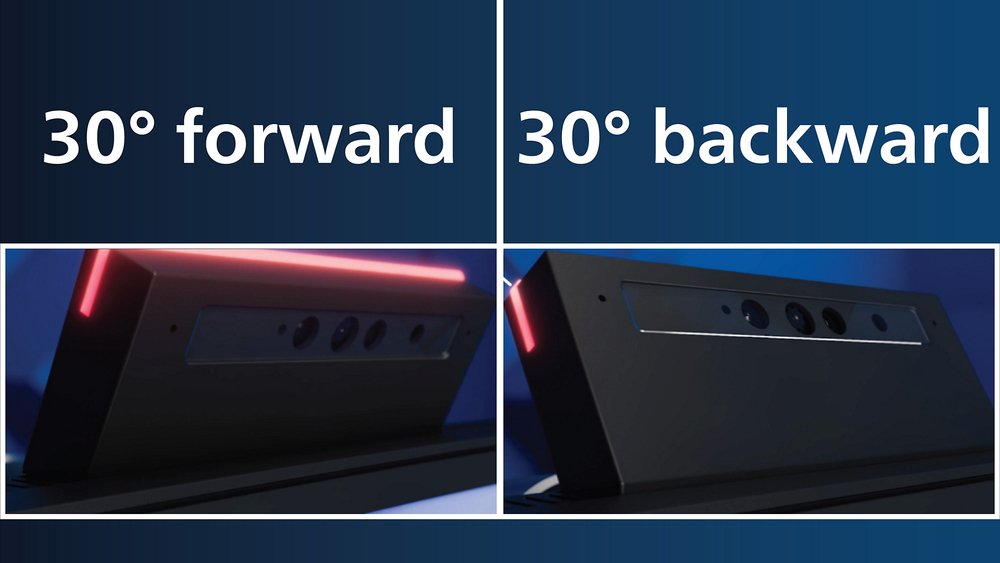
IMAGE-NOT-AVAILABLE
Level up the comfort of video conferencing with this feature. By adjusting the webcam back and forth by 30 degrees, users can now comfortably call and attend meetings f any position that best suits them.

Earphone Hook: for customizable storage
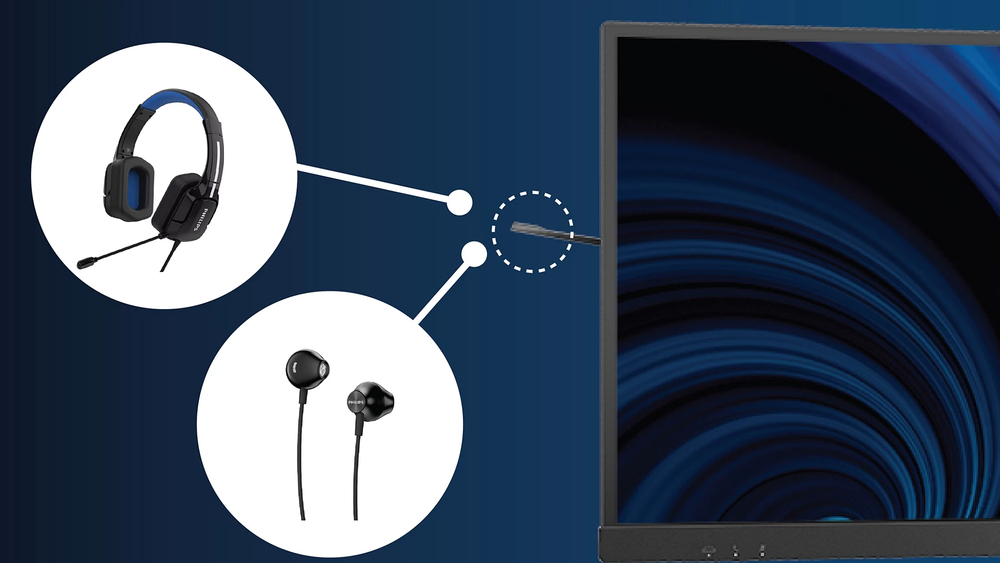
IMAGE-NOT-AVAILABLE
Earphone storage is unmatched with this feature. Carefully pull down the hook located on the side of the monitor: This feature makes for a tidy desktop and provides a handy cable management solution for your workspace.

Curved display design for more immersive experience
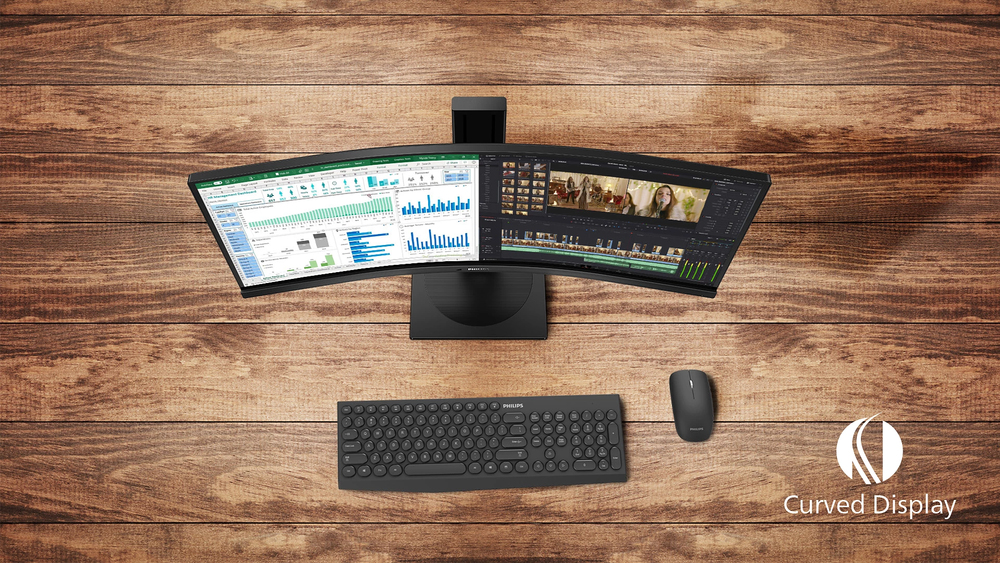
IMAGE-NOT-AVAILABLE
Desktop monitors offer a personal user experience, which suits a curve design very well. The curved screen provides a pleasant yet subtle immersion effect, which focuses on you at the center of your desk.

SmartKVM: for easily switching between sources.
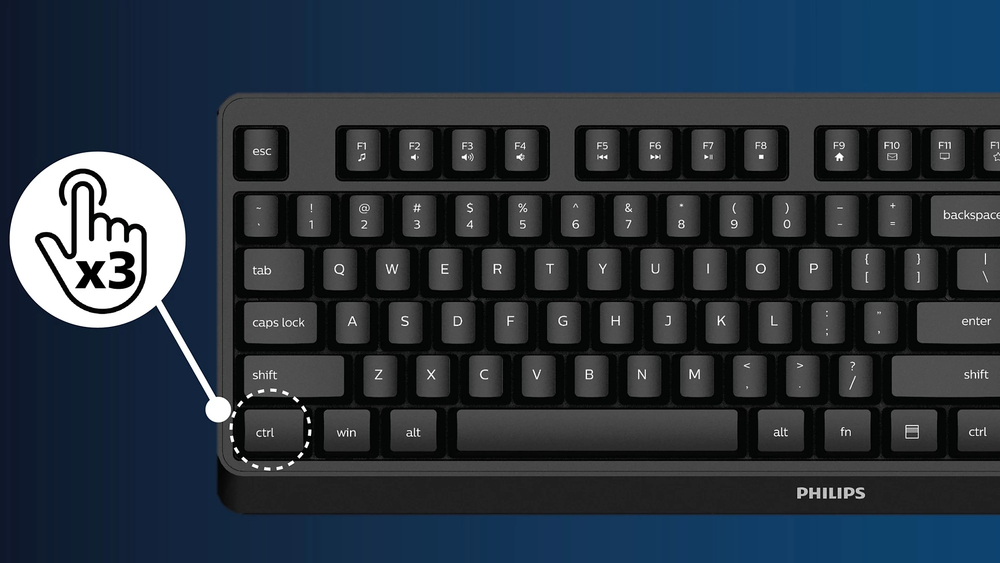
IMAGE-NOT-AVAILABLE
Unlike traditional built-in KVM monitor button, the smart KVM allows for switching between sources with the click of a button on your keyboard. When all devices are properly connected, users can easily switch between sources by clicking the "Ctrl" key three times.

Busylight: for setting your working status
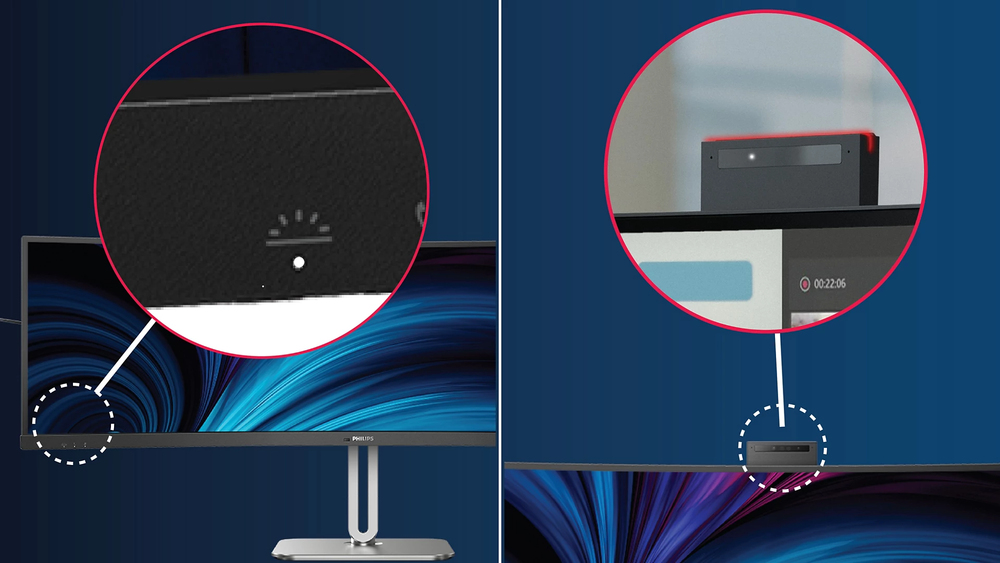
IMAGE-NOT-AVAILABLE
This feature allows for privacy and optimal collaboration when working in a busy office setting. To transmit to others that they are busy, users can simply press the Busylight hotkey located on the bottom left menu of the monitor bezel and the light located on the webcam will turn red. In addition to this, the Busylight feature can also sync with user's Microsoft Teams status.

AI-enhanced Webcam Autoframing: for dynamic video calls.
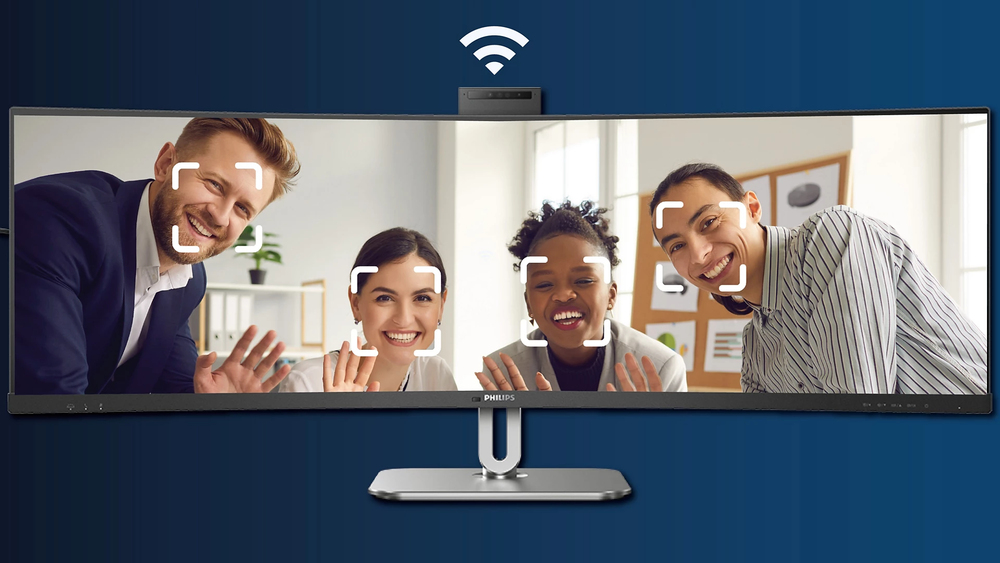
IMAGE-NOT-AVAILABLE
This AI-enhanced feature is perfect for multi-person video conferencing. When one or more people join the webcam view, the AI-powered feature will automatically adjust and zoom to fit all team members in the frame. Likewise, when participants leave the webcam view, the AI-enhanced webcam will adjust accordingly; thereby making it ideal for long meetings as well as team calls.

PowerSensor 2: for optimized energy efficiency
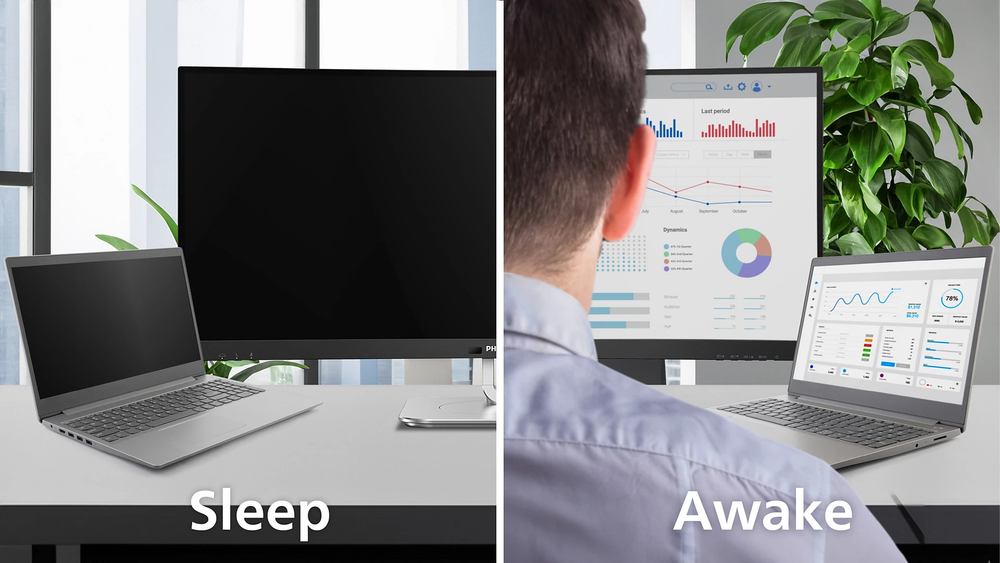
IMAGE-NOT-AVAILABLE
This monitor's PowerSensor 2 feature reduces energy consumption by detecting when users move closer and further away f the screen. After switching the OSD setting to “User”, it is then needed to adjust the settings in Windows 11 for this feature to function properly. When adjustments are made, the monitor and connected PC/laptop will wake when someone approaches it and will sleep when someone walks away; effectively reducing the amount of wake time. The distance for detection can be changed f 50, 75, to 120cm f the user's laptop. Please note that Windows 11 must be installed.

CrystalClear images with UltraWide QHD 3440 x 1440 pixels
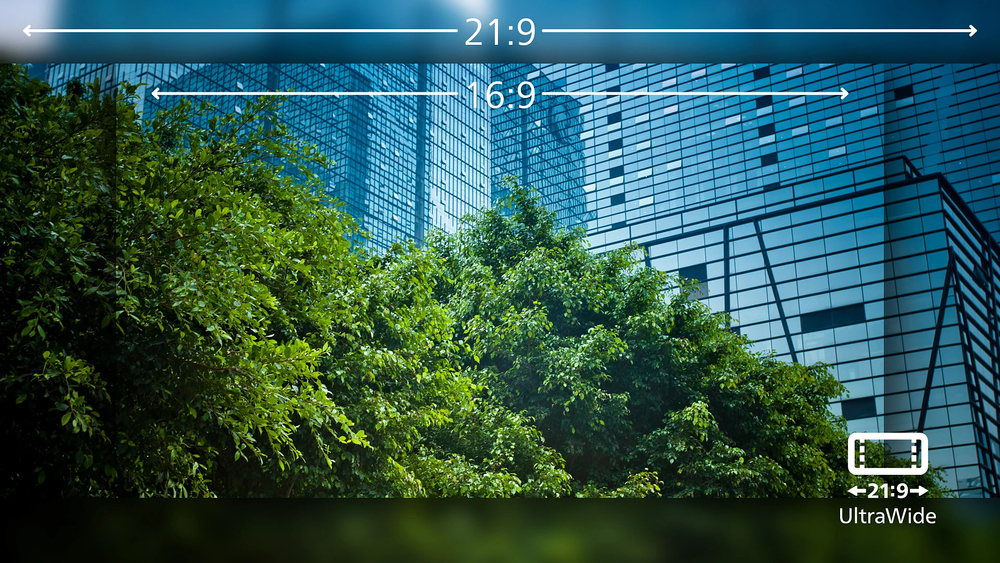
IMAGE-NOT-AVAILABLE
These Philips screens deliver CrystalClear, UltraWide Quad HD 3440 x 1440 pixel images.Utilizing high performance panels with high-density pixel count, 178/178 wide viewing angles, these new displays will make your images and graphics come alive. The UltraWide 21:9 format enables more productivity with more room for side-by-side comparns and more viewable spreadsheet columns.Whether you are demanding professional requiring extremely detailed information for CAD-CAM solutions, or a financial wizard working on huge spreadsheets, Philips displays delivers CrystalClear images.

Collaboration-ready webcam with noise-cancelling mic.
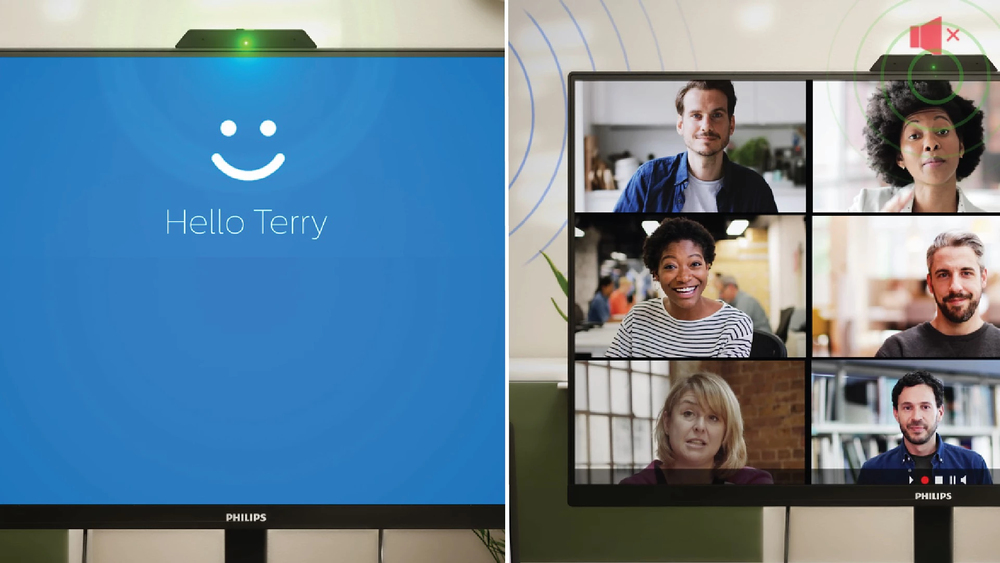
IMAGE-NOT-AVAILABLE
This Philips monitor comes with a built-in 5MP webcam, noise-cancelling microphone, and speakers, making it perfect for working f home and collaborating remotely. It is equipped with advanced sensors that work seamlessly with Windows Hello facial recognition, allowing you to log into your Windows devices in less than 2 seconds. For added privacy, a physical camera switch lets you disable the webcam when not in use. The noise-cancelling microphone and dual 5-watt integrated speakers ensure clear communication.

SoftBlue Technology: for comfortable viewing

IMAGE-NOT-AVAILABLE
SoftBlue technology offers increased visual comfort and protection against adverse health effects caused by prolonged exposure to blue light. With the low blue-light panel, the ratio of display emission light in the range of 415-455 nm to 400-500nm is reduced to less than 50%. As a result, the SoftBlue technology provides optimal visual comfort, minimizes eye strain, and supports sustained focus. Not to mention, SoftBlue LED technology is tested and TÜV Rheinland Low Blue Light (Hardware Solution) for its effectiveness in reducing blue light emissions.

Specifications

Display

Display diagonal*
86.4 cm (34")
Display resolution*
3440 x 1440 pixels
HD type*
Wide Quad HD
Native aspect ratio*
21:9
Display technology*
LCD
Panel type*
VA
LED backlight
Yes
Backlight type
W-LED
Display brightness (peak)
550 cd/m²
Display brightness (typical)
450 cd/m²
Response time*
4 ms
Anti-glare screen
Yes
Screen shape*
Curved
Screen curvature rating
1500R
Contrast ratio (typical)*
4000:1
Contrast ratio (dynamic)
50000000:1
Maximum refresh rate*
120 Hz
Display number of colours*
16.7 million colours
Pixel pitch
0.23175 x 0.23175 mm
Pixel density
110 ppi
Horizontal scan range
30 - 190 kHz
Vertical scan range
48 - 120 Hz
Viewable size, horizontal
79.7 cm
Viewable size, vertical
33.4 cm
High Dynamic Range (HDR) supported
Yes
High Dynamic Range (HDR) technology
High Dynamic Range (HDR) 400
Haze rate
25%
Surface hardness
3H
sRGB coverage (typical)
120%
NTSC coverage (typical)
101%

Multimedia

Number of speakers
2
RMS rated power
10 W
Built-in speaker(s)*
Yes
Megapixel (approx.)
5 MP
Built-in camera*
Yes

Design

Product colour*
Grey

Ports & interfaces

Built-in USB hub*
Yes
USB hub version
3.2 Gen 2 (3.1 Gen 2)
USB Type-A downstream ports quantity
4
USB Type-C downstream ports quantity
1
USB Power Delivery (USB PD)
Yes
USB Power Delivery up to
100 W
HDMI*
Yes
HDMI ports quantity
2
HDMI version
2.0
DisplayPorts quantity
1
DisplayPort version
1.4
Thunderbolt 4 ports quantity
1

Ports & interfaces

Audio output
Yes
HDCP
Yes
HDCP version
1.4/2.2

Ergonomics

VESA mounting*
Yes
Panel mounting interface
100 x 100 mm
Cable lock slot*
Yes
Cable lock slot type
Kensington
Height adjustment*
Yes
Adjustable height (max)
18 cm
Swivelling
Yes
Swivel angle range
-180 - 180°
Tilt adjustment
Yes
Tilt angle range
-5 - 30°
On Screen Display (OSD)
Yes
On Screen Display (OSD) languages
Simplified Chinese, Traditional Chinese, Czech, German, Dutch, English, Spanish, Finnish, French, Greek, Hungarian, Italian, Japanese, Korean, Polish, Portuguese, Russian, Turkish, Ukrainian

Power

Energy efficiency class (SDR)*
F
Power consumption (typical)*
31.59 W
Power consumption (standby)*
0.4 W
Power consumption (PowerSave)
26.6 W
AC input voltage
100 - 240 V
AC input frequency
50/60 Hz

Operational conditions

Operating temperature (T-T)
0 - 40 °C
Storage temperature (T-T)
-20 - 60 °C
Operating relative humidity (H-H)
20 - 80%
Operating altitude
0 - 3658 m
Non-operating altitude
3658 - 12192 m

Weight & dimensions

Width (with stand)
807 mm
Depth (with stand)
281 mm
Height (with stand)
574 mm
Weight (with stand)
7.85 kg
Width (without stand)
807 mm
Depth (without stand)
112 mm
Height (without stand)
369 mm
Weight (without stand)
10.6 kg

Packaging data

Package width
980 mm
Package depth
188 mm
Package height
525 mm
Package weight
11.2 kg

Packaging content

Stand included
Yes
Cables included
DisplayPort, HDMI, Power

Sustainability

Doesn't contain
Mercury, PVC/BFR

Other features

HBR3 support
Yes

Additional Information

More Information
EAN/UPC 8712581804633
MPN 34B2U6603CH/00
BRAND Philips

Reviews

Be the first to review this product

You're reviewing: Philips 6000 series 34B2U6603CH/00 computer monitor 86.4 cm (34") 3440 x 1440 pixels Wide Quad HD LCD Grey

Trusted Shops certified