Computers
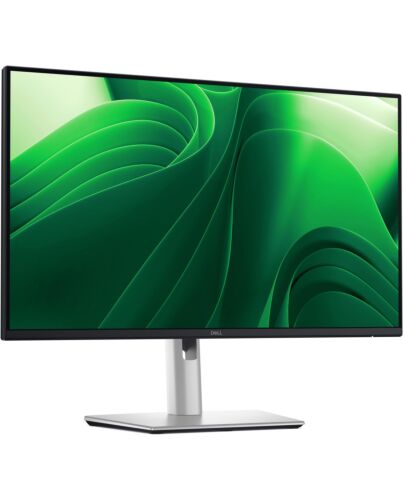
DELL Pro Plus P2425D computer monitor 61 cm (24") 2560 x 1440 pixels Quad HD LCD Black, Silver
£203.98
In stock
- Immediately available
- Discreet Packaging
- Free Shipping
Product Details
Description
by TÜV Rheinland® for 4-star eye comfort, this 23.8-inch QHD monitor offers enhanced productivity with visual comfort.
Key Features
- 61.0cm (24") Quad HD 2560 x 1440 Edge LED IPS
- 8ms, 16:9, 350cd/m², 1500:1
- USB, HDMI, DisplayPort
Reasons To Buy
Enhanced eye comfort
Improved ComfortView Plus
Refresh Rate
Vivid Colours

Clarity f any angle
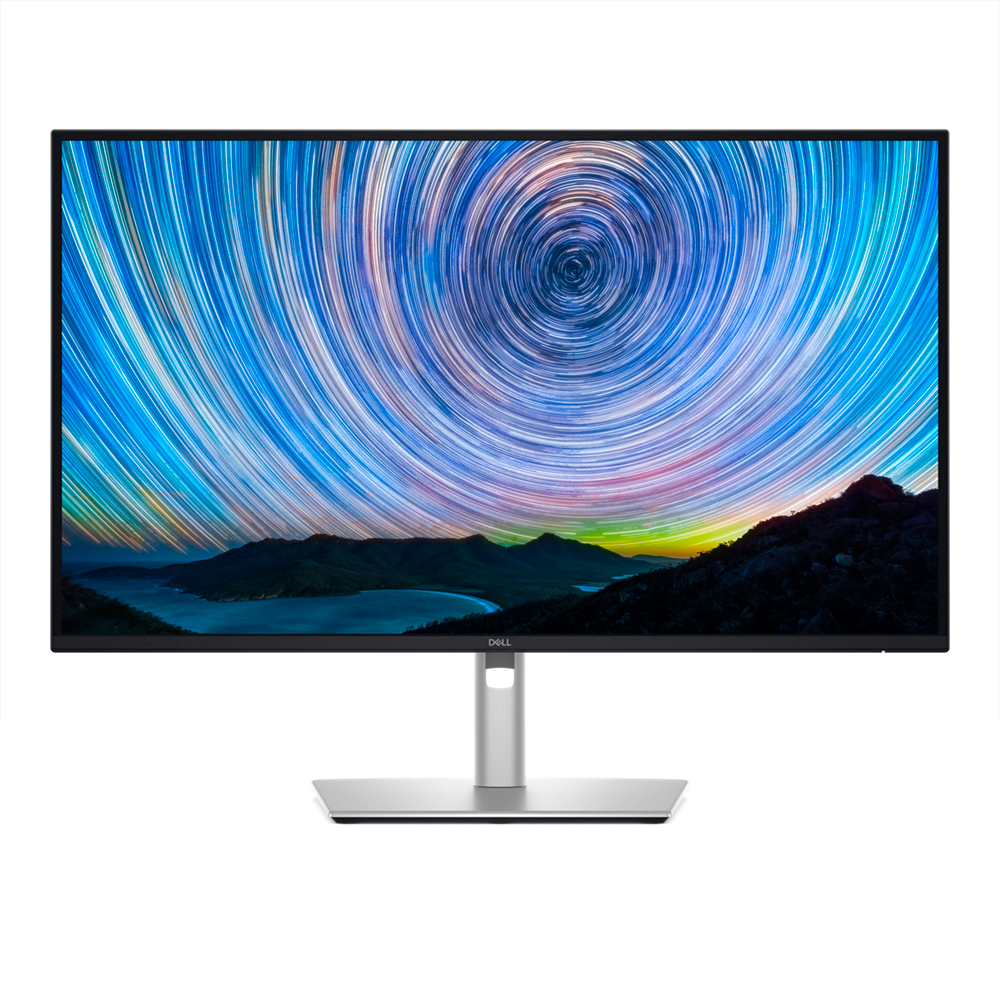
QHD resolution
2560 x 1440 resolution makes every detail stand out.
Colour consistency
Vibrant colours across wide viewing angles enabled by In-Plane Switching (IPS) technology.
1500:1 contrast ratio
For deeper blacks and brighter whites.
Configure your workspace
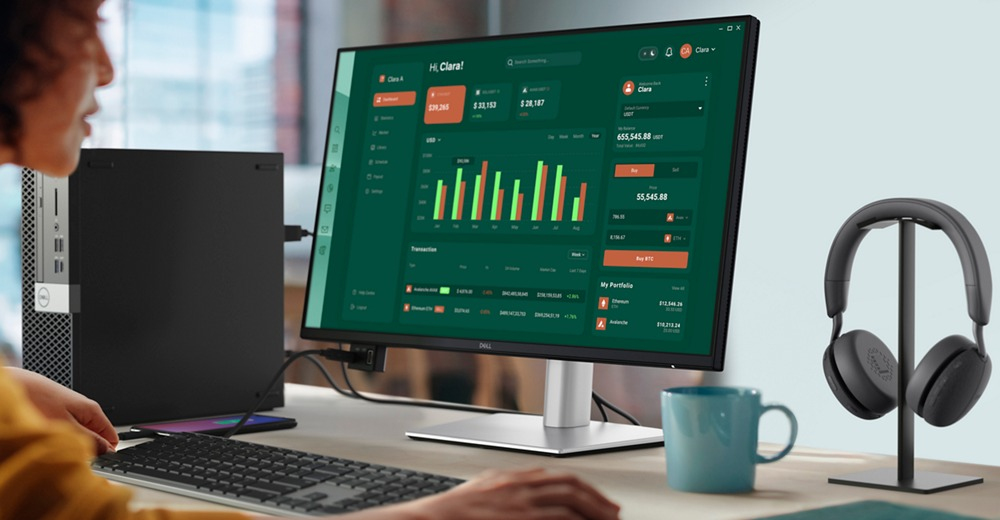
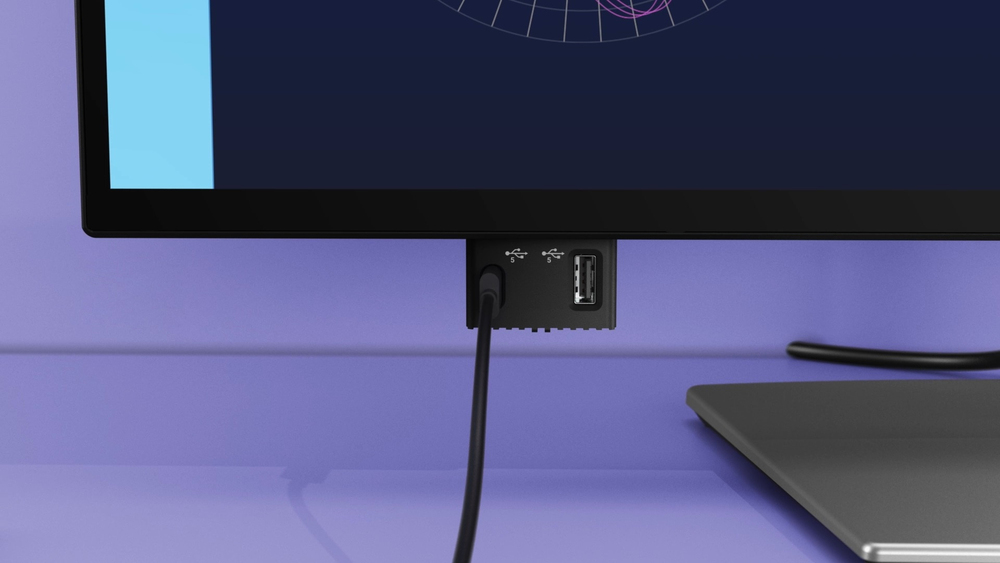
Quick access ports
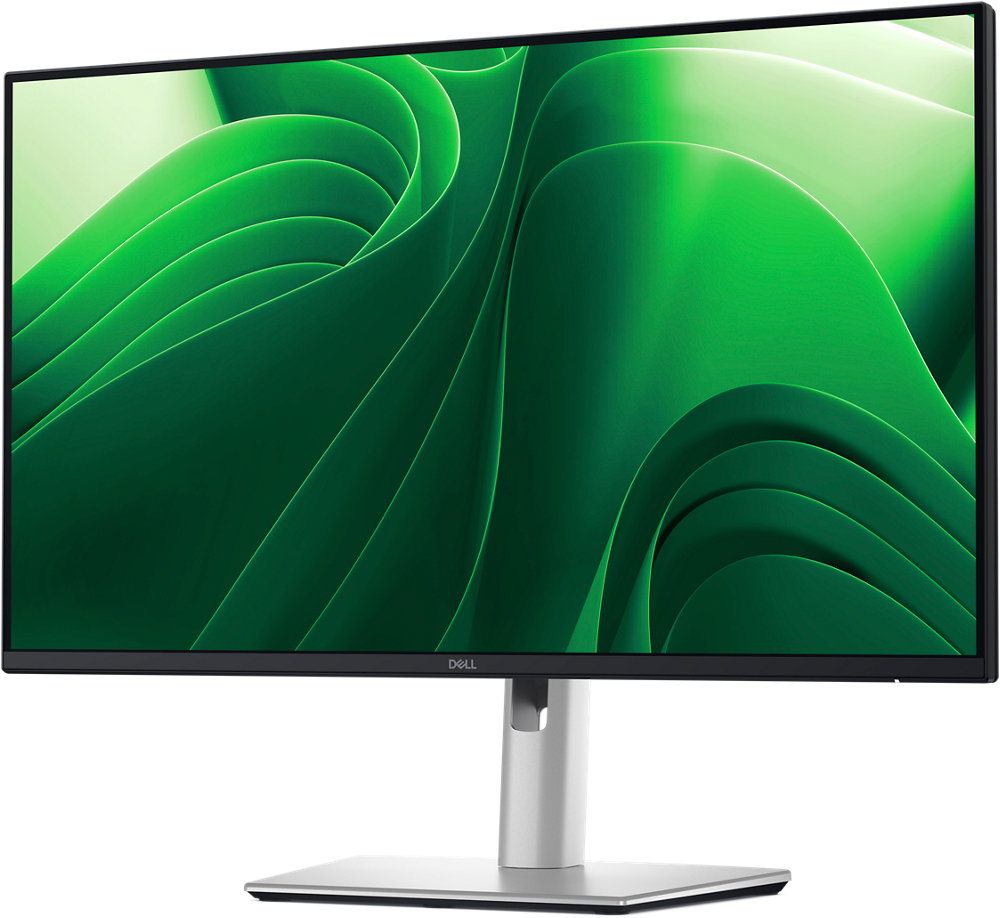
Work comfortably
Tilt
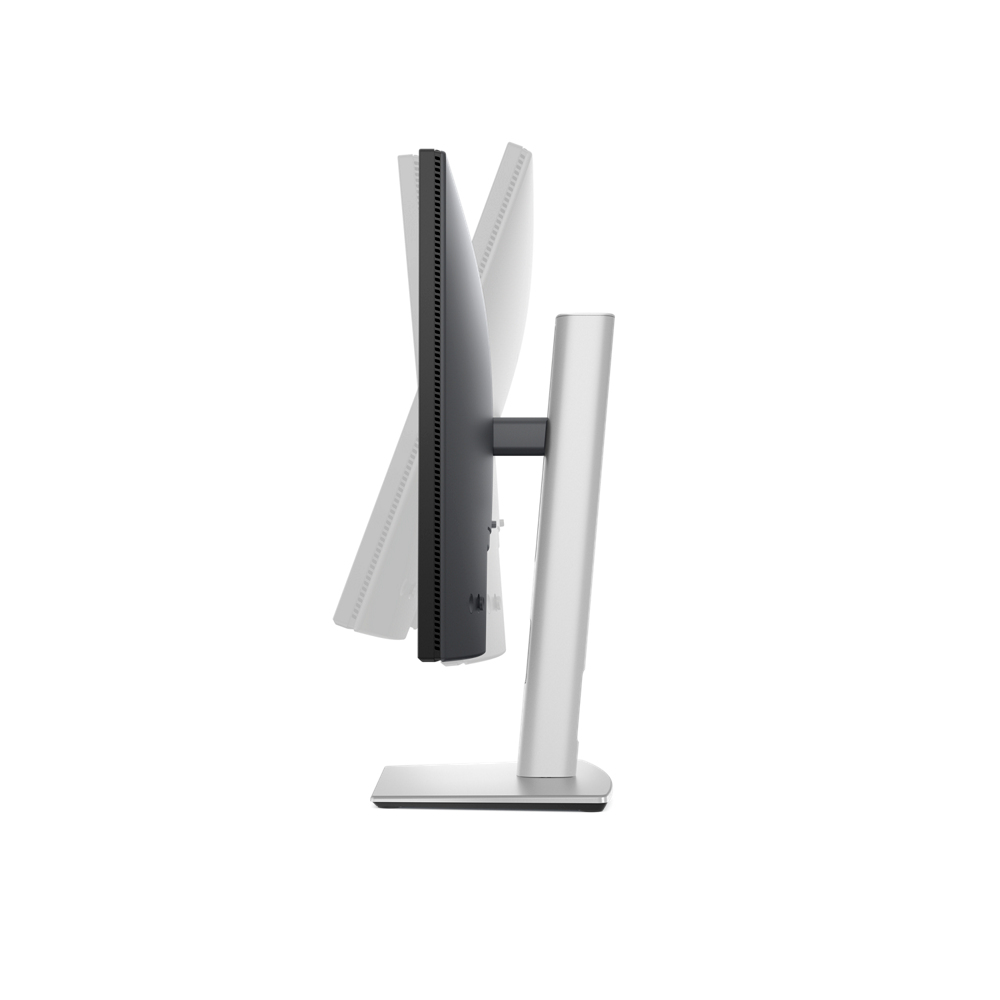
Swivel
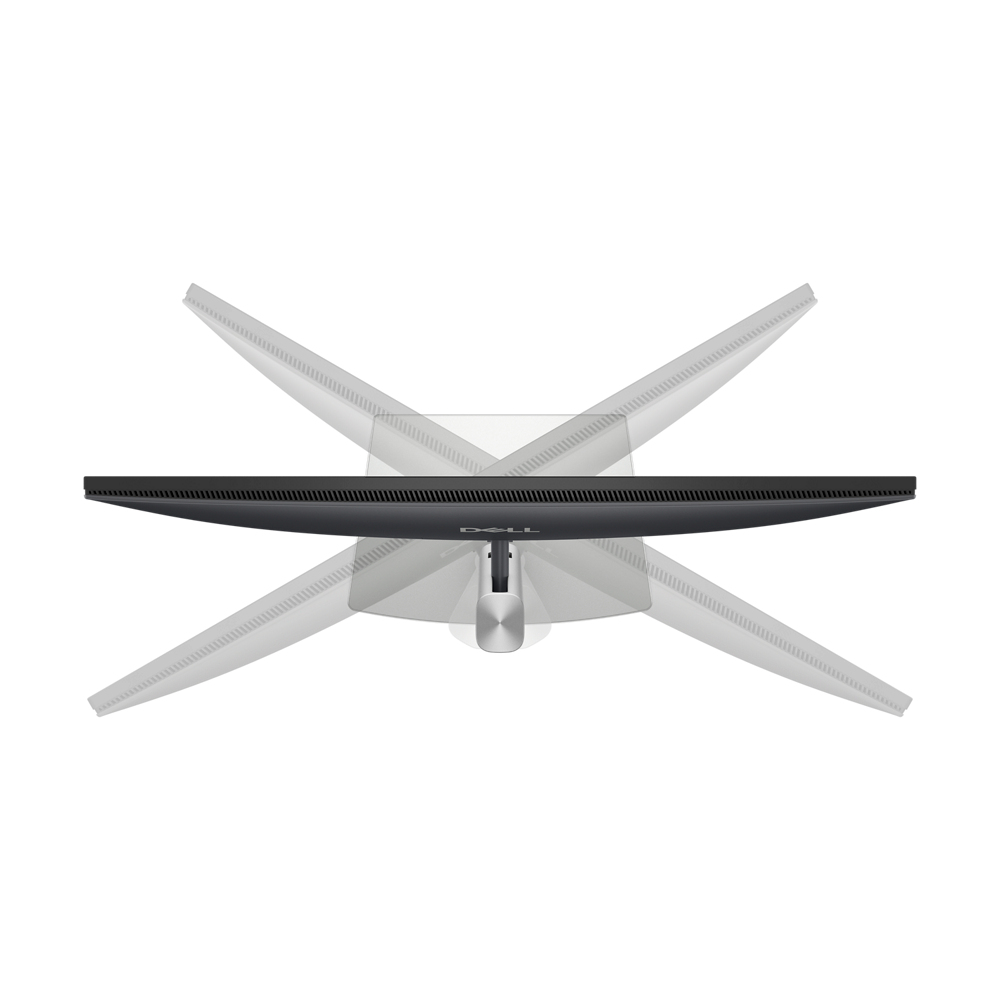
Pivot
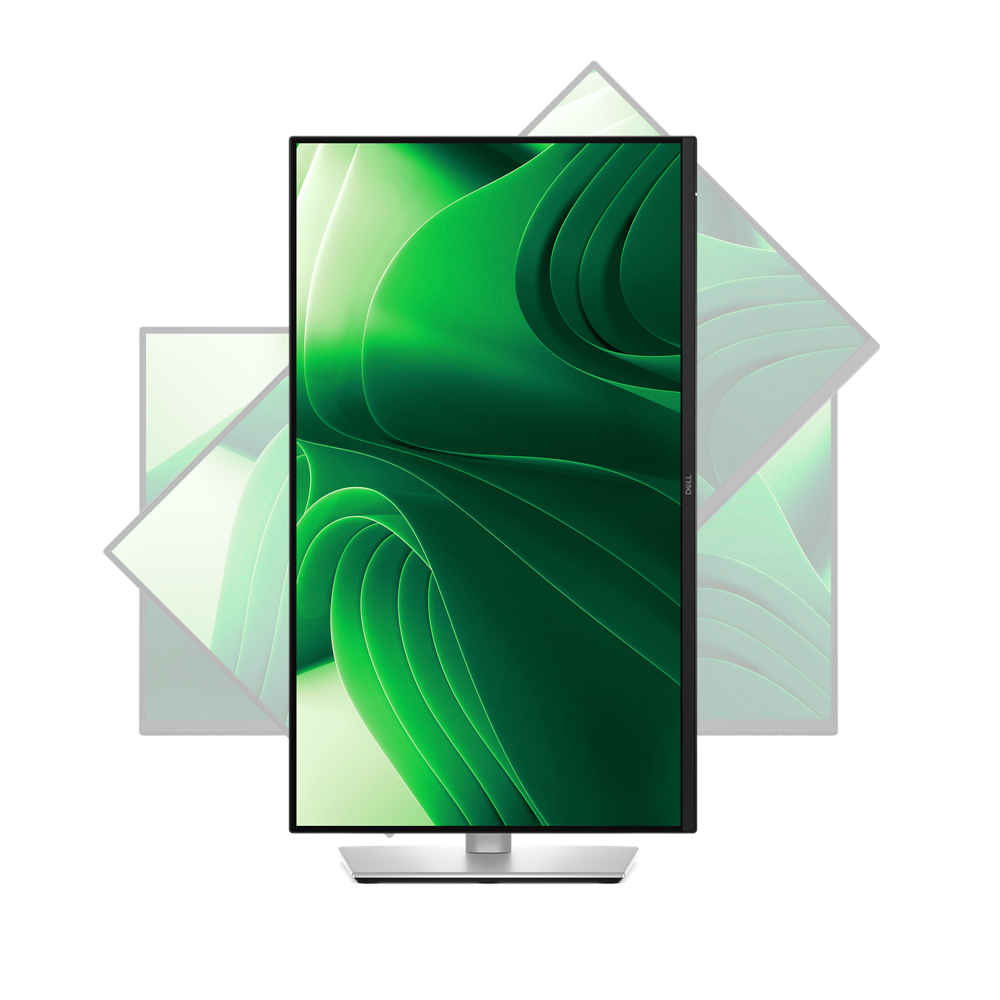
Height
Dell Display and Peripheral Manager
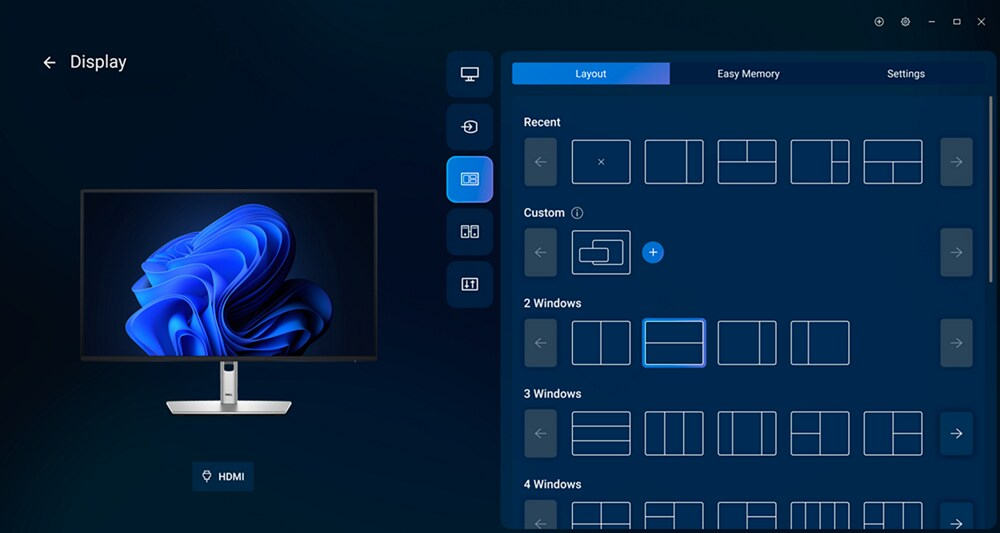
Maximise productivity
Easy Arrange tiles apps across screens with pre-set partitions and customises up to five windows, enhancing multitasking. Easy Arrange Memory saves and restores app profiles manually, on schedule, or at start-up.
Customise your views
Work comfortably, day or night. Automate your brightness and contrast settings to match your schedule.
More manageable
Scale up management across your entire fleet of Dell displays and client peripherals with streamlined update and expanded Command Line Interface features.
Environmentally-forward thinking

Your monitor has been thoughtfully crafted with a selection of sustainable materials including up to 85% post-consumer plastic and closed-loop ITE-derived plastic, 100% recycled aluminium, 50% recycled steeland at least 20% recycled glass that make up to 31% recycled content by weight. Using recycled materials helps conserve natural resources and contributes to a lower environmental footprint.
Environmental standards
This monitor is registered EPEAT Gold with Climate+, ENERGY STAR® and carries the latest TCO designation. With the new certification, this monitor is assured to be built using renewable energy while meeting high safety standards.
Seamlessly ernise your tech
We can help you responsibly and securely retire your legacy IT equipment, regardless of brand, while addressing your sustainability goals.
Packaging with purpose
This monitor ships in a box made f 100% renewable materials. We are reducing plastic waste wherever possible and transitioning to a responsible fiber-based solution.
Features
Dell Pro 24 Plus QHD Monitor - P2425D
by TÜV Rheinland® for 4-star eye comfort, this 23.8-inch QHD monitor offers enhanced productivity with visual comfort.
Diagonal Size
23.8"
Resolution / Refresh Rate
2560 x 1440 up to 100 Hz
Panel Technology
In-plane Switching (IPS) Technology
Adjustability
Swivel
Height
Pivot
Tilt
Ports
1 HDMI port (HDCP1.4) (supports up to QHD 2560 x 1440 100 Hz TMDS as per specified in HDMI 2.1)
1 Display Port 1.4 (HDCP1.4)(Support up to 2560 x 1440 100Hz)
1 USB 5Gbps Type-B upstream port
1 USB-C 5Gbps downstream port
3 USB 5Gbps Type-A downstream ports
Cables
Power Cable
1 x DisplayPort to DisplayPort 1.4 Cable - 1.80 m
1 x USB Type-A to Type-B 5Gbps Cable - 1.80 m
Enhanced eye comfort
TÜV 4-Star monitor for eye comfort¹ reduces eye fatigue while you work.
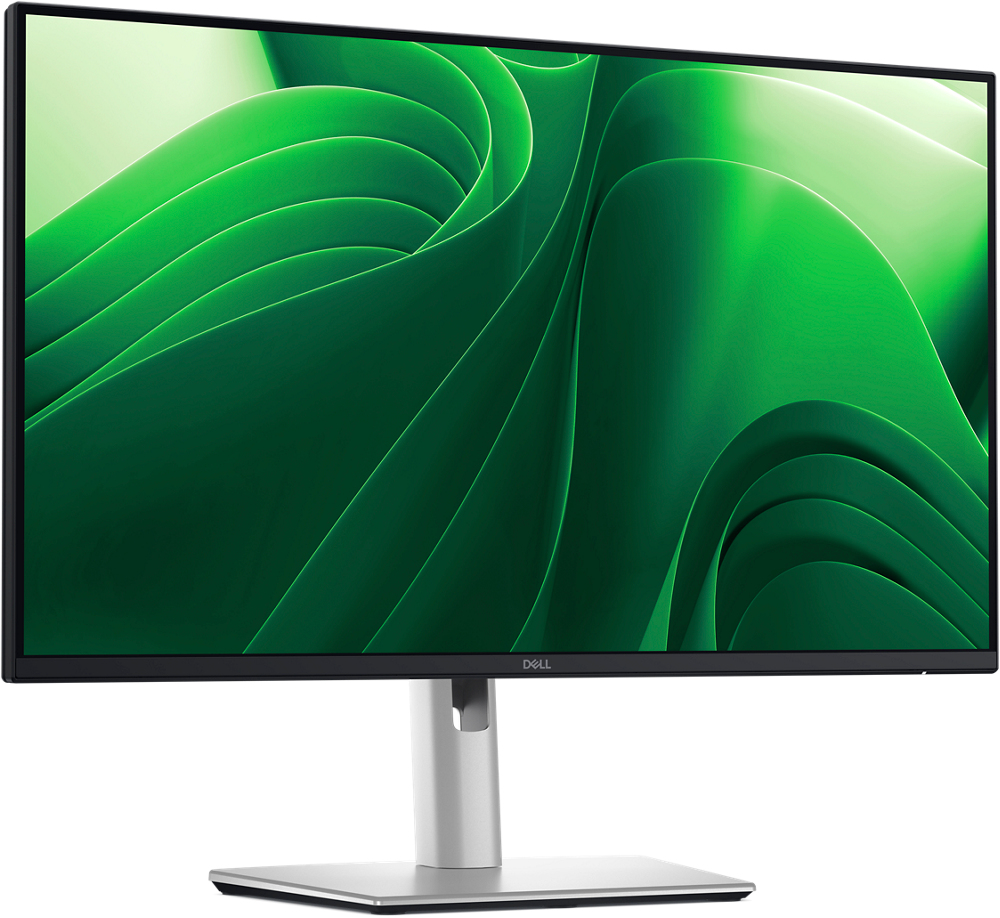
Improved ComfortView Plus
Reduced harmful blue light emissions to ≤35%, for all-day comfort without sacrificing colour.
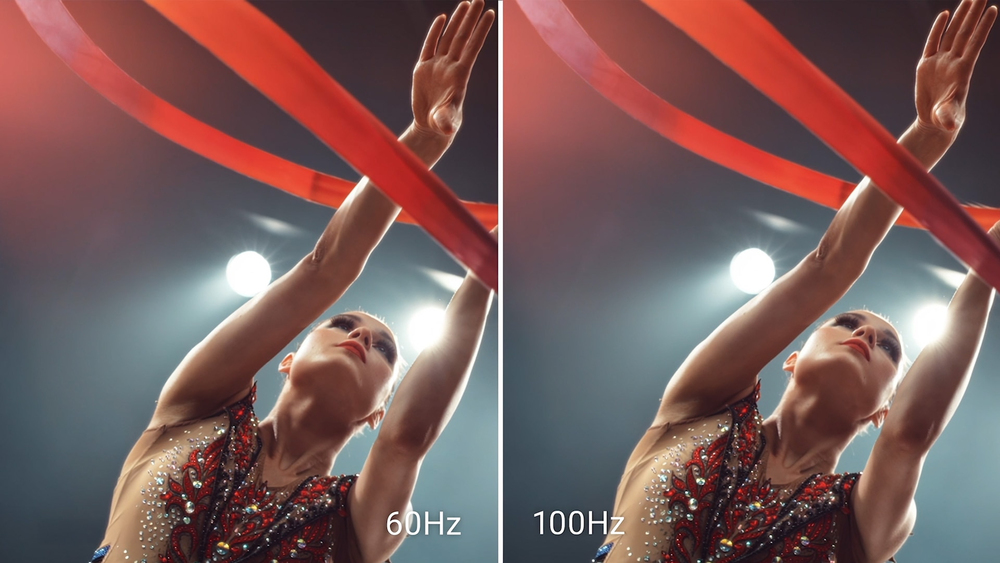
Vivid Colours
Wide colour coverage with up to 16.7 M displayable colours of 99% sRGB.
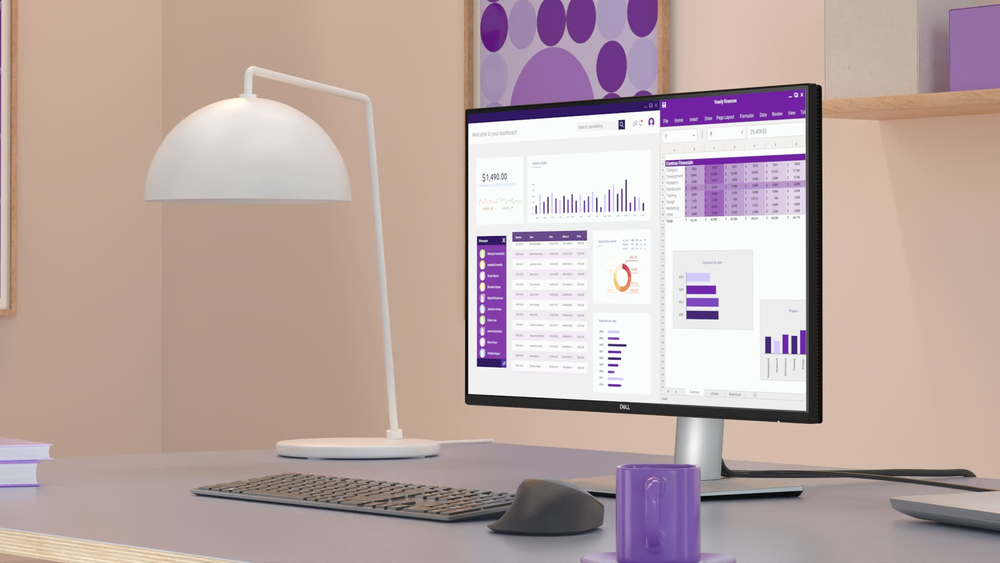
Refresh Rate
100Hz refresh rate delivers less flicker, more seamless scrolling and smoother motion.
Clarity f any angle
With high resolution, consistent colours across wide angles, and improved contrast ratio, your work has never looked this good.QHD resolution
2560 x 1440 resolution makes every detail stand out.
Colour consistency
Vibrant colours across wide viewing angles enabled by In-Plane Switching (IPS) technology.
1500:1 contrast ratio
For deeper blacks and brighter whites.
Configure your workspace
A wide variety of ports ensure you can connect all your accessories and create the perfect work setup to maximise your productivity.
Quick access ports
Experience the convenience of front-facing, pop-out USB-C (with up to 15W charging) and USB Type-A ports for easy connectivity. When you are done, just pop the ports back in for a clean look.Work comfortably
Designed for comfort and style with adjustability features and an ultra-thin bezel.
Tilt
Adjustability f -5°/+21°Swivel
Bi-directional adjustment up to 45°Pivot
Bi-directional adjustment up to 90°Height
Adjustability up to 150mmDell Display and Peripheral Manager
Experience Dell’s singular, innovative application to optimise the performance of your entire Dell PC workspace².
Maximise productivity
Easy Arrange tiles apps across screens with pre-set partitions and customises up to five windows, enhancing multitasking. Easy Arrange Memory saves and restores app profiles manually, on schedule, or at start-up.
Customise your views
Work comfortably, day or night. Automate your brightness and contrast settings to match your schedule.
More manageable
Save time and boost IT efficiency with the Dell Device Management Console to manage your Dell peripheral fleet at scale, f a single cloud-based console. Discover expanded Command Line Interface features f Dell Display and Peripheral Manager3.
Disclaimer: Screen image simulated for illustrative purposes only. Monitor el may vary.
Easy Arrange tiles apps across screens with pre-set partitions and customises up to five windows, enhancing multitasking. Easy Arrange Memory saves and restores app profiles manually, on schedule, or at start-up.
Customise your views
Work comfortably, day or night. Automate your brightness and contrast settings to match your schedule.
More manageable
Save time and boost IT efficiency with the Dell Device Management Console to manage your Dell peripheral fleet at scale, f a single cloud-based console. Discover expanded Command Line Interface features f Dell Display and Peripheral Manager3.
Disclaimer: Screen image simulated for illustrative purposes only. Monitor el may vary.
Environmentally-forward thinking
Material innovation
Your monitor has been thoughtfully crafted with a selection of sustainable materials including up to 85% post-consumer plastic and closed-loop ITE-derived plastic⁴, 100% recycled aluminium⁵, 50% recycled steel⁶and at least 20% recycled glass⁷ that make up to 31% recycled content by weight⁸. Using recycled materials helps conserve natural resources and contributes to a lower environmental footprint.
Environmental standards
This monitor is registered EPEAT Gold with Climate+, ENERGY STAR® and carries the latest TCO designation. With the new certification, this monitor is assured to be built using renewable energy while meeting high safety standards⁹.
Seamlessly ernise your tech
We can help you responsibly and securely retire your legacy IT equipment, regardless of brand, while addressing your sustainability goals.
Packaging with purpose
This monitor ships in a box made f 100% renewable materials. We are reducing plastic waste wherever possible and transitioning to a responsible fiber-based solution¹⁰.
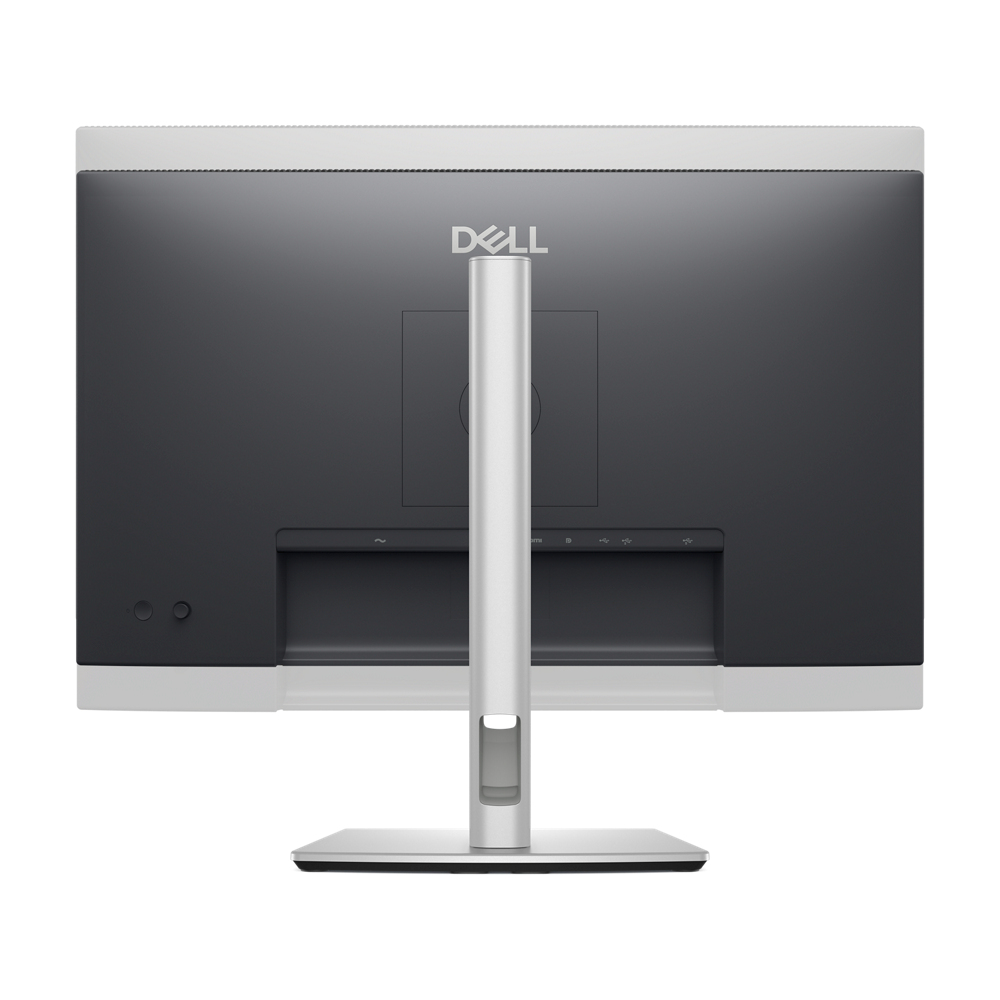
Ports and slots
Rear view
Cables included
- Security lock slot (based on Kensington Security Slot™)
- Power connector
- Stand-lock
- HDMI
- DisplayPort 1.4
- USB Type-B 5Gbps upstream
- USB Type-A 5Gbps downstream (2)
- Soundbar slots
- USB-C 5Gbps downstream (Data only)
- USB Type-A 5Gbps downstream
Cables included
- Power cable
- DisplayPort 1.4 (DisplayPort to DisplayPort), 1.8m
- USB Type-A to Type-B 5Gbps, 1.8m
Dimensions and weight
1. Monitor height with stand:
Extended: 496.55 mm (19.55 in.)
Compressed: 364.00 mm (14.33 in.)
2. Monitor width: 538.70 mm (21.21 in.)
3. Monitor height: 315.25 mm (12.41 in.)
4. Stand width: 249.80 mm (9.83 in.)
5. Monitor depth: 49.74 mm (1.96 in.)
6. Stand height:
Extended: 410.80 mm(16.17 in.)
Compressed: 364.00 mm (14.33 in.)
7. Stand depth: 181.54 mm (7.15 in.)
Weight
Weight with stand: 5.08 kg (11.20 lb)¹¹
Weight without stand: 3.20 kg (7.05 lb)¹¹
Extended: 496.55 mm (19.55 in.)
Compressed: 364.00 mm (14.33 in.)
2. Monitor width: 538.70 mm (21.21 in.)
3. Monitor height: 315.25 mm (12.41 in.)
4. Stand width: 249.80 mm (9.83 in.)
5. Monitor depth: 49.74 mm (1.96 in.)
6. Stand height:
Extended: 410.80 mm(16.17 in.)
Compressed: 364.00 mm (14.33 in.)
7. Stand depth: 181.54 mm (7.15 in.)
Weight
Weight with stand: 5.08 kg (11.20 lb)¹¹
Weight without stand: 3.20 kg (7.05 lb)¹¹
1. TÜV Rheinland® 4-star eye comfort certification.
2. Based on Dell internal analysis, December 2024.
3. updates for fleet deployment are available for Dell Pro Plus hub monitors.
4. Percentage is based on plastic weight. Based on internal analysis, January 2025. Up to 67% post-consumer recycled plastic and up to 21% closed-loop ITE derived plastic.
5. Recycled aluminium is in the monitor stand. Based on internal analysis, January 2025.
6. Recycled steel is in the monitor head and stand. Based on internal analysis, January 2025.
7. Applicable to all new monitors launching in CY 2024. Recycled glass is present in monitor panel. Based on internal analysis, January 2024.
8. Based on internal analysis, January 2025.
9. EPEAT registered where applicable. EPEAT registration varies by country. See www.epeat.net for registration status by country.
10. Applies to all Dell monitors launched since 2023. Made f FSC mix sources which is a mix of material f FSC forests, recycled content and/or FSC controlled wood. Based on internal analysis, January 2025. Cushions now made f corrugated materials.
11. Weights vary depending on configurations and manufacturing variability.
2. Based on Dell internal analysis, December 2024.
3. updates for fleet deployment are available for Dell Pro Plus hub monitors.
4. Percentage is based on plastic weight. Based on internal analysis, January 2025. Up to 67% post-consumer recycled plastic and up to 21% closed-loop ITE derived plastic.
5. Recycled aluminium is in the monitor stand. Based on internal analysis, January 2025.
6. Recycled steel is in the monitor head and stand. Based on internal analysis, January 2025.
7. Applicable to all new monitors launching in CY 2024. Recycled glass is present in monitor panel. Based on internal analysis, January 2024.
8. Based on internal analysis, January 2025.
9. EPEAT registered where applicable. EPEAT registration varies by country. See www.epeat.net for registration status by country.
10. Applies to all Dell monitors launched since 2023. Made f FSC mix sources which is a mix of material f FSC forests, recycled content and/or FSC controlled wood. Based on internal analysis, January 2025. Cushions now made f corrugated materials.
11. Weights vary depending on configurations and manufacturing variability.
Specifications
Display
Display diagonal*
61 cm (24")
Display resolution*
2560 x 1440 pixels
HD type*
Quad HD
Native aspect ratio*
16:9
Display technology*
LCD
Panel type*
IPS
LED backlight
Yes
Backlight type
Edge LED
Touchscreen*
No
Display brightness (typical)
350 cd/m²
Response time*
8 ms
Response time measurement type
GTG (Gray to Gray)
Anti-glare screen
Yes
Screen shape*
Flat
Supported video es
480p, 576p, 720p, 1080i, 1080p, 1440p
Contrast ratio (typical)*
1500:1
Maximum refresh rate*
100 Hz
Viewing angle, horizontal
178°
Viewing angle, vertical
178°
Display number of colours*
16.7 million colours
Response time (fast)
5 ms
Pixel pitch
0.2058 x 0.2058 mm
Pixel density
123 ppi
Viewable size, horizontal
52.7 cm
Viewable size, vertical
29.6 cm
Digital horizontal frequency
30 - 150 kHz
Digital vertical frequency
48 - 100 Hz
High Dynamic Range (HDR) supported
No
Surface hardness
3H
sRGB coverage (typical)
99%
Performance
NVIDIA G-SYNC*
No
AMD FreeSync*
No
Flicker-free technology
Yes
Low Blue Light technology
Yes
Multimedia
Built-in speaker(s)*
No
Built-in camera*
No
Design
Market positioning*
Office
Product colour*
Black, Silver
Front bezel colour
Black
Detachable stand
Yes
Feet colour
Silver
Ports & interfaces
Built-in USB hub*
Yes
USB hub version
3.2 Gen 1 (3.1 Gen 1)
USB upstream port type
USB Type-B
Number of USB Type-B upstream ports quantity
1
USB Type-A downstream ports quantity
3
USB Type-C downstream ports quantity
1
USB Power Delivery (USB PD)
Yes
USB Power Delivery up to
15 W
HDMI*
Yes
HDMI ports quantity
1
HDMI version
2.1
DisplayPorts quantity
1
DisplayPort version
1.4
Headphone out*
No
HDCP
Yes
HDCP version
1.4
Network
Wi-Fi
No
Ergonomics
VESA mounting*
Yes
Ergonomics
Panel mounting interface
100 x 100 mm
Cable management
Yes
Cable lock slot*
Yes
Height adjustment*
Yes
Adjustable height (max)
15 cm
Pivot
Yes
Pivot angle
-90 - 90°
Swivelling
Yes
Swivel angle range
-45 - 45°
Tilt adjustment
Yes
Tilt angle range
-5 - 21°
On Screen Display (OSD)
Yes
Plug and Play
Yes
LED indicators
Yes
Power
Energy efficiency class (SDR)*
E
Energy consumption (SDR) per 1000 hours*
16 kWh
Power consumption (typical)*
15.6 W
Power consumption (standby)*
0.5 W
Power consumption (max)
75 W
Power consumption (off)
0.3 W
AC input voltage
100 - 240 V
AC input frequency
50/60 Hz
Power supply type
Internal
Energy efficiency scale
A to G
Operational conditions
Operating temperature (T-T)
0 - 40 °C
Storage temperature (T-T)
-20 - 60 °C
Operating relative humidity (H-H)
10 - 80%
Storage relative humidity (H-H)
5 - 90%
Operating altitude
0 - 5000 m
Non-operating altitude
5000 - 12191 m
Weight & dimensions
Width (with stand)
538.7 mm
Depth (with stand)
181.5 mm
Height (with stand)
496.6 mm
Weight (with stand)
4.67 kg
Width (without stand)
538.7 mm
Depth (without stand)
49.7 mm
Height (without stand)
315.2 mm
Weight (without stand)
3.2 kg
Bezel width (side)
5.93 mm
Bezel width (top)
5.88 mm
Bezel width (bottom)
1.3 cm
Packaging data
Package weight
7.04 kg
Packaging content
Stand included
Yes
Cables included
AC, DisplayPort, USB Type-A to USB Type-B
Power adapter included
No
Remote control included
No
Stylus included
No
Sustainability
Sustainability certificates
ENERGY STAR, TCO
Doesn't contain
Arsenic, Mercury, PVC/BFR
Carbon footprint
Total carbon footprint (kg of CO2e)
175
Carbon emissions, manufacturing (kg of CO2e)
80.85
Carbon emissions, logistics (kg of CO2e)
13.3
Carbon emissions, energy usage (kg of CO2e)
76.65
Carbon emissions, end-of-life (kg of CO2e)
4.2
PAIA version
GaBi version 1, 2024
Other features
Compliance certificates
RoHS
Additional Information
| EAN/UPC | 5397184962459 |
|---|---|
| MPN | DELL-P2425D |
| BRAND | DELL |
Disclaimer
Actual configuration might differ f illustration
Product Carbon Footprint (PCF)
1. Dell calculates the Product Carbon Footprint using one of two methodologies, depending on the product: the Dell PCF calculator (GaBi version , YYYY) or the Product Attribute to Impact Algorithm (PAIA, X.X.X, YYYY). The methodology used is indicated in the "Version of PCF tool used" column.
2. PAIA (Product Attribute Impact Algorithm) is a streamlined LCA tool developed by MIT ‘s Materials System Laboratory. PAIA estimates the product’s carbon footprint using limited system attributes of the product such as component dimension, screen size, system weight, and annual energy consumption.
3. Please note the emission estimate in this report is calculated using the mean value along with the standard deviation for that product el.
4. Use of default inputs (i.e. not primary data) and assumptions on location of use and other fields can introduce a standard deviation which must be taken into account while completing the calculations. For more information refer to the PCF pages on Dell.com.
5. For the PAIA PCF methodology, the transportation f assembly to customer includes the emissions generated during air, ocean and land transportation of finished or semi-finished Dell products between Dell facilities and between Dell facilities to customers.
6. For the Dell PCF calculator and methodology, the transportation phase the default delivery assumptions are 90% of transport happening by sea and 10% happening by air. Trucking distances don’t contribute as much to the PCF impact compared to more influential by sea or by air distances es.
7. Please note, PAIA uses the ecoinvent Database ( whenever primary data is not made available for calculations.
8. For client and commercial end user computing products, minimum configurations were assumed for calculations. For Server and Storage products, typical configurations or ENERGY STAR ( configurations were used for calculations.
9. Use Phase emissions were calculated based on the location of use as "Europe" i.e. the Use Phase emissions are not specific to a single country / location.The Dell PCF Calculator also estimates Use Phase emissions for the U.S. and China, which are available in the PCF PDF documents on Dell.com.
10. The report provides the total emissions separated by the 4 lifecycle phases: manufacturing, transport, use, and end of life to understand the impact of each phase.
11. The Dell PCF Calculator lifetime usage assumption at the product family level is as follows: Desktop, Notebook - 5 years, Display - 6 years and Servers/Storage - 4 years.
* Blanks indicate we do not have the corresponding metric calculated or data is currently unavailable for the specific product at this time.
Product Carbon Footprint (PCF)
1. Dell calculates the Product Carbon Footprint using one of two methodologies, depending on the product: the Dell PCF calculator (GaBi version , YYYY) or the Product Attribute to Impact Algorithm (PAIA, X.X.X, YYYY). The methodology used is indicated in the "Version of PCF tool used" column.
2. PAIA (Product Attribute Impact Algorithm) is a streamlined LCA tool developed by MIT ‘s Materials System Laboratory. PAIA estimates the product’s carbon footprint using limited system attributes of the product such as component dimension, screen size, system weight, and annual energy consumption.
3. Please note the emission estimate in this report is calculated using the mean value along with the standard deviation for that product el.
4. Use of default inputs (i.e. not primary data) and assumptions on location of use and other fields can introduce a standard deviation which must be taken into account while completing the calculations. For more information refer to the PCF pages on Dell.com.
5. For the PAIA PCF methodology, the transportation f assembly to customer includes the emissions generated during air, ocean and land transportation of finished or semi-finished Dell products between Dell facilities and between Dell facilities to customers.
6. For the Dell PCF calculator and methodology, the transportation phase the default delivery assumptions are 90% of transport happening by sea and 10% happening by air. Trucking distances don’t contribute as much to the PCF impact compared to more influential by sea or by air distances es.
7. Please note, PAIA uses the ecoinvent Database ( whenever primary data is not made available for calculations.
8. For client and commercial end user computing products, minimum configurations were assumed for calculations. For Server and Storage products, typical configurations or ENERGY STAR ( configurations were used for calculations.
9. Use Phase emissions were calculated based on the location of use as "Europe" i.e. the Use Phase emissions are not specific to a single country / location.The Dell PCF Calculator also estimates Use Phase emissions for the U.S. and China, which are available in the PCF PDF documents on Dell.com.
10. The report provides the total emissions separated by the 4 lifecycle phases: manufacturing, transport, use, and end of life to understand the impact of each phase.
11. The Dell PCF Calculator lifetime usage assumption at the product family level is as follows: Desktop, Notebook - 5 years, Display - 6 years and Servers/Storage - 4 years.
* Blanks indicate we do not have the corresponding metric calculated or data is currently unavailable for the specific product at this time.