Computers
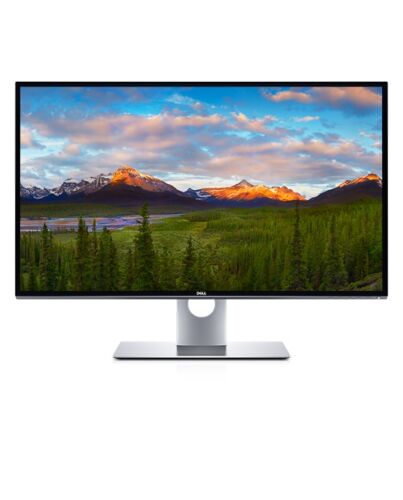
DELL UltraSharp UP3218KA computer monitor 80 cm (31.5") 7680 x 4320 pixels 8K Ultra HD LCD Black, Si
£2,971.66
Out of stock
- Immediately available
- Discreet Packaging
- Free Shipping
Product Details
Description
Key Features
- 80.1cm (31.5") 8K Ultra HD 7680 x 4320 LED IPS
- 8ms, 16:9, 400cd/m², 1300:1
- USB, DisplayPort
Reasons To Buy
An unparalleled visual experience
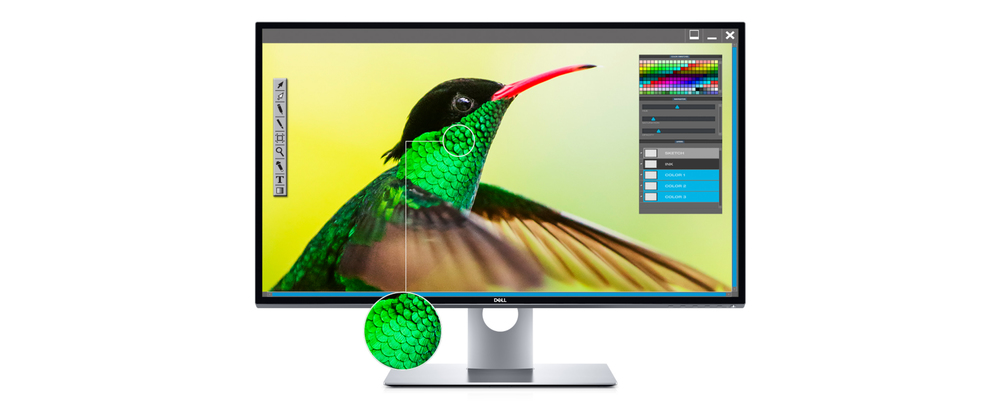
The world’s first 31.5" 8K monitor with Dell PremierColor is designed to impress with accurate colors and smooth gradation to create images so istic, you don’t see pixels.
Details shine:
See the most detailed visuals ever on a 31.5" monitor. With an outstanding 33.2 million pixel resolution and a high pixel density of 280ppi, you'll not miss a single detail.
See what you’ve been missing
Dell PremierColor: Exceptional for Color Professionals
Dell PremierColor offers wide color coverage that meets major industry standards — 100% AdobeRGB, 100% sRGB, 100% Rec. 709, 98% DCI-P3 — for immaculate, unwavering colors.
Extraordinary color depth:
Enjoy a tremendous level of detail that only the depth of 1.07 billion colors (that’s 64 times more color depth than standard monitors) could provide. Even in dark areas, you’ll see better color gradation and precision in more shades.
Fine-tune with precision:
Customize color parameters to your preference using the Custom Color e, the SDK or the optional X-rite iDisplay Pro colorimeter .
Accurate color, out of the box:
Your monitor is calibrated on AdobeRGB and sRGB to an accuracy of Delta-E less than 2. An included factory calibration report gives you the confidence that colors will be impressively accurate right f the start.
Beautiful and functional
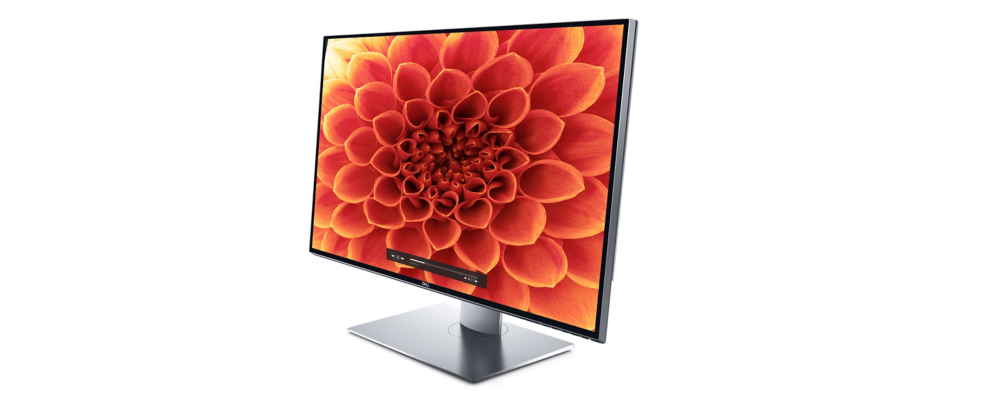
ern aluminum and refined finishing create a ern and elegant design.
Virtually borderless:
With Dell's InfinityEdge, you'll enjoy every detail of on-screen beauty without boundaries. An expansive, edge-to-edge viewing experience on one of the first virtually borderless 31.5" monitors ensures that you'll be absorbed in the visuals, not distracted by the frame.
Easy on the eyes:
This TUV monitor has a flicker-free screen with ComfortView, a feature that filters out harmful blue light emissions to optimize eye comfort.
Superb usability
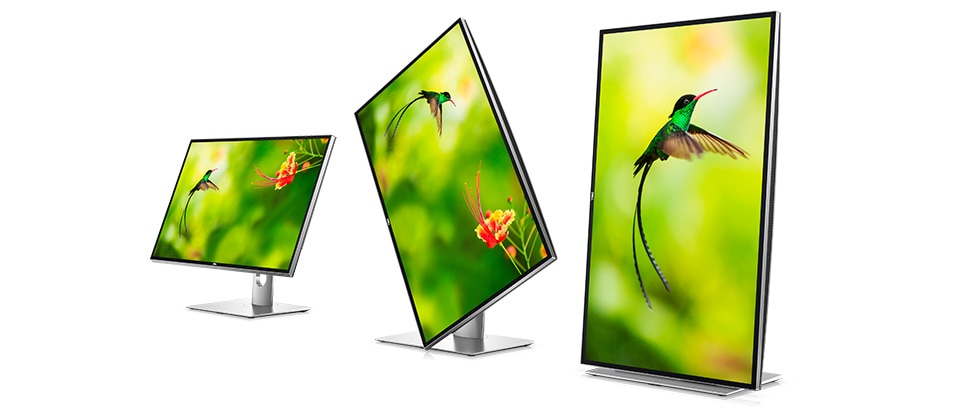
The height-adjustable stand lets you tilt, swivel and pivot to just the right viewing position for a comfortable setup and convenience while collaborating.
Multitasking made easy:
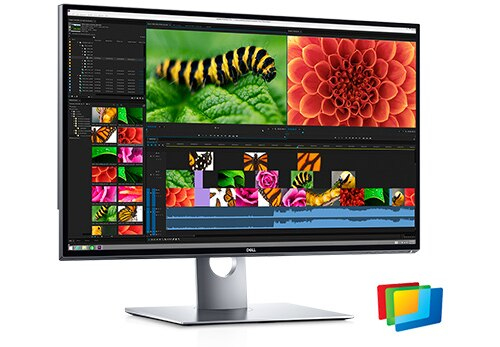
Stay organized as you work on multiple applications, thanks to the Easy Arrange feature. Neatly tile the applications on one screen to view them all at once and quickly find exactly what you are looking for.
Made for the way you work
: Compatible with multiple stands and mounts (including VESA), this monitor has flexible options to fit perfectly in your workspace.
A brand you can rely on

Premium Panel Guarantee

Advanced Exchange Service

Features
Dell UltraSharp 32 8K Monitor: UP3218KA
Experience istic images like never before on the award-winning, world’s first 31.5" 8K monitor featuring Dell PremierColor.
Diagonal Size
31.5"
Resolution / Refresh Rate
8K 7680 x 4320 at 60 Hz
Panel Technology
IPS
Adjustability
Height, pivot (rotation), swivel, tilt
Ports
2 x DisplayPort 1.4
3 x USB 3.0 downstream
USB 3.0 downstream with Battery Charging 1.2
USB 3.0 upstream
Audio line-out
Color Gamut
100% Adobe RGB, 100% Rec 709, 100% sRGB, 98% DCI-P3
An unparalleled visual experience
Unprecedented ism: The world’s first 31.5" 8K monitor with Dell PremierColor is designed to impress with accurate colors and smooth gradation to create images so istic, you don’t see pixels.Details shine: See the most detailed visuals ever on a 31.5" monitor. With an outstanding 33.2 million pixel resolution and a high pixel density of 280ppi, you'll not miss a single detail.
See what you’ve been missing
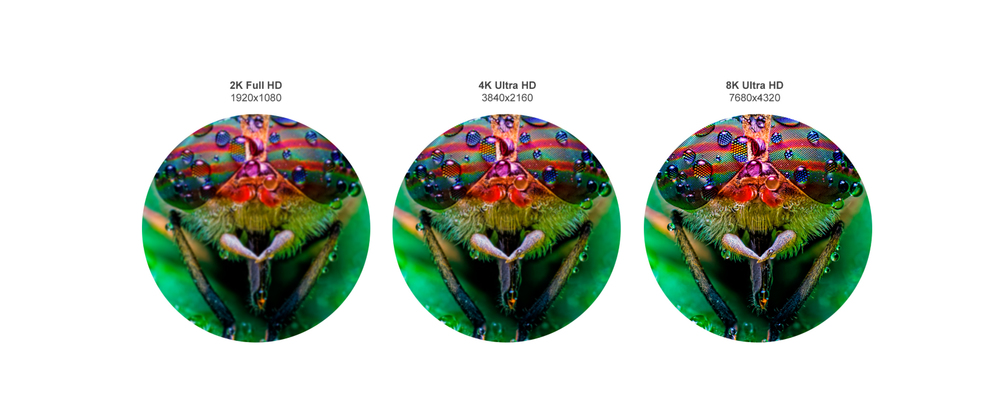
When you compare this 8K monitor to other resolutions, there is no comparn¹. Four times more content than Ultra HD 4K. Sixteen times more content than Full HD.Dell PremierColor: Exceptional for Color Professionals
A broad, brilliant spectrum: Dell PremierColor offers wide color coverage that meets major industry standards — 100% AdobeRGB, 100% sRGB, 100% Rec. 709, 98% DCI-P3 — for immaculate, unwavering colors.Extraordinary color depth: Enjoy a tremendous level of detail that only the depth of 1.07 billion colors (that’s 64 times more color depth than standard monitors) could provide. Even in dark areas, you’ll see better color gradation and precision in more shades.
Fine-tune with precision: Customize color parameters to your preference using the Custom Color e, the SDK² or the optional X-rite iDisplay Pro colorimeter³.
Accurate color, out of the box: Your monitor is calibrated on AdobeRGB and sRGB to an accuracy of Delta-E less than 2. An included factory calibration report gives you the confidence that colors will be impressively accurate right f the start.
Beautiful and functional
Crafted to perfection: ern aluminum and refined finishing create a ern and elegant design.Virtually borderless: With Dell's InfinityEdge, you'll enjoy every detail of on-screen beauty without boundaries. An expansive, edge-to-edge viewing experience on one of the first virtually borderless 31.5" monitors ensures that you'll be absorbed in the visuals, not distracted by the frame.
Easy on the eyes: This TUV⁴ monitor has a flicker-free screen with ComfortView, a feature that filters out harmful blue light emissions to optimize eye comfort.
Superb usability
Customize for your needs: The height-adjustable stand lets you tilt, swivel and pivot to just the right viewing position for a comfortable setup and convenience while collaborating.Multitasking made easy: Stay organized as you work on multiple applications, thanks to the Easy Arrange feature. Neatly tile the applications on one screen to view them all at once and quickly find exactly what you are looking for.
Made for the way you work: Compatible with multiple stands and mounts (including VESA), this monitor has flexible options to fit perfectly in your workspace.
Connectivity Options
Ports and Slots:1. Power connector | 2. Stand lock | 3. DisplayPort in | 4. DisplayPort in | 5. Audio line-out port⁵ | 6. USB upstream port | 7. USB downstream ports | 8. USB downstream port with BC1.2 charging
Cables Included:
1. Power cable | 2. Two DP Cables | 3. USB 3.0 Cable
Reliable and responsible
Designed with the environment in mind, this monitor meets the latest regulatory and environmental standards such as ENERGY STAR®, China Energy Label, CEL, WEEE, ErP (EuP) Standards, Korea E-Standby.1. Zoomed-in images used are for illustrative purposes only. Actual comparns may differ.
2. Dell’s software development kit enables you to customize Dell UltraSharp Monitors to your preferred in-house custom system, allowing you to easily manage color space and control video layout.
3. Requires Dell UltraSharp Color Calibration Solution software, available on www.Dell.com/support. The X-Rite i1Display Pro colorimeter is available in selected countries for purchase f Dell. Contact a Dell representative to find out if it is available in your country. i1Display Pro is also available f X-Rite’s North American and Pantone online stores, and also f X-Rite’s worldwide network of resellers.
4. TUV (ID0000051369 – Flicker Free / ID0000051370 - Low Blue Light Content). For more details, visit www.tuv.com.
5. Note: The audio line-out port does not support headphones
2. Dell’s software development kit enables you to customize Dell UltraSharp Monitors to your preferred in-house custom system, allowing you to easily manage color space and control video layout.
3. Requires Dell UltraSharp Color Calibration Solution software, available on www.Dell.com/support. The X-Rite i1Display Pro colorimeter is available in selected countries for purchase f Dell. Contact a Dell representative to find out if it is available in your country. i1Display Pro is also available f X-Rite’s North American and Pantone online stores, and also f X-Rite’s worldwide network of resellers.
4. TUV (ID0000051369 – Flicker Free / ID0000051370 - Low Blue Light Content). For more details, visit www.tuv.com.
5. Note: The audio line-out port does not support headphones
Specifications
Display
Display diagonal*
80 cm (31.5")
Display resolution*
7680 x 4320 pixels
HD type*
8K Ultra HD
Native aspect ratio*
16:9
Display technology*
LCD
Panel type*
IPS
Backlight type
LED
Touchscreen*
No
Display brightness (typical)
400 cd/m²
Response time*
8 ms
Screen shape*
Flat
Supported graphics resolutions
640 x 480 (VGA), 720 x 400, 800 x 600 (SVGA), 1024 x 768 (XGA), 1152 x 864 (XGA+), 1280 x 1024 (SXGA), 1280 x 800, 1600 x 1200, 1920 x 1080 (HD 1080), 2048 x 1080, 2560 x 1440, 3840 x 2160, 7680 x 4320
Supported video es
480i, 480p, 576i, 576p, 720p, 1080i, 1080p, 2160p, 4320p
Contrast ratio (typical)*
1300:1
Maximum refresh rate*
60 Hz
Viewing angle, horizontal
178°
Viewing angle, vertical
178°
Display number of colours*
1.07 billion colours
Response time (fast)
6 ms
Pixel pitch
0.0303 x 0.0909 mm
Horizontal scan range
30 - 90 kHz
Vertical scan range
59 - 61 Hz
Viewable size, horizontal
69.8 cm
Viewable size, vertical
39.3 cm
Viewable size diagonal
80 cm
Display diagonal (metric)
80.01 cm
Surface hardness
2H
Colour depth
10 bit
Colour gamut standard
DCI-P3
Colour gamut
98%
sRGB coverage (typical)
100%
Adobe RGB coverage
100%
Heat dissipation
301.97 BTU/h
Multimedia
Built-in speaker(s)*
No
Built-in camera*
No
Design
Product colour*
Black, Silver
Ports & interfaces
Built-in USB hub*
Yes
USB upstream port type
USB Type-B
Number of upstream ports
1
USB Type-A downstream ports quantity
4
HDMI*
No
DisplayPorts quantity
2
DisplayPort version
1.4
Audio output
Yes
Headphone out*
No
Ergonomics
VESA mounting*
Yes
Panel mounting interface
100 x 100 mm
Cable management
Yes
Cable lock slot*
Yes
Height adjustment*
Yes
Adjustable height (max)
12 cm
Pivot
Yes
Pivot angle
90 - 90°
Swivelling
Yes
Ergonomics
Swivel angle range
-30 - 30°
Tilt adjustment
Yes
Tilt angle range
5 - 21°
On Screen Display (OSD)
Yes
Plug and Play
Yes
LED indicators
Yes
Power
Energy efficiency class (SDR)*
G
Energy consumption (SDR) per 1000 hours*
107 kWh
Power consumption (typical)*
107.2 W
Power consumption (standby)*
0.3 W
Power consumption (max)
125 W
Power consumption (off)
0.3 W
AC input voltage
100 - 240 V
AC input frequency
50 - 60 Hz
Input current
2.1 A
Power supply type
Internal
Energy efficiency scale
A to G
Operational conditions
Operating temperature (T-T)
0 - 35 °C
Storage temperature (T-T)
-20 - 60 °C
Operating relative humidity (H-H)
10 - 80%
Storage relative humidity (H-H)
5 - 90%
Operating altitude
0 - 5000 m
Non-operating altitude
0 - 12192 m
Weight & dimensions
Width (with stand)
720.5 mm
Depth (with stand)
222 mm
Height (with stand)
498.4 mm
Weight (with stand)
10.5 kg
Width (without stand)
720.5 mm
Depth (without stand)
53.2 mm
Height (without stand)
421.2 mm
Weight (without stand)
6.9 kg
Packaging data
Package weight
18.5 kg
USB cable length
1.8 m
Packaging content
Stand included
Yes
Cables included
AC, DisplayPort, USB
Quick start guide
Yes
DisplayPort cable length
1.8 m
Sustainability
Sustainability certificates
ENERGY STAR
Doesn't contain
Arsenic, PVC/BFR
Carbon footprint
Total carbon footprint (kg of CO2e)
1185
Total carbon emissions, standard deviation (kg of CO2e)
415
Carbon emissions, manufacturing (kg of CO2e)
431.25
Carbon emissions, logistics (kg of CO2e)
94.25
Carbon emissions, energy usage (kg of CO2e)
648.26
Carbon emissions, end-of-life (kg of CO2e)
11
PAIA version
1.3.2, 2022
Other features
Heavy metals free
Hg (mercury)
USB charging port
Yes
Compliance certificates
RoHS
Additional Information
| EAN/UPC | 5397184657201 |
|---|---|
| MPN | DELL-UP3218KA |
| BRAND | DELL |
Disclaimer
Actual configuration might differ f illustration
Product Carbon Footprint (PCF)
1. Dell calculates the Product Carbon Footprint using one of two methodologies, depending on the product: the Dell PCF calculator (GaBi version , YYYY) or the Product Attribute to Impact Algorithm (PAIA, X.X.X, YYYY). The methodology used is indicated in the "Version of PCF tool used" column.
2. PAIA (Product Attribute Impact Algorithm) is a streamlined LCA tool developed by MIT ‘s Materials System Laboratory. PAIA estimates the product’s carbon footprint using limited system attributes of the product such as component dimension, screen size, system weight, and annual energy consumption.
3. Please note the emission estimate in this report is calculated using the mean value along with the standard deviation for that product el.
4. Use of default inputs (i.e. not primary data) and assumptions on location of use and other fields can introduce a standard deviation which must be taken into account while completing the calculations. For more information refer to the PCF pages on Dell.com.
5. For the PAIA PCF methodology, the transportation f assembly to customer includes the emissions generated during air, ocean and land transportation of finished or semi-finished Dell products between Dell facilities and between Dell facilities to customers.
6. For the Dell PCF calculator and methodology, the transportation phase the default delivery assumptions are 90% of transport happening by sea and 10% happening by air. Trucking distances don’t contribute as much to the PCF impact compared to more influential by sea or by air distances es.
7. Please note, PAIA uses the ecoinvent Database ( whenever primary data is not made available for calculations.
8. For client and commercial end user computing products, minimum configurations were assumed for calculations. For Server and Storage products, typical configurations or ENERGY STAR ( configurations were used for calculations.
9. Use Phase emissions were calculated based on the location of use as "Europe" i.e. the Use Phase emissions are not specific to a single country / location.The Dell PCF Calculator also estimates Use Phase emissions for the U.S. and China, which are available in the PCF PDF documents on Dell.com.
10. The report provides the total emissions separated by the 4 lifecycle phases: manufacturing, transport, use, and end of life to understand the impact of each phase.
11. The Dell PCF Calculator lifetime usage assumption at the product family level is as follows: Desktop, Notebook - 5 years, Display - 6 years and Servers/Storage - 4 years.
* Blanks indicate we do not have the corresponding metric calculated or data is currently unavailable for the specific product at this time.
Product Carbon Footprint (PCF)
1. Dell calculates the Product Carbon Footprint using one of two methodologies, depending on the product: the Dell PCF calculator (GaBi version , YYYY) or the Product Attribute to Impact Algorithm (PAIA, X.X.X, YYYY). The methodology used is indicated in the "Version of PCF tool used" column.
2. PAIA (Product Attribute Impact Algorithm) is a streamlined LCA tool developed by MIT ‘s Materials System Laboratory. PAIA estimates the product’s carbon footprint using limited system attributes of the product such as component dimension, screen size, system weight, and annual energy consumption.
3. Please note the emission estimate in this report is calculated using the mean value along with the standard deviation for that product el.
4. Use of default inputs (i.e. not primary data) and assumptions on location of use and other fields can introduce a standard deviation which must be taken into account while completing the calculations. For more information refer to the PCF pages on Dell.com.
5. For the PAIA PCF methodology, the transportation f assembly to customer includes the emissions generated during air, ocean and land transportation of finished or semi-finished Dell products between Dell facilities and between Dell facilities to customers.
6. For the Dell PCF calculator and methodology, the transportation phase the default delivery assumptions are 90% of transport happening by sea and 10% happening by air. Trucking distances don’t contribute as much to the PCF impact compared to more influential by sea or by air distances es.
7. Please note, PAIA uses the ecoinvent Database ( whenever primary data is not made available for calculations.
8. For client and commercial end user computing products, minimum configurations were assumed for calculations. For Server and Storage products, typical configurations or ENERGY STAR ( configurations were used for calculations.
9. Use Phase emissions were calculated based on the location of use as "Europe" i.e. the Use Phase emissions are not specific to a single country / location.The Dell PCF Calculator also estimates Use Phase emissions for the U.S. and China, which are available in the PCF PDF documents on Dell.com.
10. The report provides the total emissions separated by the 4 lifecycle phases: manufacturing, transport, use, and end of life to understand the impact of each phase.
11. The Dell PCF Calculator lifetime usage assumption at the product family level is as follows: Desktop, Notebook - 5 years, Display - 6 years and Servers/Storage - 4 years.
* Blanks indicate we do not have the corresponding metric calculated or data is currently unavailable for the specific product at this time.