Computers
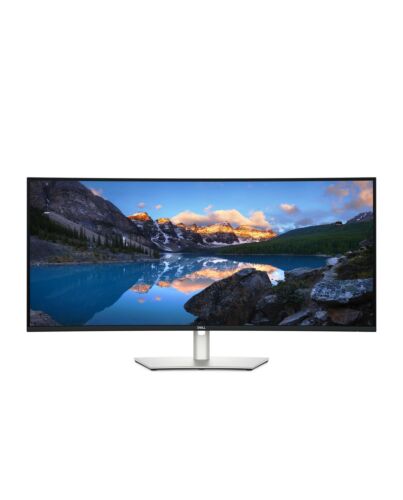
DELL UltraSharp U4025QW computer monitor 101.6 cm (40") 5120 x 2160 pixels 5K Ultra HD LCD Silver
£1,436.58
In stock
- Immediately available
- Discreet Packaging
- Free Shipping
Product Details
Description
Elevate your performance with a 40-inch curved Thunderbolt™ hub monitor featuring a stunning 5K display and a 120Hz refresh rate.
Key Features
- 101.6cm (40") 5K Ultra HD 5120 x 2160 LED IPS
- 8ms, 21:9, 450cd/m², 2000:1
- USB, HDMI, DisplayPort
Reasons To Buy
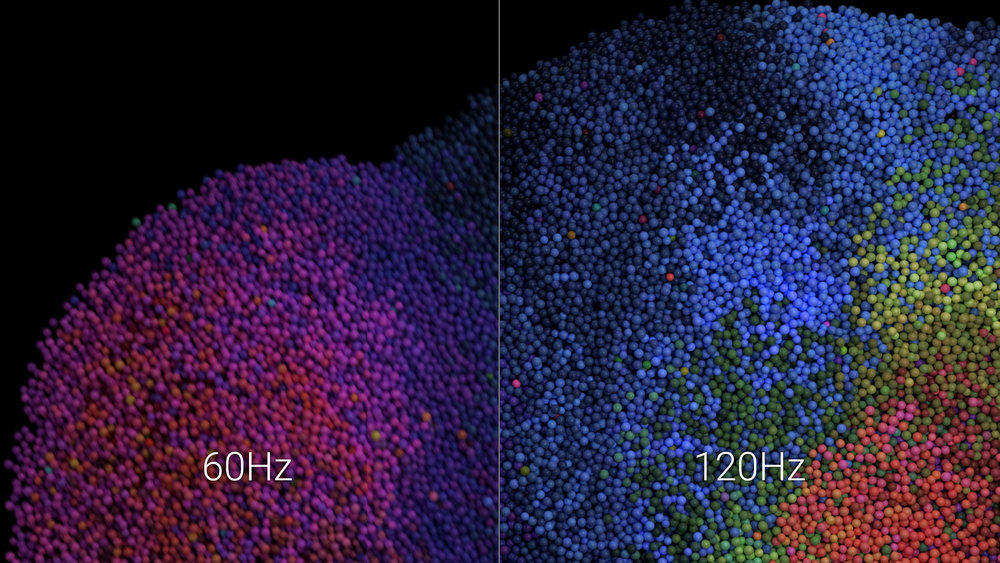
Smoother visual experience
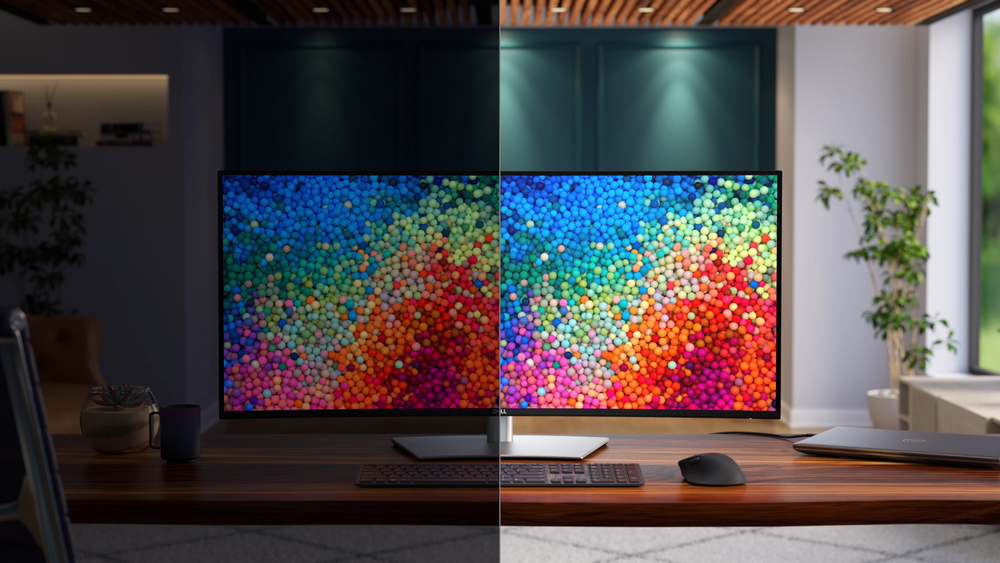
Ambient Light Sensor
World's first 40" 5K monitor for 5-Star Eye Comfort
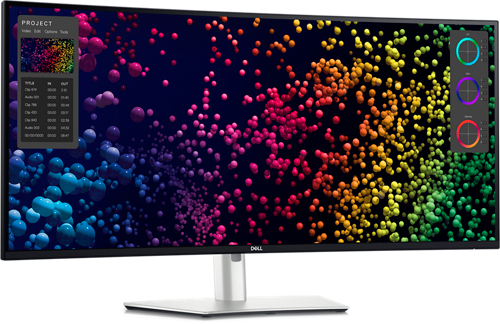
Improved ComfortView Plus
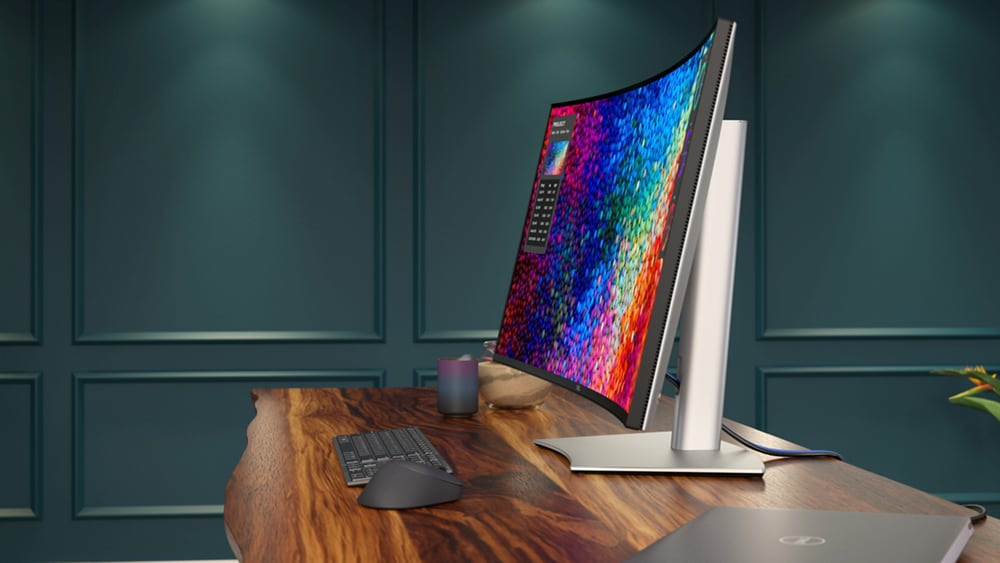
See more detail than ever before
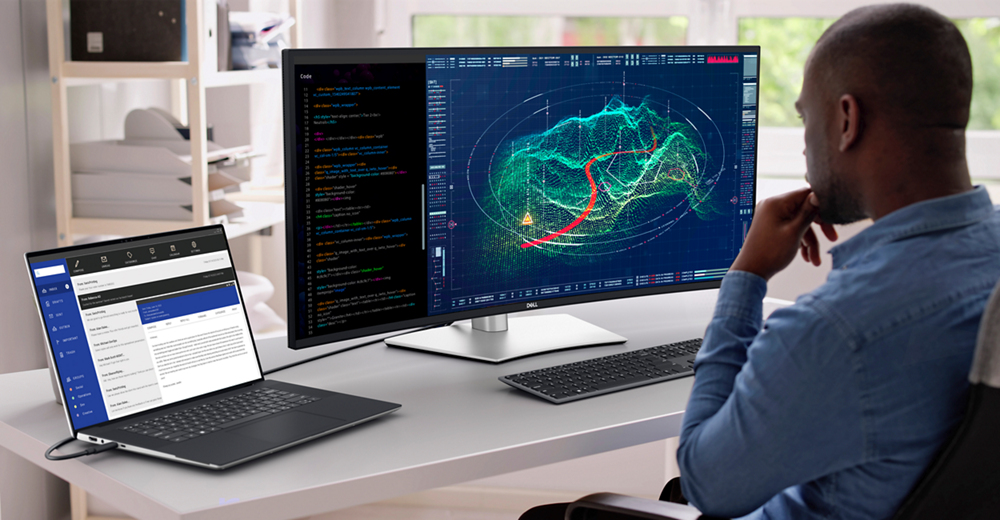
See every detail with complete clarity on a 5K resolution monitor.
99%
DCI-P3 and Display P3 colour coverage.
IPS Black
Experience deeper blacks with a 2000:1 contrast ratio.
Internal Multi-Stream Transport (iMST)
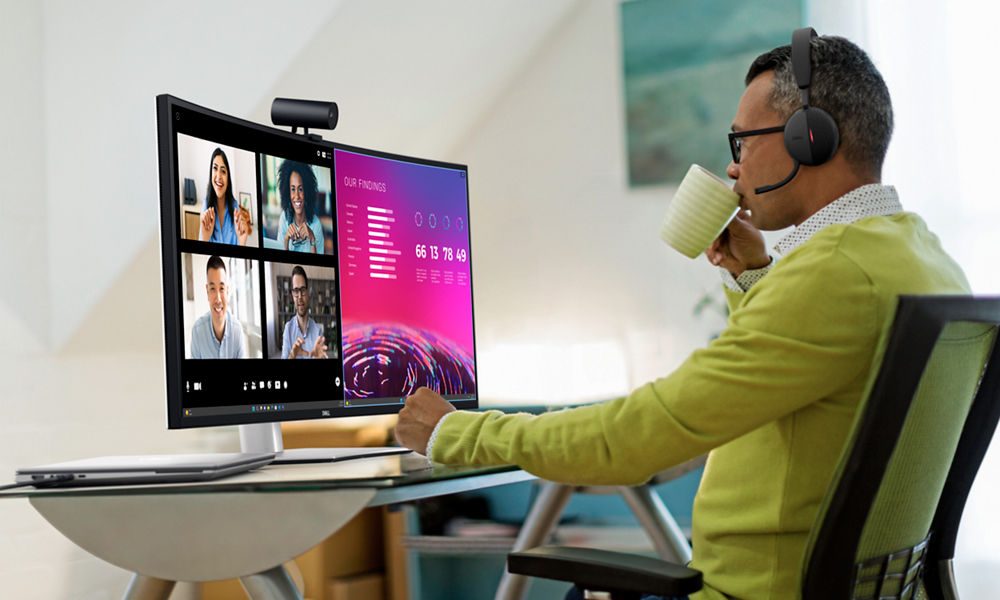
Thunderbolt™ 4
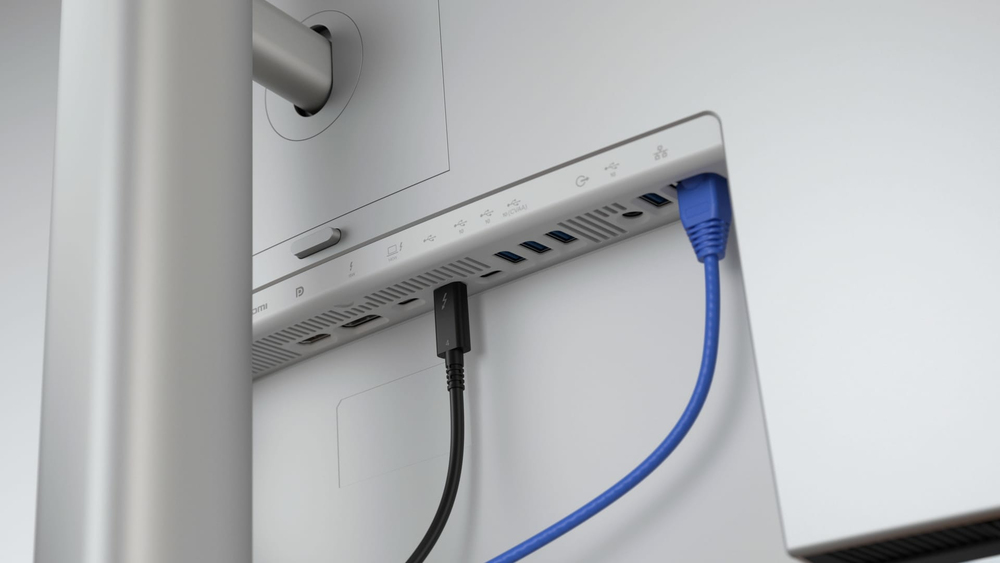
Stay online
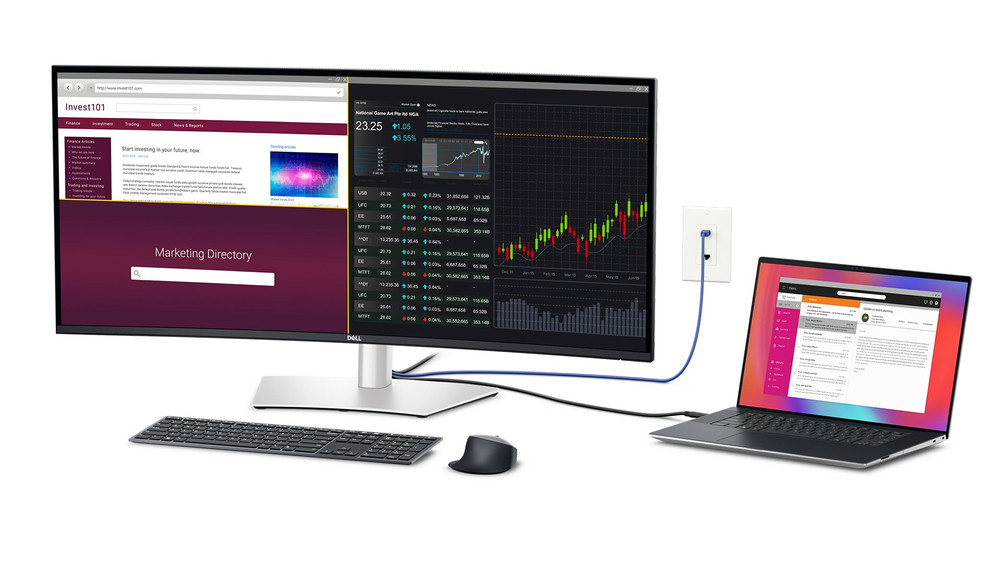
Dell Display Manager
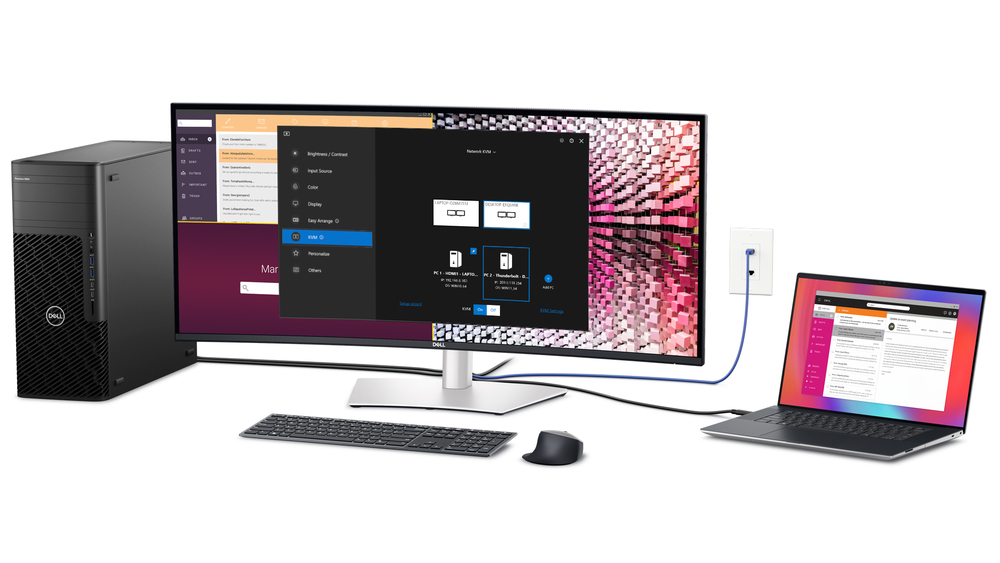
Organise your screen with Easy Arrange and save profiles with Easy Arrange Memory.
Network KVM
Control and work across multiple network connected PCs and monitors with a single keyboard and mouse, and easily transfer files between them.
Customisation
Quickly access your favourite features and functions with the menu launcher and hot keys.
Manageability
Manage your fleet of monitors with remote management features that are automatic, comprehensive and compatible with several tools.
Dell Colour Management
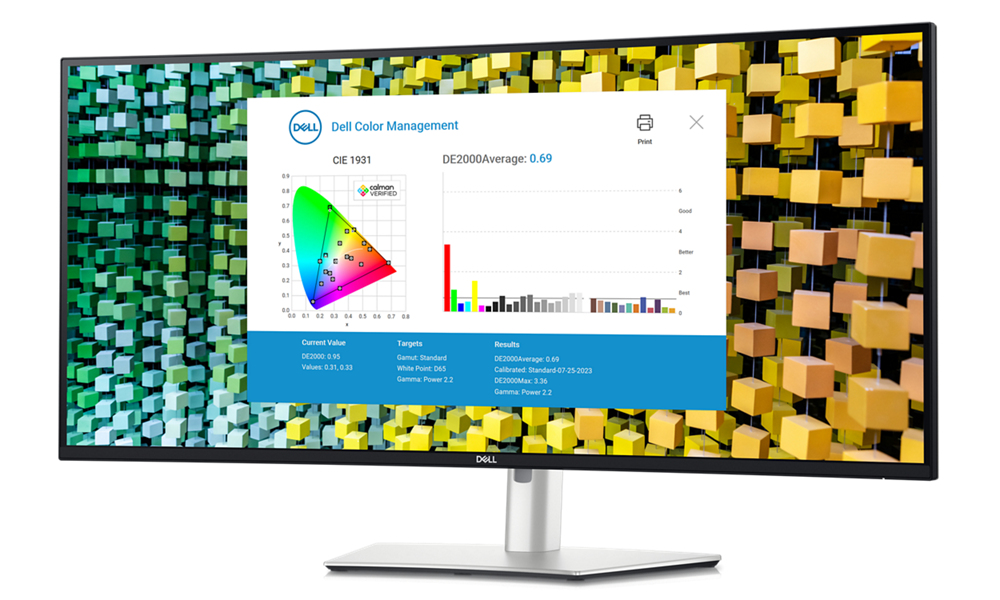
Easily calibrate your monitor’s colours on the new Dell Colour Management software, with Calman Verified certification.
Tailored to you
Create, store, and manage ICC profiles on your computer dynamically through the software dashboard.
Wide compatibility
Dell Colour Management software is compatible with multiple operating systems including Windows and macOS®.
Environmentally-forward thinking
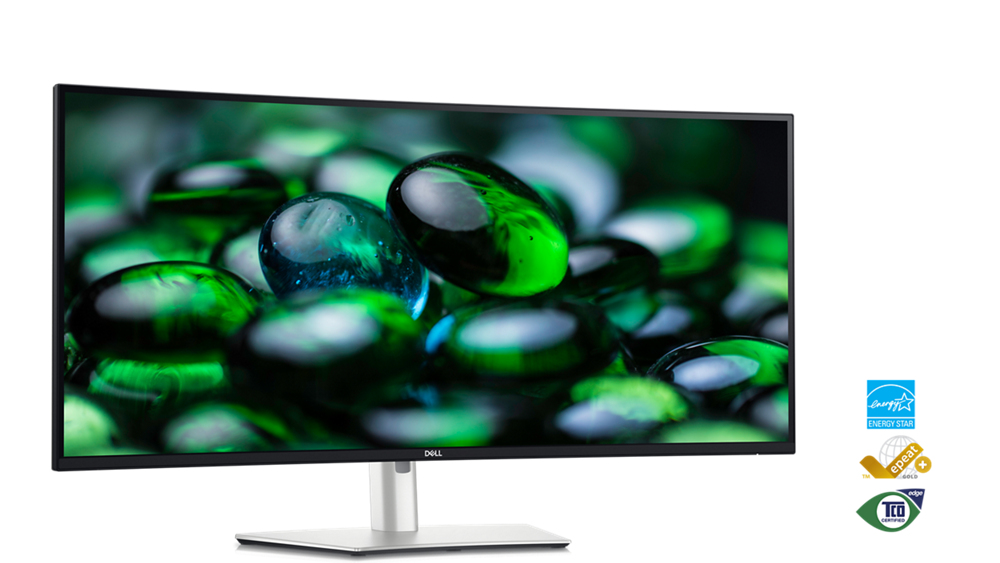
This monitor is made with 50% recycled steel, 85% post-consumer recycled plastics including closed-loop plastics, 100% recycled aluminium and at least 20% recycled glass.
Energy conservation
Using PowerNap e in Dell Display Manager lowers energy use by up to 14.8%.
Packaging innovation
Ships in a box made with 100% renewable content that is also recyclable.
Elevated standards
Meets highest environmental standards and registered EPEAT Gold with Climate+ designation - this monitor has met industry best practices for decarbonisation.
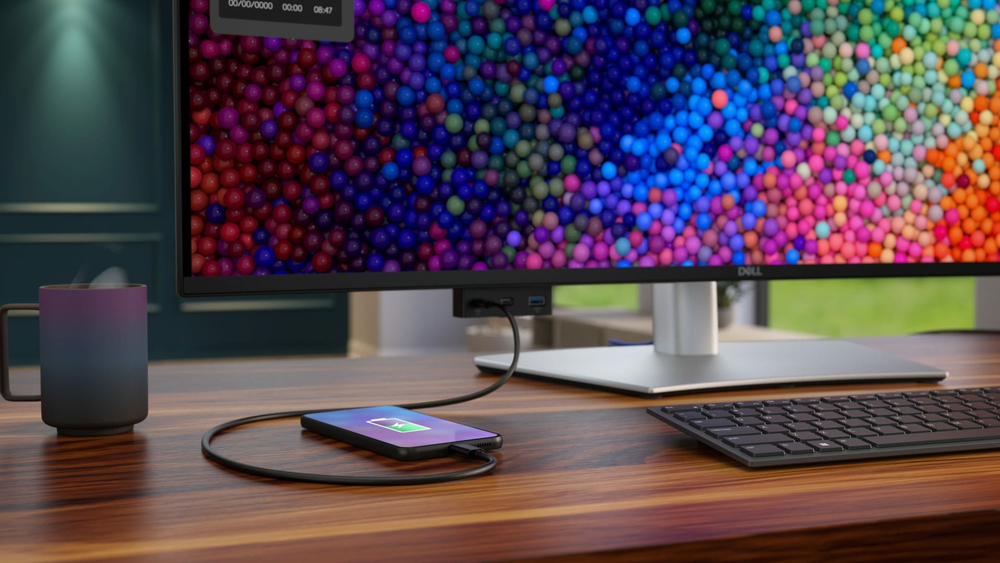
Extensive connectivity
Features
Dell UltraSharp 40 Curved Thunderbolt™ Hub Monitor - U4025QW
Elevate your performance with a 40-inch curved Thunderbolt™ hub monitor featuring a stunning 5K display and a 120Hz refresh rate.
Diagonal Size
39.7"
Resolution / Refresh Rate
5120 x 2160 at 120 Hz
Panel Technology
IPS Black Technology
Adjustability
Height
Tilt
Swivel
Color Gamut
DCI-P3 99%
Display P3 99%
sRGB 100%
BT.709 100%
DCI-P3
Display P3
sRGB & BT.709: Delta E < 2 (Average)
Ports
1 x HDMI (supports up to 5K2K 5120 x 2160 120Hz FRL, HDR Static Metadata, VRR as per specified in HDMI 2.1.)
1 x DP 1.4 (HDCP 2.3) (Support up to 5120 x 2160 120Hz, HDR, DSC)
1 x Thunderbolt™ 4 downstream port (15 W) for daisy chaining (Video + Data)
1 x Thunderbolt™ 4 (140 W) (Alternate e with DisplayPort 1.4, SuperSpeed USB 3.2 Gen2 (10 Gbps) upstream port, USB Power Delivery up to 140 W)
1 x USB Type-C® upstream port (data only) (SuperSpeed USB 10 Gbps, USB 3.2 Gen2)
4 x USB Type-A downstream port (SuperSpeed USB 10 Gbps, USB 3.2 Gen2)
1 x Audio line-out
1 x RJ45 (2.5GbE)
1 x USB Type-A downstream port (SuperSpeed USB 10 Gbps, USB 3.2 Gen2) with BC1.2 power charging
2 x USB Type-C® downstream port (SuperSpeed USB 10 Gbps, USB 3.2 Gen2) with power charging (15W)
World's first 40" 5K monitor for 5-Star Eye Comfort
Every aspect of your work springs to life on this curved 5K monitor featuring a 120Hz refresh rate. You'll never miss a single detail.
Smoother visual experience
A 120Hz refresh rate delivers less flicker, more seamless scrolling and smoother motion than 60Hz monitors.Ambient Light Sensor
A built-in Ambient Light Sensor intelligently optimises brightness and colour temperature based on your surroundings.Improved ComfortView Plus
Our latest monitors reduce harmful blue light emissions to <35%, compared to <50% f the previous generation, for all-day eye comfort without sacrificing colour accuracy.See more detail than ever before
5K
See every detail with complete clarity on a 5K resolution monitor.
99 %
DCI-P3 and Display P3 colour coverage.
IPS Black
Experience deeper blacks with a 2000:1 contrast ratio.
Internal Multi-Stream Transport (iMST)
Partition your display as if there were two 2560x2160 physical monitors instead of one. No external software or DisplayPort splitter needed.Connect with ease
Thunderbolt™ 4
Power your devices with a single cable connection with up to 140W power delivery.Extensive connectivity
Connect all your devices with over a dozen ports, including pop-out quick access ports.Stay online
Connect to the Ethernet with a built-in RJ45 port with up to 2.5GbE.Operating system
This monitor is compatible with multiple operating systems including Windows and macOS®.
Dell Display Manager
Multitasking
Organise your screen with Easy Arrange and save profiles with Easy Arrange Memory.Customisation
Quickly access your favourite features and functions with the menu launcher and hot keys.Network KVM
Control and work across multiple network connected PCs and monitors with a single keyboard and mouse, and easily transfer files between them.Manageability
Manage your fleet of monitors with remote management features that are automatic, comprehensive and compatible with several tools.Dell Colour Management
Customisable colours
Easily calibrate your monitor’s colours on the new Dell Colour Management software, with Calman Verified certification.
Tailored to you
Create, store, and manage ICC profiles on your computer dynamically through the software dashboard.
Wide compatibility
Dell Colour Management software is compatible with multiple operating systems including Windows and macOS®.Environmentally-forward thinking
Sustainable materials
This monitor is made with 50% recycled steel, 85% post-consumer recycled plastics including closed-loop plastics, 100% recycled aluminium and at least 20% recycled glass.Packaging innovation
Ships in a box made with 100% renewable content that is also recyclable.Energy conservation
Using PowerNap e in Dell Display Manager lowers energy use by up to 14.8%.Elevated standards
Meets highest environmental standards and registered EPEAT Gold with Climate+ designation - this monitor has met industry best practices for decarbonisation.Connectivity Options
Ports & Slots
1. Security lock slot (based on Kensington Security Slot™)2. Power connector
3. HDMI 2.1
4. DisplayPort 1.4
5. Thunderbolt™ 4 downstream port (15W) for daisy chaining
6. Thunderbolt™ 4 upstream port (Extended Power Range 140W)
7. USB Type-C upstream port (SuperSpeed USB 10 Gbps, USB 3.2 Gen 2)
8. 3x USB Type-A downstream port (SuperSpeed USB 10 Gbps, USB 3.2 Gen 2)
9. Audio Line-out
10. USB Type-A downstream port (SuperSpeed 10 Gbps, USB 3.2 Gen 2)
11. RJ45 port
12. Stand lock
13. 2 x USB Type-C downstream port (SuperSpeed USB 10 Gbps, USB 3.2 Gen2) with power charging (15W)
14. USB Type-A downstream port (SuperSpeed USB 10 Gbps, USB 3.2 Gen 2) with BC1.2 power charging
15. Speakers
Included Cables
1. Power cable2. DisplayPort 1.4 cable - 1.8 m
3. USB Type-A to USB Type-C Gen 2 cable - 1 m
4. Thunderbolt™ 4 active cable - 1.5 m
5. HDMI 2.1 cable - 1.8 m
Product category: Computer Peripherals & Accessories
The CES Innovation Awards are based upon descriptive materials submitted to the judges. CTA did not verify the accuracy of any submission or of any claims made and did not test the item to which the award was given.Specifications
Display
Display diagonal*
101.6 cm (40")
Display resolution*
5120 x 2160 pixels
HD type*
5K Ultra HD
Native aspect ratio*
21:9
Display technology*
LCD
Panel type*
IPS
Backlight type
LED
Touchscreen*
No
Display brightness (peak)
600 cd/m²
Display brightness (typical)
450 cd/m²
Response time*
8 ms
Anti-glare screen
Yes
Screen shape*
Curved
Screen curvature rating
2500R
Supported graphics resolutions
640 x 480 (VGA), 720 x 400, 800 x 600 (SVGA), 1024 x 768 (XGA), 1152 x 864 (XGA+), 1280 x 1024 (SXGA), 1280 x 800, 1600 x 1200, 1680 x 1050 (WSXGA+), 1920 x 1080 (HD 1080), 1920 x 1200 (WUXGA), 2048 x 1152, 2048 x 1280, 2560 x 1080, 3840 x 2160, 4096 x 2160, 5120 x 2160
Supported video es
480p, 720p, 1080p
Contrast ratio (typical)*
2000:1
Maximum refresh rate*
120 Hz
Viewing angle, horizontal
178°
Viewing angle, vertical
178°
Display number of colours*
1.07 billion colours
Response time (fast)
5 ms
Pixel pitch
0.1815 x 0.1815 mm
Pixel density
140 ppi
Horizontal scan range
25 - 280 kHz
Vertical scan range
48 - 120 Hz
Viewable size, horizontal
92.9 cm
Viewable size, vertical
39.2 cm
Viewable size diagonal
100.9 cm
High Dynamic Range (HDR) supported
Yes
Surface hardness
3H
Colour gamut standard
DCI-P3
Colour gamut
99%
sRGB coverage (typical)
100%
Dual ambient light sensor
Yes
Dell ComfortView technology
Yes
Heat dissipation
134.8 BTU/h
Performance
AMD FreeSync*
No
Flicker-free technology
Yes
Low Blue Light technology
Yes
Windows operating systems supported
Windows 10, Yes
Mac operating systems supported
MacOS
Multimedia
Number of speakers
2
RMS rated power
18 W
Built-in speaker(s)*
Yes
Built-in camera*
No
Design
Product colour*
Silver
Front bezel colour
Black
Feet colour
Silver
Ports & interfaces
Built-in USB hub*
Yes
Number of USB Type-C upstream ports quantity
2
USB Type-A downstream ports quantity
5
USB Type-C downstream ports quantity
3
USB Type-C DisplayPort Alternate e
Yes
USB Power Delivery (USB PD)
Yes
USB Power Delivery up to
140 W
HDMI*
Yes
HDMI ports quantity
1
HDMI version
2.1
DisplayPorts quantity
1
DisplayPort version
1.4
Thunderbolt 4 ports quantity
2
Audio output
Yes
Headphone out*
No
Built-in KVM switch
Yes
HDCP
Yes
HDCP version
1.4/2.3
DC-in jack
Yes
Ergonomics
VESA mounting*
Yes
Panel mounting interface
100 x 100 mm
Ergonomics
Cable management
Yes
Cable lock slot*
Yes
Cable lock slot type
Kensington
Height adjustment*
Yes
Adjustable height (max)
15 cm
Swivelling
Yes
Swivel angle range
-30 - 30°
Tilt adjustment
Yes
Tilt angle range
-5 - 21°
Picture-in-Picture
Yes
On Screen Display (OSD)
Yes
Plug and Play
Yes
LED indicators
Yes
Power
Energy efficiency class (SDR)*
F
Energy efficiency class (HDR)*
G
Energy consumption (SDR) per 1000 hours*
40 kWh
Energy consumption (HDR) per 1000 hours*
62 kWh
Power consumption (typical)*
39.5 W
Power consumption (standby)*
0.4 W
Power consumption (max)
380 W
Power consumption (off)
0.3 W
AC input voltage
100 - 240 V
AC input frequency
50/60 Hz
Input current
4.2 A
Power supply type
Internal
Energy efficiency scale
A to G
Operational conditions
Operating temperature (T-T)
0 - 40 °C
Storage temperature (T-T)
-20 - 60 °C
Operating relative humidity (H-H)
10 - 80%
Storage relative humidity (H-H)
5 - 90%
Operating altitude
0 - 5000 m
Non-operating altitude
0 - 12192 m
Weight & dimensions
Width (with stand)
946.6 mm
Depth (with stand)
252.8 mm
Height (with stand)
472.3 mm
Weight (with stand)
11.7 kg
Width (without stand)
946.6 mm
Depth (without stand)
108 mm
Height (without stand)
419.1 mm
Weight (without stand)
8.35 kg
Bezel width (side)
1.13 cm
Bezel width (top)
1.13 cm
Bezel width (bottom)
1.58 cm
Packaging data
Package weight
19 kg
USB cable length
1 m
Packaging content
Stand included
Yes
Cables included
AC, DisplayPort, HDMI, Thunderbolt, USB Type-A to USB Type-C
Quick start guide
Yes
DisplayPort cable length
1.8 m
HDMI cable length
1.8 m
Sustainability
Sustainability certificates
ENERGY STAR, TCO
Doesn't contain
PVC/BFR
Carbon footprint
Total carbon footprint (kg of CO2e)
480
Carbon emissions, manufacturing (kg of CO2e)
196.8
Carbon emissions, logistics (kg of CO2e)
35.52
Carbon emissions, energy usage (kg of CO2e)
192.48
Carbon emissions, end-of-life (kg of CO2e)
55.2
PAIA version
GaBi version 1, 2024
Other features
Picture-by-Picture (PbP)
Yes
Heavy metals free
Hg (mercury)
Automatic brightness control
Yes
Compliance certificates
RoHS
Ethernet LAN data rates
2500 Mbit/s
Ethernet LAN (RJ-45) ports
1
Brand-specific features
Dell Display Manager (DDM) compatibility
Yes
Additional Information
| EAN/UPC | 5397184821510 |
|---|---|
| MPN | DELL-U4025QW |
| BRAND | DELL |
Disclaimer
Actual configuration might differ f illustration
Product Carbon Footprint (PCF)
1. Dell calculates the Product Carbon Footprint using one of two methodologies, depending on the product: the Dell PCF calculator (GaBi version , YYYY) or the Product Attribute to Impact Algorithm (PAIA, X.X.X, YYYY). The methodology used is indicated in the "Version of PCF tool used" column.
2. PAIA (Product Attribute Impact Algorithm) is a streamlined LCA tool developed by MIT ‘s Materials System Laboratory. PAIA estimates the product’s carbon footprint using limited system attributes of the product such as component dimension, screen size, system weight, and annual energy consumption.
3. Please note the emission estimate in this report is calculated using the mean value along with the standard deviation for that product el.
4. Use of default inputs (i.e. not primary data) and assumptions on location of use and other fields can introduce a standard deviation which must be taken into account while completing the calculations. For more information refer to the PCF pages on Dell.com.
5. For the PAIA PCF methodology, the transportation f assembly to customer includes the emissions generated during air, ocean and land transportation of finished or semi-finished Dell products between Dell facilities and between Dell facilities to customers.
6. For the Dell PCF calculator and methodology, the transportation phase the default delivery assumptions are 90% of transport happening by sea and 10% happening by air. Trucking distances don’t contribute as much to the PCF impact compared to more influential by sea or by air distances es.
7. Please note, PAIA uses the ecoinvent Database ( whenever primary data is not made available for calculations.
8. For client and commercial end user computing products, minimum configurations were assumed for calculations. For Server and Storage products, typical configurations or ENERGY STAR ( configurations were used for calculations.
9. Use Phase emissions were calculated based on the location of use as "Europe" i.e. the Use Phase emissions are not specific to a single country / location.The Dell PCF Calculator also estimates Use Phase emissions for the U.S. and China, which are available in the PCF PDF documents on Dell.com.
10. The report provides the total emissions separated by the 4 lifecycle phases: manufacturing, transport, use, and end of life to understand the impact of each phase.
11. The Dell PCF Calculator lifetime usage assumption at the product family level is as follows: Desktop, Notebook - 5 years, Display - 6 years and Servers/Storage - 4 years.
* Blanks indicate we do not have the corresponding metric calculated or data is currently unavailable for the specific product at this time.
Product Carbon Footprint (PCF)
1. Dell calculates the Product Carbon Footprint using one of two methodologies, depending on the product: the Dell PCF calculator (GaBi version , YYYY) or the Product Attribute to Impact Algorithm (PAIA, X.X.X, YYYY). The methodology used is indicated in the "Version of PCF tool used" column.
2. PAIA (Product Attribute Impact Algorithm) is a streamlined LCA tool developed by MIT ‘s Materials System Laboratory. PAIA estimates the product’s carbon footprint using limited system attributes of the product such as component dimension, screen size, system weight, and annual energy consumption.
3. Please note the emission estimate in this report is calculated using the mean value along with the standard deviation for that product el.
4. Use of default inputs (i.e. not primary data) and assumptions on location of use and other fields can introduce a standard deviation which must be taken into account while completing the calculations. For more information refer to the PCF pages on Dell.com.
5. For the PAIA PCF methodology, the transportation f assembly to customer includes the emissions generated during air, ocean and land transportation of finished or semi-finished Dell products between Dell facilities and between Dell facilities to customers.
6. For the Dell PCF calculator and methodology, the transportation phase the default delivery assumptions are 90% of transport happening by sea and 10% happening by air. Trucking distances don’t contribute as much to the PCF impact compared to more influential by sea or by air distances es.
7. Please note, PAIA uses the ecoinvent Database ( whenever primary data is not made available for calculations.
8. For client and commercial end user computing products, minimum configurations were assumed for calculations. For Server and Storage products, typical configurations or ENERGY STAR ( configurations were used for calculations.
9. Use Phase emissions were calculated based on the location of use as "Europe" i.e. the Use Phase emissions are not specific to a single country / location.The Dell PCF Calculator also estimates Use Phase emissions for the U.S. and China, which are available in the PCF PDF documents on Dell.com.
10. The report provides the total emissions separated by the 4 lifecycle phases: manufacturing, transport, use, and end of life to understand the impact of each phase.
11. The Dell PCF Calculator lifetime usage assumption at the product family level is as follows: Desktop, Notebook - 5 years, Display - 6 years and Servers/Storage - 4 years.
* Blanks indicate we do not have the corresponding metric calculated or data is currently unavailable for the specific product at this time.