Computers
DELL Latitude 5550 Intel Core Ultra 7 165U Laptop 39.6 cm (15.6") Full HD 32 GB DDR5-SDRAM 512 GB SS
£1,532.08
DELL Latitude 5550, Intel Core Ultra 7, 39.6 cm (15.6"), 1920 x 1080 pixels, 32 GB, 512 GB, Windows 11 Pro
Out of stock
- Immediately available
- Discreet Packaging
- Free Shipping
Product Details
Description
Work f anywhere with our most intelligent and secure business laptops sustainably designed for productivity on the go.
Key Features
- Windows 11 Pro 64-bit
- Intel Core Ultra 7 165U (12MB Cache)
- 39.6 cm (15.6") Full HD 1920 x 1080 IPS
- 32GB DDR5-SDRAM (2 x 16) & 512GB SSD
Reasons To Buy
AI performance at your fingertips
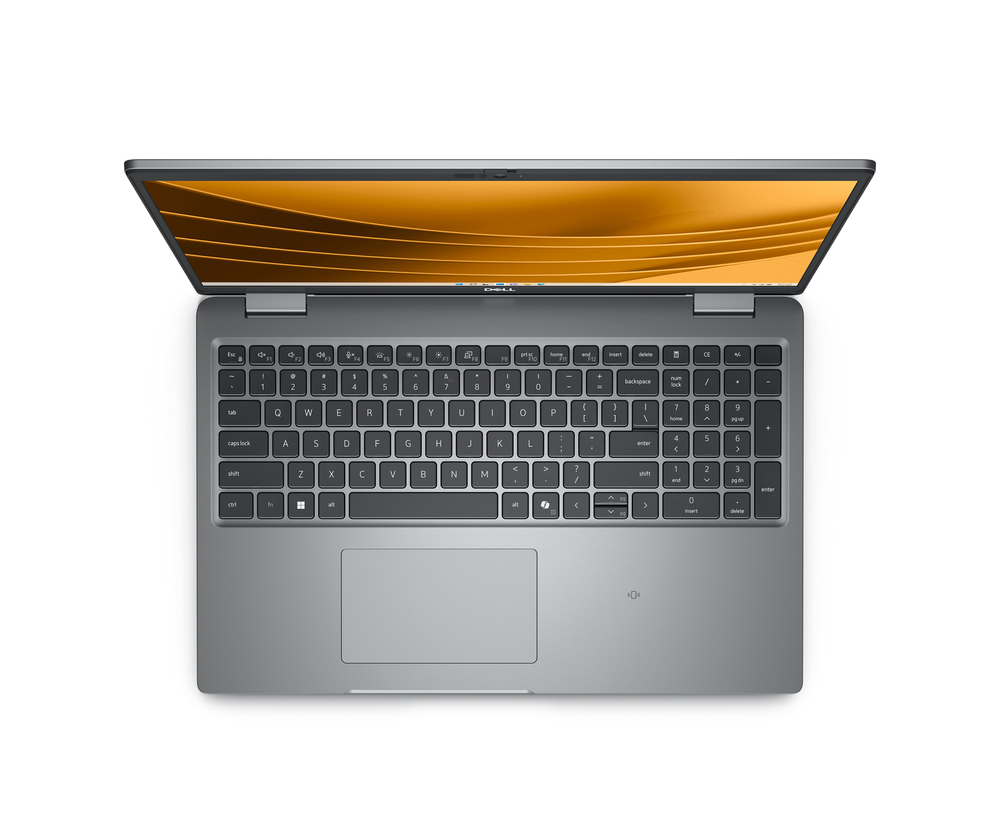
Built for efficiency: The new Intel® Core™ Ultra processor delivers the next generation of performance hybrid architecture for supercharged computing with a battery that lasts thanks to a three tier multi-processing unit. Business users can manage complex workloads by sending the right task to the right engine at the right time with a CPU for lightweight low-latency AI tasks, GPU for media and visual AI rendering, and NPU, a dedicated AI engine, for sustained AI and AI offload.
Time saver: Effortlessly jumpstart your workflow with the Copilot Hardware Key on your device, saving you time by providing quick access to the tools you need to start your workday.
Intelligent collaboration: Users enjoy smoother collaboration with AI-boosts that make Windows Studio Effects even better, with features like smart framing and noise suppression that don’t impact overall system performance.
Exceptional battery life: The Latitude 5550 with Intel® Core™ Ultra offers battery life up to 32% longer on average than the previous generation.
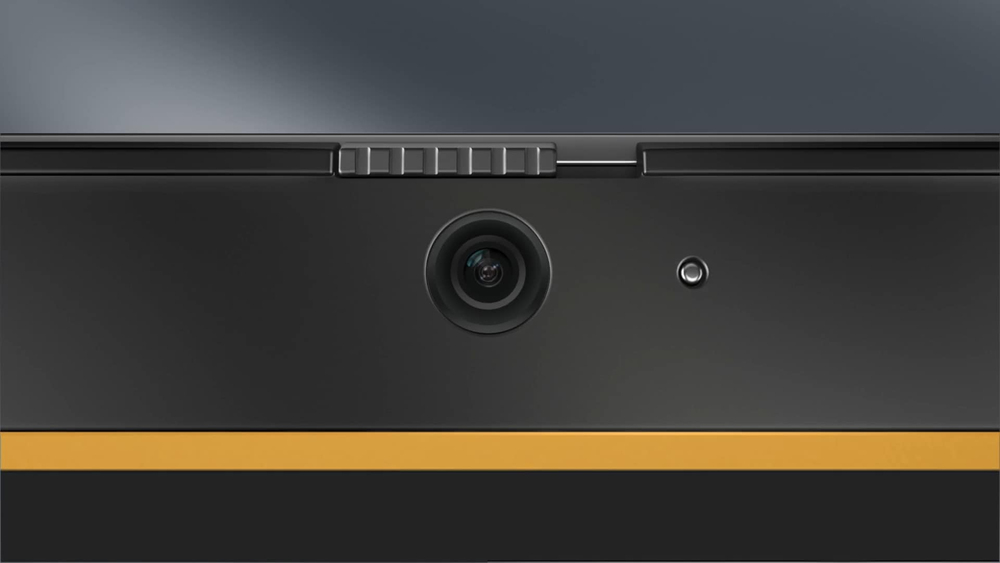
Always camera ready
Ultimate security to work f everywhere
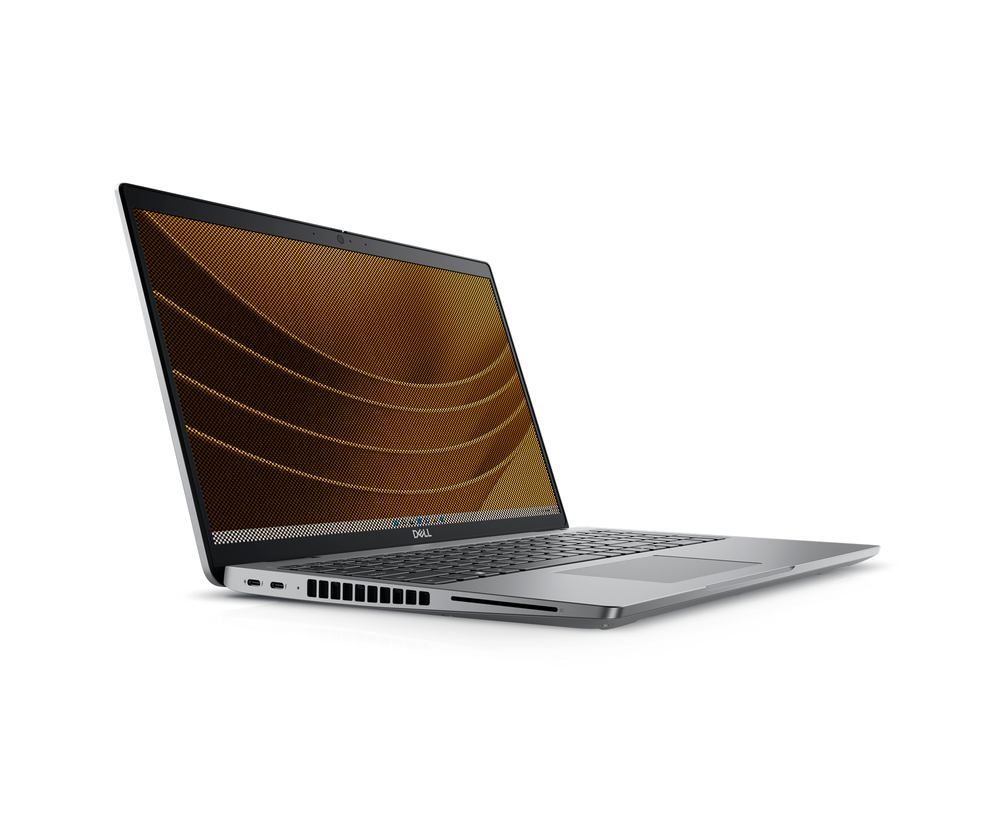
Peace of mind: Intelligent privacy features f Dell Optimizer help keep sensitive data private. Onlooker Detection notifies you when someone is peering at your screen and will texturise your screen, and Look Away Dim knows when your focus is elsewhere and dims to further protect privacy and save battery life.
Be secure f first boot: Rigorous supply chain controls and optional Dell SafeSupply Chain solutions reduce the risk of product tampering. Verify the integrity of the device with Dell-unique Secured Component Verification. Additional supply chain assurance available with tamper-evident packaging and hard drive wipes.
Innovating with sustainability
Scalable productivity
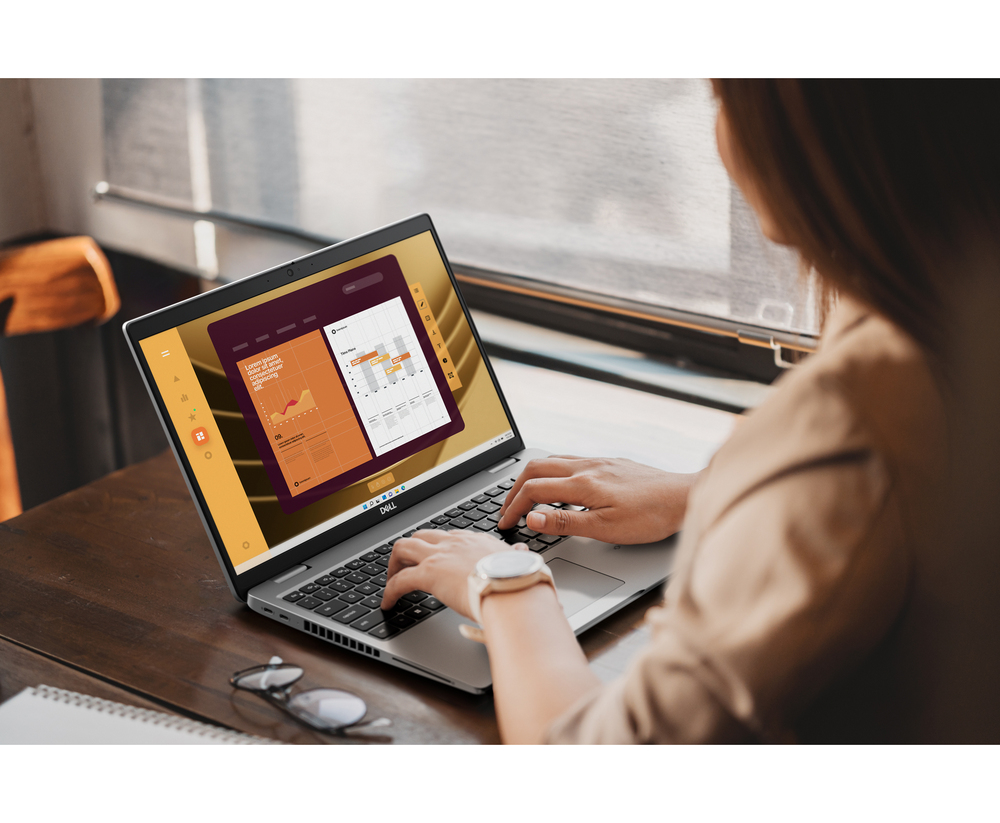
Visually stunning: Display options including FHD Touch as well as a battery saving and ComfortView Plus option to maximise performance and keep your eyes comfortable.
Fast response time: Improved performance with DDR5 upgradeable memory up to 64GB.
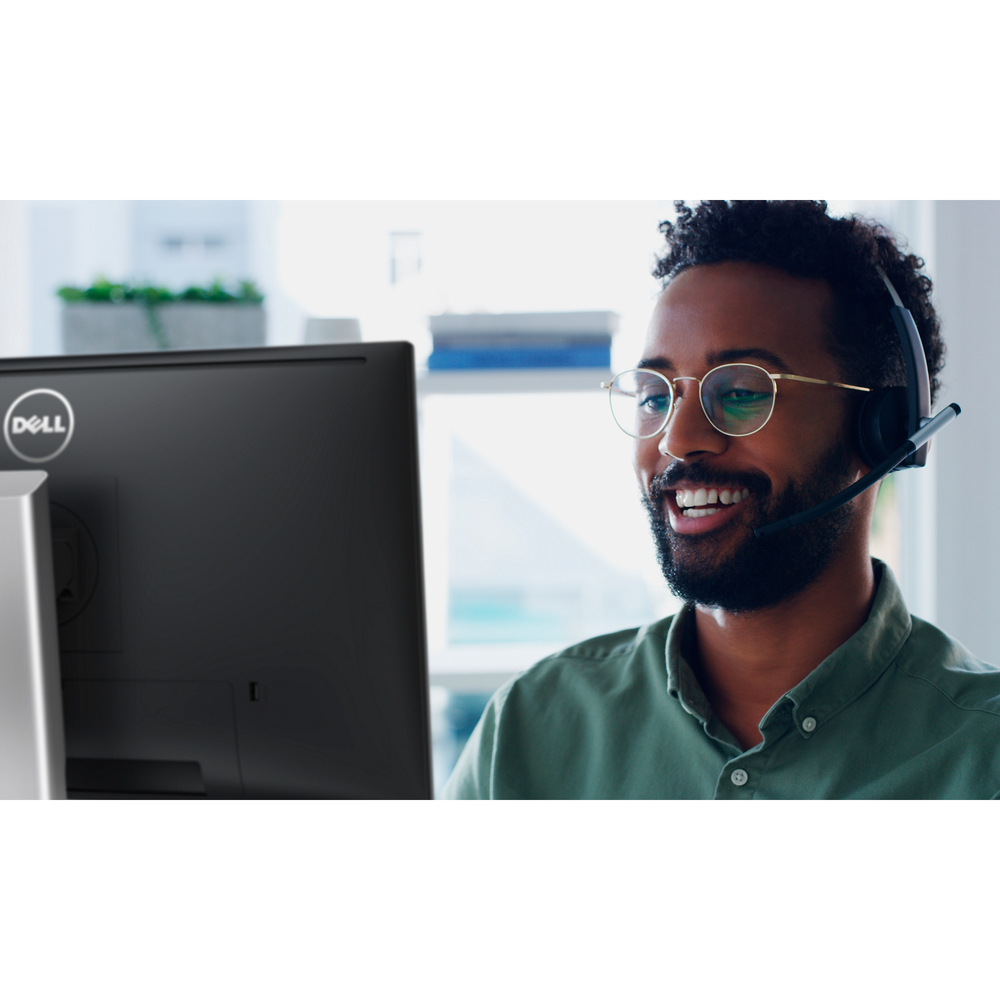
Crystal clear audio: Intelligent audio removes background noise on both ends of the call, while Dynamic Volume adjusts your PC speaker volume so you can hear your call clearly over unexpected noises.
Experience uncompised connectivity
Productivity anywhere: Network Optimization joins the best available network, prioritises conferencing apps and delivers fast data and video downloads with the world's first simultaneous multi-network connection.
Convenient connectivity: Quickly connect to peripherals with a broad range of ports including Thunderbolt™ 4.0 USB-C, HDMI 2.1 and USB-A.
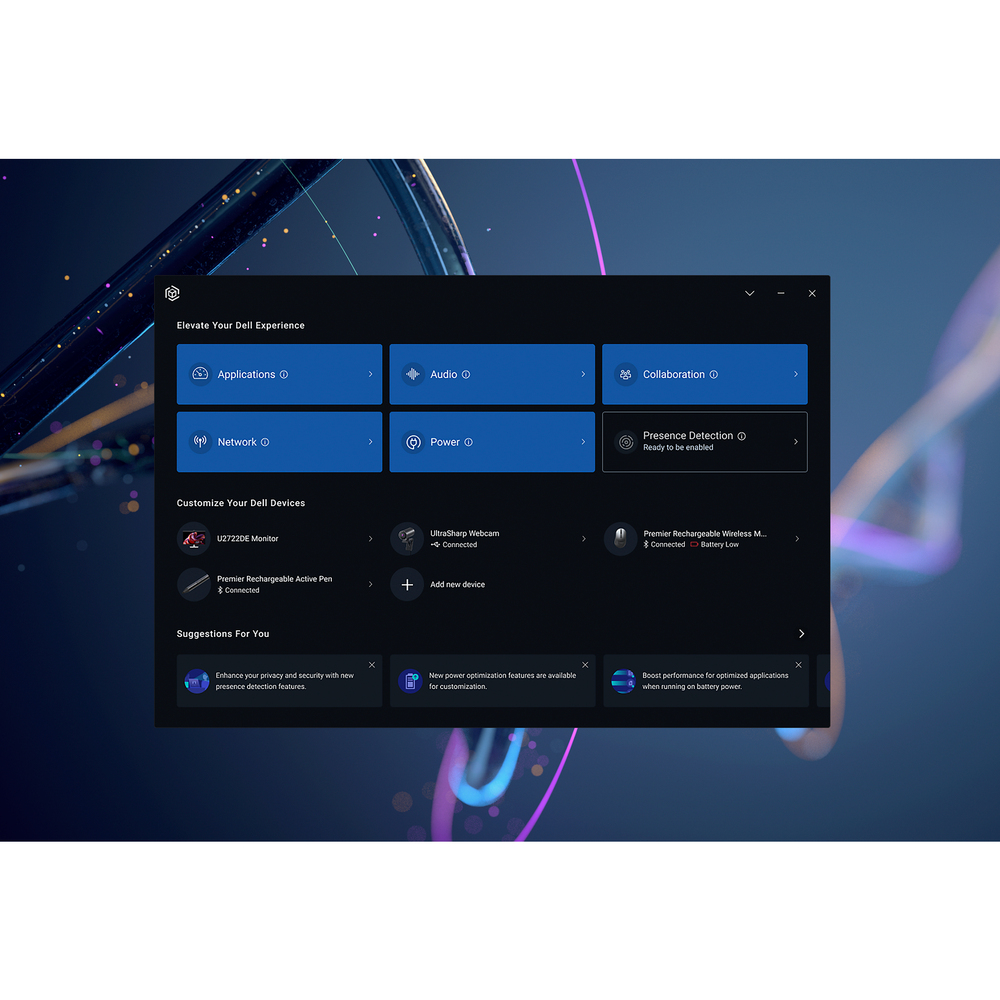
Dell Optimizer
ern Workforce Solutions
Stay Secure, Be Productive
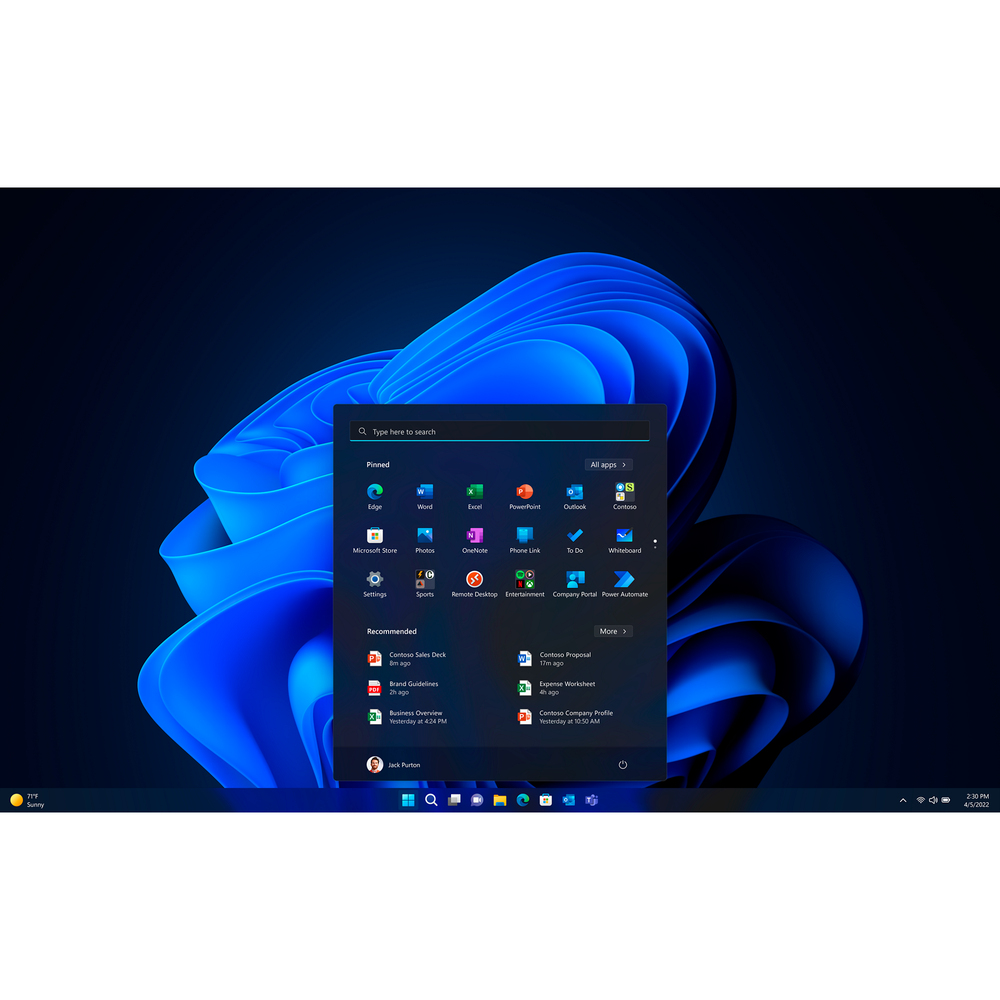
Windows 11 Pro devices help you simplify your workday and improve productivity. Switch seamlessly between locations.
Blaze through your to-do list with AI-powered multitasking, features to get organised in a snap, and performance to speed demanding workloads to completion 42% faster on average.
ProSupport
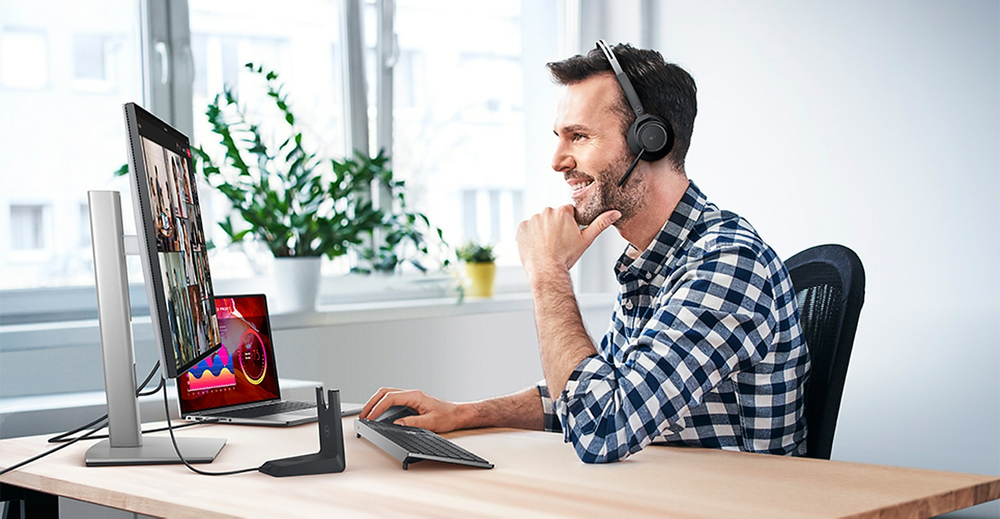
ProSupport Plus

Features
Latitude 5550 Laptop
AI performance at your fingertips
Delivering a next-level computing experience: The new Intel® Core™ Ultra processor combined with Intel vPro® delivers a secure hardware platform, with premium performance and optimised power efficiency, ready to handle the next generation of AI workloads, and the versatile management options that businesses require to stay ahead of the game.Built for efficiency: The new Intel® Core™ Ultra processor delivers the next generation of performance hybrid architecture for supercharged computing with a battery that lasts thanks to a three tier multi-processing unit. Business users can manage complex workloads by sending the right task to the right engine at the right time with a CPU for lightweight low-latency AI tasks, GPU for media and visual AI rendering, and NPU, a dedicated AI engine, for sustained AI and AI offload.
Time saver: Effortlessly jumpstart your workflow with the Copilot Hardware Key on your device, saving you time by providing quick access to the tools you need to start your workday.
Intelligent collaboration: Users enjoy smoother collaboration with AI-boosts that make Windows Studio Effects even better, with features like smart framing and noise suppression that don’t impact overall system performance.
Exceptional battery life: The Latitude 5550 with Intel® Core™ Ultra offers battery life up to 32% longer on average than the previous generation.
Always camera ready
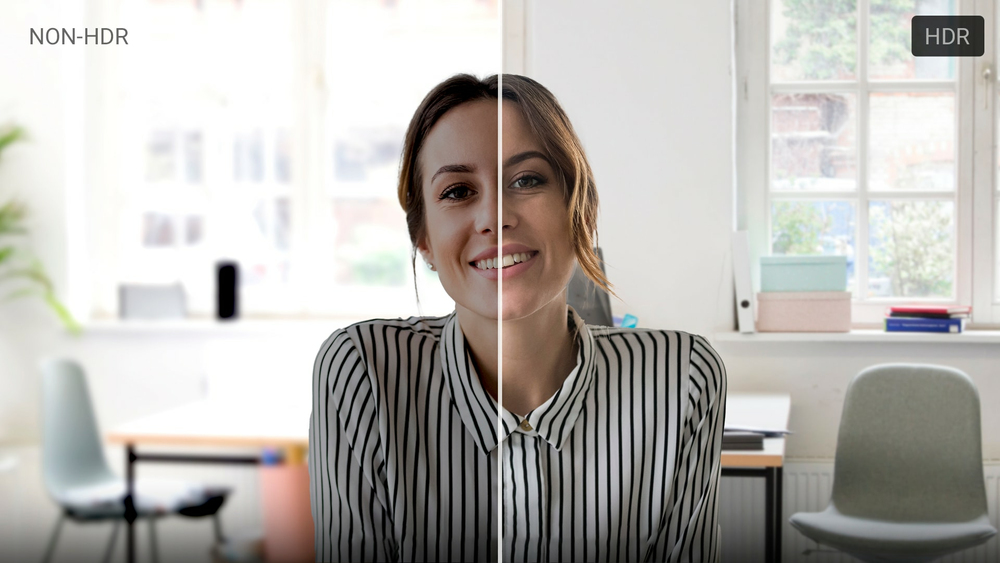
Look your best on conference calls thanks to simultaneous multi-exposure High Dynamic Range (HDR). Available on configurations with an FHD or FHD IR camera, HDR technology takes several pictures simultaneously and blends them to accurately capture image detail in challenging lighting conditions, such as windowed offices and conference rooms.
Ultimate security to work f everywhere
Layered security: The industry's most secure commercial PCs offering Dell SafeID, Dell SafeBIOS, fingerprint readers, TPM chip and lock slot options. Latitude 5550 also features built-in security options such as contacted/contactless smart card readers, Control Vault 3+, privacy shutters, Windows Hello/IR camera and intelligent privacy.Peace of mind: Intelligent privacy features f Dell Optimizer help keep sensitive data private. Onlooker Detection notifies you when someone is peering at your screen and will texturise your screen, and Look Away Dim knows when your focus is elsewhere and dims to further protect privacy and save battery life.
Be secure f first boot: Rigorous supply chain controls and optional Dell SafeSupply Chain solutions reduce the risk of product tampering. Verify the integrity of the device with Dell-unique Secured Component Verification. Additional supply chain assurance available with tamper-evident packaging and hard drive wipes.
Innovating with sustainability
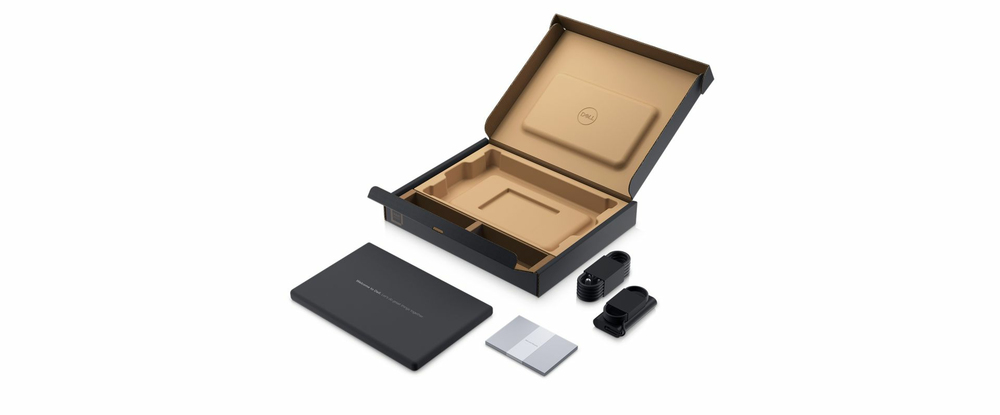
This year, shipping with 50% recycled cobalt in batteriesDesigned with a variety of sustainable materials including post-consumer recycled plastic, ocean-bound plastic, bio-based plastic and reclaimed carbon fibre100% recycled, renewable and recyclable packaging with multipack options for even lesser waste
Scalable productivity
Stay connected all day: Outstanding battery life and choice of long cycle life batteries up to 54WHr with ExpressCharge.Visually stunning: Display options including FHD Touch as well as a battery saving and ComfortView Plus option to maximise performance and keep your eyes comfortable.
Fast response time: Improved performance with DDR5 upgradeable memory up to 64GB.
Crystal clear audio: Intelligent audio removes background noise on both ends of the call, while Dynamic Volume adjusts your PC speaker volume so you can hear your call clearly over unexpected noises.
Experience uncompised connectivity
High-speed connections: Available Wi-Fi 6E and 4G LTE or 5G options ensure you’re always connected at the industry’s fastest speeds.Productivity anywhere: Network Optimization joins the best available network, prioritises conferencing apps and delivers fast data and video downloads with the world's first simultaneous multi-network connection.
Convenient connectivity: Quickly connect to peripherals with a broad range of ports including Thunderbolt™ 4.0 USB-C, HDMI 2.1 and USB-A.
Dell Optimizer
Personalised performance that automatically responds to your workstyle, with advanced privacy features and built-in AI that optimises audio, connectivity, productivity and configurability, all in one software.Features and dashboard vary by el.
Stay Secure, Be Productive
Organisations report a 58% drop in security incidents with Windows 11 Pro devices.Windows 11 Pro devices help you simplify your workday and improve productivity. Switch seamlessly between locations.
Blaze through your to-do list with AI-powered multitasking, features to get organised in a snap, and performance to speed demanding workloads to completion 42% faster on average.
Ports & Slots
1. MicroSD Card Slot2. Universal Audio Port
3. USB-A 3.2 Gen1
4. USB-A 3.2 Gen1 with PowerShare
5. HDMI 2.1
6. RJ-45
7. Wedge Shaped Lock Slot
8. 2x Thunderbolt™ 4.0 USB-C with Power Delivery & DisplayPort
9. Contacted SmartCard Reader (optional)
Note: Nano-SIM Card Slot (optional) offered but not shown.
Dimensions & Weight
1. Depth: 233.30 mm (9.19 in.)2. Width: 357.80 mm (14.09 in.)
3. Height: 20.80 mm (0.82 in.)
Starting weight: 1.62 kg (3.58 lb.)
Specifications
Design
Product type*
Laptop
Product colour*
Grey
Form factor*
Clamshell
Market positioning
Business
Intel® vPro™ Platform Eligibility
Yes
Display
Display diagonal*
39.6 cm (15.6")
Display resolution*
1920 x 1080 pixels
Touchscreen*
No
HD type
Full HD
Panel type
IPS
LED backlight
Yes
Native aspect ratio
16:9
Anti-glare screen
Yes
Display brightness
250 cd/m²
Pixel density
141 ppi
RGB colour space
NTSC
Colour gamut
45%
Maximum refresh rate
60 Hz
Contrast ratio (typical)
700:1
Processor
Processor manufacturer*
Intel
Processor family*
Intel Core Ultra 7
Processor generation
Intel® Core™ Ultra (Series 1)
Processor el*
165U
Processor cores
12
Processor threads
14
Processor boost frequency
4.9 GHz
Performance cores
2
Efficient cores
8
Low Power Efficient-cores
2
Performance-core Max Turbo Frequency
4.9 GHz
Efficient-core Max Turbo Frequency
3.8 GHz
Low Power Efficient-core Max Turbo Frequency
2.1 GHz
Performance-core base frequency
1.7 GHz
Efficient-core base frequency
1.2 GHz
Low Power Efficient-core Base Frequency
700 MHz
Processor cache
12 MB
Processor cache type
Smart Cache
Processor base power
15 W
Maximum turbo power
57 W
Neural processor unit (NPU)
Neural processor unit (NPU)
Intel AI Boost
Maximum frequency NPU
1.4 GHz
Sparsity support
Yes
Windows Studio effects support
Yes
AI datatype support on NPU
FP16, FP32, Int8
AI software frameworks supported by NPU
DirectML, ONNX RT, OpenVINO, Windows ML
Memory
Internal memory*
32 GB
Internal memory type
DDR5-SDRAM
Memory form factor
SO-DIMM
Memory layout (slots x size)
2 x 16 GB
Memory slots
2x SO-DIMM
Maximum internal memory*
64 GB
Memory data transfer rate
5600 MT/s
Storage
Total storage capacity*
512 GB
Storage media*
SSD
Total SSDs capacity
512 GB
Number of SSDs installed
1
SSD capacity
512 GB
SSD memory type
TLC
SSD interface
PCI Express 4.0
NVMe
Yes
SSD form factor
M.2
Optical drive type*
No
Card reader integrated
Yes
Compatible memory cards
MicroSD (TransFlash), MicroSDHC, MicroSDXC
Graphics
Discrete graphics card el*
Not available
On-board graphics card*
Yes
On-board GPU manufacturer
Intel
Discrete graphics card*
No
On-board graphics card el*
Intel® Graphics
Audio
Audio system
MaxxAudio
Number of built-in speakers
2
Speakers manufacturer
Waves
Speaker power
2 W
Built-in microphone
Yes
Number of microphones
2
Camera
Front camera
Yes
Front camera resolution (numeric)
2.07 MP
Front camera resolution
1920 x 1080 pixels
Front camera HD type
Full HD
Video capturing speed
30 fps
Infed (IR) camera
Yes
Camera
Privacy camera
Yes
Privacy type
Privacy shutter
Network
Top Wi-Fi standard*
Wi-Fi 6E (802.11ax)
Wi-Fi standards
802.11a, 802.11b, 802.11g, Wi-Fi 4 (802.11n), Wi-Fi 5 (802.11ac), Wi-Fi 6E (802.11ax)
Mobile network connection*
No
Antenna type
2x2
WLAN controller el
Intel Wi-Fi 6E AX211
WLAN controller manufacturer
Intel
Ethernet LAN
Yes
Ethernet LAN data rates
10,100,1000 Mbit/s
Bluetooth
Yes
WWAN
Upgradable
Ports & interfaces
USB 3.2 Gen 1 (3.1 Gen 1) Type-A ports quantity*
2
Ethernet LAN (RJ-45) ports
1
HDMI ports quantity*
1
HDMI version
2.1
Thunderbolt 4 ports quantity
2
Combo headphone/mic port
Yes
USB Type-C DisplayPort Alternate e
Yes
PowerShare
Yes
Number of USB ports with PowerShare support
1
Keyboard
Pointing device
Touchpad
Numeric keypad*
Yes
Keyboard backlit
Yes
Keyboard number of keys
100
Keyboard language
UK English
Copilot key
Yes
Software
Operating system architecture
64-bit
Operating system language
German, Dutch, English, French, Italian
Trial software
No Microsoft Office Licence Included - 30 day Trial Offer Only
Operating system installed*
Windows 11 Pro
Brand-specific features
Brand specific technologies
Control Vault 3+, Express Charge Boost capable, ExpressSign-In, HDR Camera, TNR
Battery
Number of battery cells
3
Battery capacity*
54 Wh
Battery voltage
11.4 V
Battery recharge time
4 h
Fast charging
Yes
Battery weight
220 g
Power
AC adapter power
65 W
AC adapter frequency
50/60 Hz
AC adapter input voltage
100 - 240 V
USB Type-C charging port*
Yes
USB Power Delivery (USB PD)
Yes
Security
Cable lock slot
Yes
Cable lock slot type
Wedge
Fingerprint reader
Yes
Smart card reader
Yes
Face recognition
Yes
Trusted Platform ule (TPM)
Yes
Trusted Platform ule (TPM) version
2.0
Dell ControlVault
Yes
Operational conditions
Operating temperature (T-T)
0 - 35 °C
Storage temperature (T-T)
-40 - 65 °C
Operating relative humidity (H-H)
10 - 90%
Storage relative humidity (H-H)
0 - 95%
Operating altitude
-15.2 - 3048 m
Non-operating altitude
-15.2 - 10668 m
Operating shock
110 G
Non-operating shock
160 G
Operating vibration
0.66 G
Non-operating vibration
1.3 G
Sustainability
Sustainability compliance
Yes
Sustainability certificates
EPEAT Climate +, EPEAT Gold
Weight & dimensions
Width
357.8 mm
Depth
233.3 mm
Height (front)
2.08 cm
Height (rear)
2.28 cm
Weight*
1.62 kg
Carbon footprint
Total carbon footprint (kg of CO2e)
129
Carbon emissions, manufacturing (kg of CO2e)
94.557
Carbon emissions, logistics (kg of CO2e)
4.386
Carbon emissions, energy usage (kg of CO2e)
28.122
Carbon emissions, end-of-life (kg of CO2e)
1.935
PAIA version
GaBi version 1, 2024
Packaging content
Cables included
AC
Additional Information
| EAN/UPC | 5397184874400 |
|---|---|
| MPN | NVFFV |
| BRAND | DELL |
Disclaimer
Actual configuration might differ f illustration
Product Carbon Footprint (PCF)
1. Dell calculates the Product Carbon Footprint using one of two methodologies, depending on the product: the Dell PCF calculator (GaBi version , YYYY) or the Product Attribute to Impact Algorithm (PAIA, X.X.X, YYYY). The methodology used is indicated in the "Version of PCF tool used" column.
2. PAIA (Product Attribute Impact Algorithm) is a streamlined LCA tool developed by MIT ‘s Materials System Laboratory. PAIA estimates the product’s carbon footprint using limited system attributes of the product such as component dimension, screen size, system weight, and annual energy consumption.
3. Please note the emission estimate in this report is calculated using the mean value along with the standard deviation for that product el.
4. Use of default inputs (i.e. not primary data) and assumptions on location of use and other fields can introduce a standard deviation which must be taken into account while completing the calculations. For more information refer to the PCF pages on Dell.com.
5. For the PAIA PCF methodology, the transportation f assembly to customer includes the emissions generated during air, ocean and land transportation of finished or semi-finished Dell products between Dell facilities and between Dell facilities to customers.
6. For the Dell PCF calculator and methodology, the transportation phase the default delivery assumptions are 90% of transport happening by sea and 10% happening by air. Trucking distances don’t contribute as much to the PCF impact compared to more influential by sea or by air distances es.
7. Please note, PAIA uses the ecoinvent Database ( whenever primary data is not made available for calculations.
8. For client and commercial end user computing products, minimum configurations were assumed for calculations. For Server and Storage products, typical configurations or ENERGY STAR ( configurations were used for calculations.
9. Use Phase emissions were calculated based on the location of use as "Europe" i.e. the Use Phase emissions are not specific to a single country / location.The Dell PCF Calculator also estimates Use Phase emissions for the U.S. and China, which are available in the PCF PDF documents on Dell.com.
10. The report provides the total emissions separated by the 4 lifecycle phases: manufacturing, transport, use, and end of life to understand the impact of each phase.
11. The Dell PCF Calculator lifetime usage assumption at the product family level is as follows: Desktop, Notebook - 5 years, Display - 6 years and Servers/Storage - 4 years.
* Blanks indicate we do not have the corresponding metric calculated or data is currently unavailable for the specific product at this time.
Product Carbon Footprint (PCF)
1. Dell calculates the Product Carbon Footprint using one of two methodologies, depending on the product: the Dell PCF calculator (GaBi version , YYYY) or the Product Attribute to Impact Algorithm (PAIA, X.X.X, YYYY). The methodology used is indicated in the "Version of PCF tool used" column.
2. PAIA (Product Attribute Impact Algorithm) is a streamlined LCA tool developed by MIT ‘s Materials System Laboratory. PAIA estimates the product’s carbon footprint using limited system attributes of the product such as component dimension, screen size, system weight, and annual energy consumption.
3. Please note the emission estimate in this report is calculated using the mean value along with the standard deviation for that product el.
4. Use of default inputs (i.e. not primary data) and assumptions on location of use and other fields can introduce a standard deviation which must be taken into account while completing the calculations. For more information refer to the PCF pages on Dell.com.
5. For the PAIA PCF methodology, the transportation f assembly to customer includes the emissions generated during air, ocean and land transportation of finished or semi-finished Dell products between Dell facilities and between Dell facilities to customers.
6. For the Dell PCF calculator and methodology, the transportation phase the default delivery assumptions are 90% of transport happening by sea and 10% happening by air. Trucking distances don’t contribute as much to the PCF impact compared to more influential by sea or by air distances es.
7. Please note, PAIA uses the ecoinvent Database ( whenever primary data is not made available for calculations.
8. For client and commercial end user computing products, minimum configurations were assumed for calculations. For Server and Storage products, typical configurations or ENERGY STAR ( configurations were used for calculations.
9. Use Phase emissions were calculated based on the location of use as "Europe" i.e. the Use Phase emissions are not specific to a single country / location.The Dell PCF Calculator also estimates Use Phase emissions for the U.S. and China, which are available in the PCF PDF documents on Dell.com.
10. The report provides the total emissions separated by the 4 lifecycle phases: manufacturing, transport, use, and end of life to understand the impact of each phase.
11. The Dell PCF Calculator lifetime usage assumption at the product family level is as follows: Desktop, Notebook - 5 years, Display - 6 years and Servers/Storage - 4 years.
* Blanks indicate we do not have the corresponding metric calculated or data is currently unavailable for the specific product at this time.