Computers
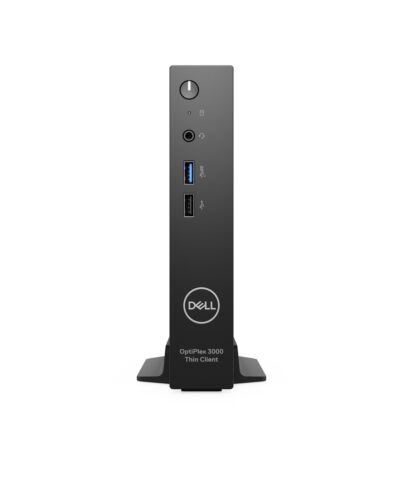
DELL OptiPlex 3000 2 GHz Wyse ThinOS 1.1 kg Black N5105
£369.60
DELL OptiPlex 3000, 2 GHz, Intel, Intel® Celeron® N, N5105, 2.9 GHz, 4 MB
In stock
- Immediately available
- Discreet Packaging
- Free Shipping
Product Details
Description
Key Features
- Wyse ThinOS
- Intel Celeron N5105 (2GHz)
- 8GB (2933MHz) DDR4-SDRAM (1 x 8) & 64GB eMMC
Reasons To Buy
Technology that revolves around you
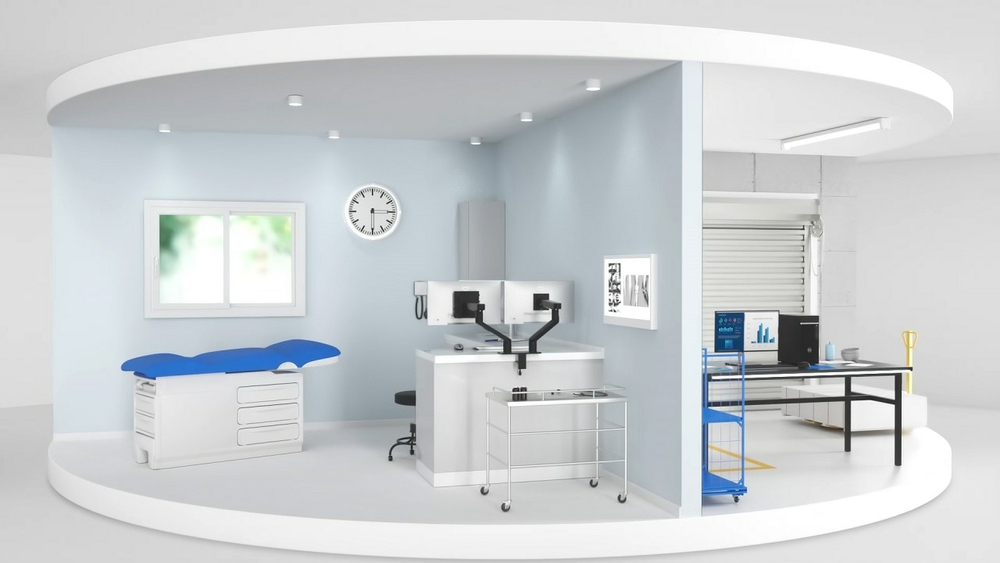
Achieve more every day
Three different operating systems are available, including Dell ThinOS, Ubuntu Linux with optional Dell Hybrid Client software and Windows 10 IoT Enterprise.
Connect f anywhere:
OptiPlex offers support for Wi-Fi 6E, a next generation technology that brings you faster speeds and better performance, wherever you choose to work.
Broaden your horizons:
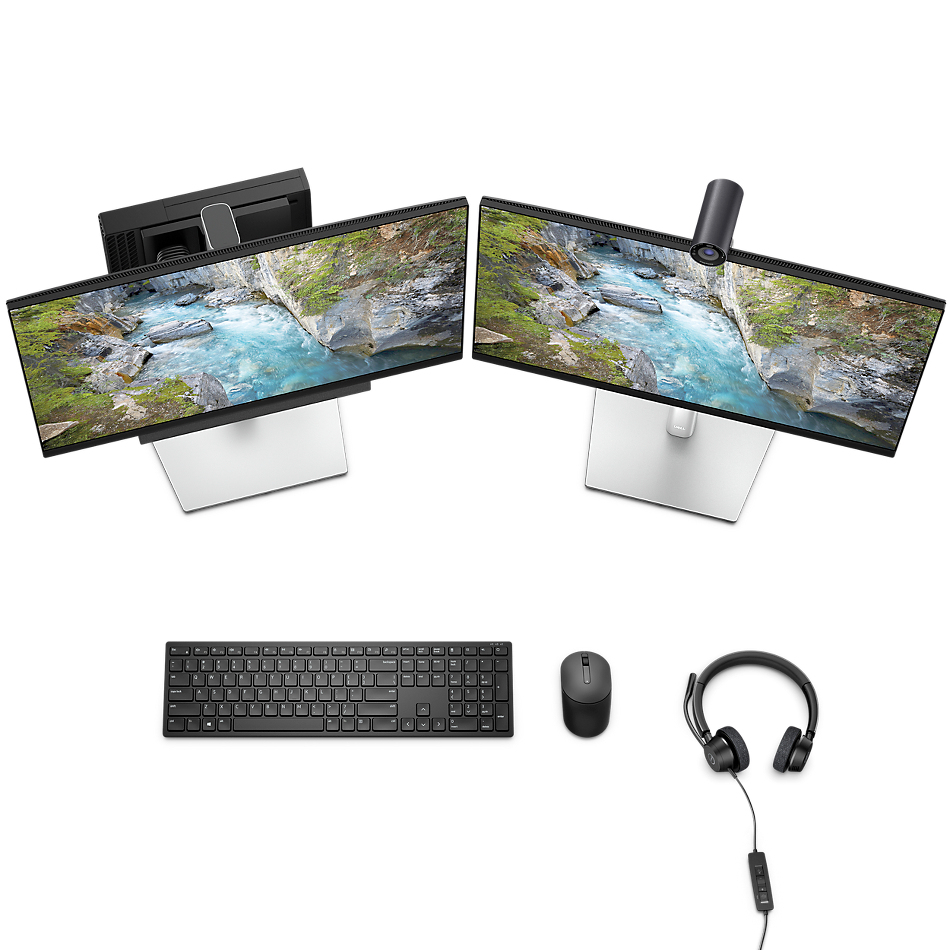
Support for up to three displays at 4K resolution makes it easier for you to multi-task or simply see the bigger picture.
Performing at your level
Intel® Celeron and Pentium Quad Core processors bring instant and seamless access to digital and virtual workspaces.
Ultra-secure:
Work confidently with a multitude of security features, including TPM 2.0, standard security lock slot, Padlock loop, Intrusion switch and the protection of Dell cloud client workspace software.
Memory that offers more:
your multi-tasking potential and achieve even more with up to 16GB DDR4 memory.
Designed around you
Delivers a quiet, durable computing experience.
Flexible Fit:
An all-new variety of mounts for the OptiPlex 3000 Thin Client offers flexibility in how you set up your work environment.
Simple to maintain:
Easy access without removing the front bezel simplifies serviceability.
Leader in sustainability
OptiPlex was our first product to be made with recycled plastic in 2007 and the first to use materials f our closed-loop supply chain in 2014. Today OptiPlex contains up to 60% recycled material, has over 60 EPEAT registered products, more than 50 TCO 8 configurations, and energy Star 8.0.Dell Technologies Software Solutions

Deploy in about a minuteand autoconfigure in less than 10. With simplified setup, configuration and management, Dell cloud clients can be deployed right out-of-the box. Dell services portfolio helps you streamline deployment, so you can focus on innovation.
Secure:
Get the most secure thin client operating system with Dell-exclusive ThinOS. With a closed architecture, system hardening to limit attack surfaces, unpublished APIs and encrypted data and files exclusively packaged by Dell, ThinOS is virus and malware resistant. Select Windows 10 IoT Enterprise with Dell added security features to access confidently virtual workspaces or choose Dell Hybrid Client, purpose-built to augment the security of your VDI and cloud environments.
Manage:
With unified end-to-end deployment and management f Wyse Management Suite (WMS), you can manage f the cloud and/or the datacenter and scale easily f one to hundreds of thousands of devices.
Support:
Let us make hardware and software support easy. ProSupport offers 24x7 access to in-region advanced technology experts who contact you when critical issues arise, so you can focus on the strategic work that moves your business ahead.
Features
OptiPlex 3000 Thin Client
Security that revolves around you
The industry's most secure thin client with Dell ThinOS optimised for Dell cloud client software solutions, now designed by OptiPlex.Operating System
Ubuntu® Linux® 20.04 LTS, 64-bit
Ubuntu® Linux® 20.04 LTS, 64-bit +
Dell Hybrid Client
Dell ThinOS 9.1.x
Windows 10 IoT Enterprise LTSC 20211
Technology that revolves around you
The most secure and versatile thin client, now designed by OptiPlex, the trusted name in desktop innovation for 29 years.
Achieve more every day
Select your software solution for success:Three different operating systems are available, including Dell ThinOS, Ubuntu Linux with optional Dell Hybrid Client software and Windows 10 IoT Enterprise.
Connect f anywhere:
OptiPlex offers support for Wi-Fi 6E, a next generation technology that brings you faster speeds and better performance, wherever you choose to work.
Broaden your horizons:
Support for up to three displays at 4K resolution makes it easier for you to multi-task or simply see the bigger picture.
Performing at your level
More powerful processing:Intel® Celeron and Pentium Quad Core processors bring instant and seamless access to digital and virtual workspaces.
Ultra-secure:
Work confidently with a multitude of security features, including TPM 2.0, standard security lock slot, Padlock loop, Intrusion switch and the protection of Dell cloud client workspace software.
Memory that offers more:
your multi-tasking potential and achieve even more with up to 16GB DDR4 memory.
Designed around you
Compact, fan-less design:Delivers a quiet, durable computing experience.
Flexible Fit:
An all-new variety of mounts for the OptiPlex 3000 Thin Client offers flexibility in how you set up your work environment.
Simple to maintain:
Easy access without removing the front bezel simplifies serviceability.
Leader in sustainability
OptiPlex was our first product to be made with recycled plastic in 2007 and the first to use materials f our closed-loop supply chain in 2014. Today OptiPlex contains up to 60% recycled material, has over 60 EPEAT registered products, more than 50 TCO 8 configurations, and energy Star 8.0.
Eco-Labels
This product is EPEAT Gold and ENERGY STAR qualified (on select configurations). EPEAT registration varies by country.Products and Packaging
Dell Technologies is transitioning to products and packaging made f recycled or renewable resources, and improving products' energy efficiently. We are also working towards reducing our greenhouse gas emissions within our operations and with our direct supply chain partners.Carbon Footprint
One of Dell's primary goals is to minimise our environmental impact. We aim to reduce the carbon footprint of our products throughout their lifecycle, f development to recycling and everything in between.Dell Technologies Software Solutions
Deploy:Deploy in about a minute*and autoconfigure in less than 10*. With simplified setup, configuration and management, Dell cloud clients can be deployed right out-of-the box. Dell services portfolio helps you streamline deployment, so you can focus on innovation.
Secure:
Get the most secure thin client operating system with Dell-exclusive ThinOS*. With a closed architecture, system hardening to limit attack surfaces, unpublished APIs and encrypted data and files exclusively packaged by Dell, ThinOS is virus and malware resistant. Select Windows 10 IoT Enterprise with Dell added security features to access confidently virtual workspaces or choose Dell Hybrid Client, purpose-built to augment the security of your VDI and cloud environments.
Manage:
With unified end-to-end deployment and management f Wyse Management Suite (WMS), you can manage f the cloud and/or the datacenter and scale easily f one to hundreds of thousands of devices.
Ports and Slots
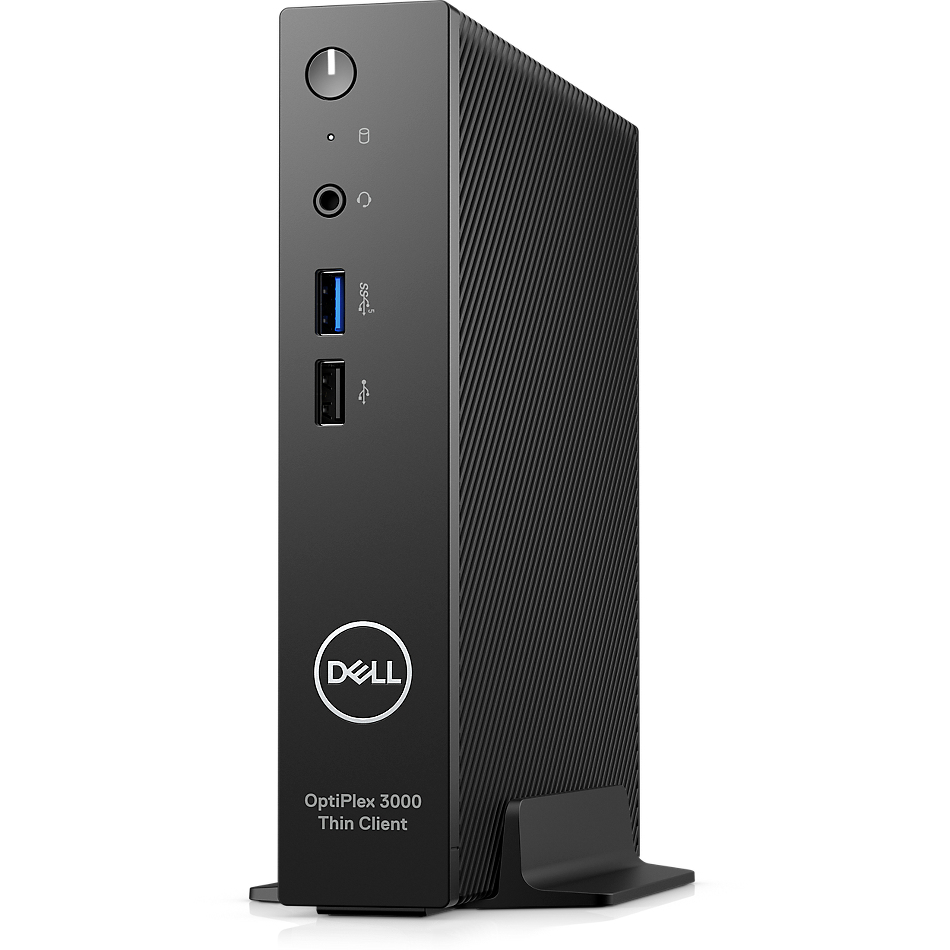
Front:1. Power Button
2. Universal Audio Jack
3. USB 3.2 Gen 1 Type A
4. USB 2.0 Type A
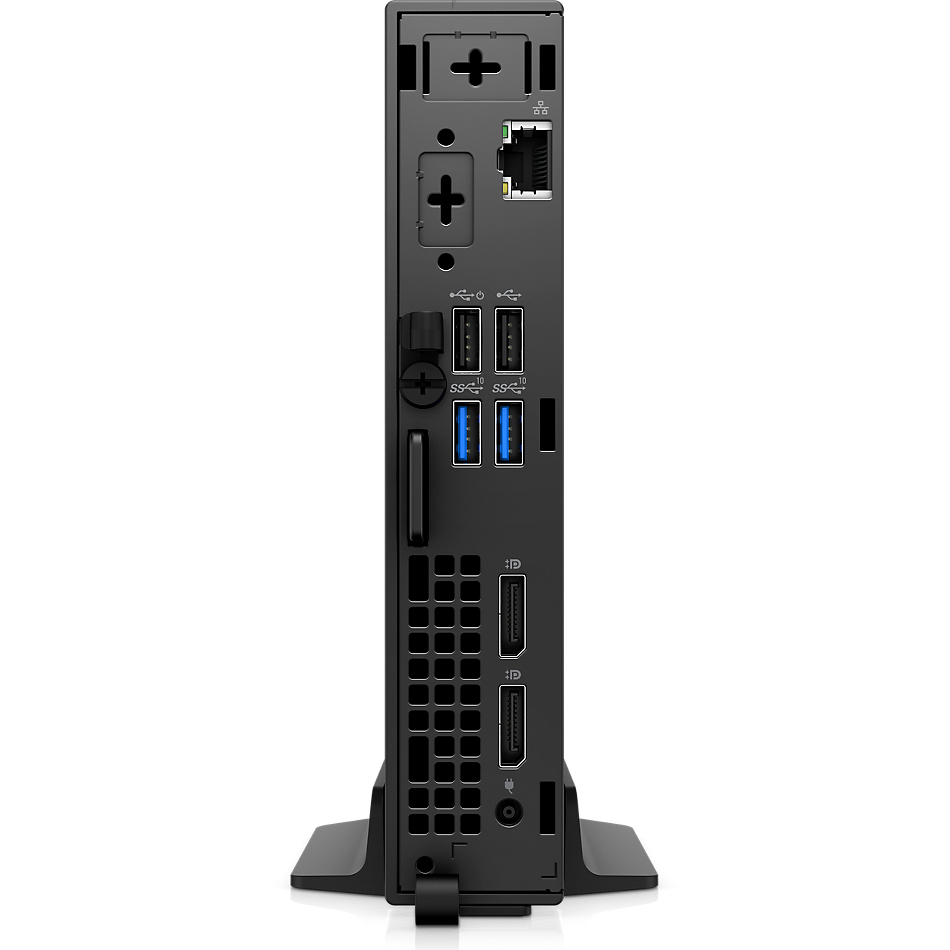
Back:
5. Knock-out Slots for Wireless Antenna WiFi 5 or 6E (select OS only) with internal or external antenna
6. Optional AUX port (VGA, DisplayPort 1.4a, HDMI 2.0, USB-C with alt-DP or serial port)
7. USB 2.0 with Smart Power On
8. Padlock
9. Ethernet RJ-45
10. USB 2.0 Type A
11. USB 3.2 Gen 2 Type A (2)
12. DisplayPort 1.4 (2)
13. Power Input
Dimensions & Weight
1. Width 36 mm (1.42 in.)2. Depth 178 mm (7.00 in.)
3. Height 182 mm (7.17 in.)
Volume 1.2 L
Weight (max) 0.94 kg (2.07 lb.)
Specifications
Processor
Processor frequency*
2 GHz
Processor manufacturer*
Intel
Processor family
Intel® Celeron® N
Processor el
N5105
Processor cores
4
Processor threads
4
Processor boost frequency
2.9 GHz
Processor cache
4 MB
Memory
Internal memory*
8 GB
Internal memory type
DDR4-SDRAM
Memory clock speed
2933 MHz
Memory slots
2x SO-DIMM
Memory layout (slots x size)
1 x 8 GB
Maximum internal memory
16 GB
Storage
Total storage capacity*
64 GB
Storage media*
eMMC
Graphics
On-board graphics card*
Yes
On-board GPU manufacturer
Intel
On-board graphics card el
Intel® UHD Graphics
Network
Wi-Fi*
No
Ethernet LAN*
Yes
Ethernet LAN data rates
10,1000,100 Mbit/s
Cabling technology
10/100/1000Base-T(X)
Ports & interfaces
Ethernet LAN (RJ-45) ports*
1
USB 2.0 ports quantity*
3
USB 3.2 Gen 1 (3.1 Gen 1) Type-A ports quantity*
1
Combo headphone/mic port
Yes
DC-in jack
Yes
DisplayPorts quantity
2
Design
Product colour*
Black
Cable lock slot
Yes
Design
Cable lock slot type
Kensington
Display
Display included*
No
Software
Operating system installed*
Wyse ThinOS
Trusted Platform ule (TPM)
Yes
Power
Power supply
65 W
AC input voltage
100 - 240 V
AC input frequency
50/60 Hz
Operational conditions
Operating temperature (T-T)
0 - 35 °C
Storage temperature (T-T)
-40 - 65 °C
Operating relative humidity (H-H)
10 - 90%
Storage relative humidity (H-H)
0 - 95%
Operating altitude
-15.2 - 3048 m
Non-operating altitude
-15.2 - 10668 m
Weight & dimensions
Width
36 mm
Depth
178 mm
Height
182 mm
Weight
1.1 kg
Carbon footprint
Total carbon footprint (kg of CO2e)
208
Total carbon emissions, standard deviation (kg of CO2e)
50.7
Carbon emissions, manufacturing (kg of CO2e)
155.5
Carbon emissions, logistics (kg of CO2e)
6.31
Carbon emissions, energy usage (kg of CO2e)
44.9
Carbon emissions, end-of-life (kg of CO2e)
1.2
PAIA version
1.3.1, 2022
Packaging content
Mouse included on selected markets
Dell Optical Mouse - MS116 - Black
Cables included
AC
Other features
Power LED
Yes
Additional Information
| EAN/UPC | 5397184899441 |
|---|---|
| MPN | PW1FF |
| BRAND | DELL |
Disclaimer
Actual configuration might differ f illustration
Product Carbon Footprint (PCF)
1. Dell calculates the Product Carbon Footprint using one of two methodologies, depending on the product: the Dell PCF calculator (GaBi version , YYYY) or the Product Attribute to Impact Algorithm (PAIA, X.X.X, YYYY). The methodology used is indicated in the "Version of PCF tool used" column.
2. PAIA (Product Attribute Impact Algorithm) is a streamlined LCA tool developed by MIT ‘s Materials System Laboratory. PAIA estimates the product’s carbon footprint using limited system attributes of the product such as component dimension, screen size, system weight, and annual energy consumption.
3. Please note the emission estimate in this report is calculated using the mean value along with the standard deviation for that product el.
4. Use of default inputs (i.e. not primary data) and assumptions on location of use and other fields can introduce a standard deviation which must be taken into account while completing the calculations. For more information refer to the PCF pages on Dell.com.
5. For the PAIA PCF methodology, the transportation f assembly to customer includes the emissions generated during air, ocean and land transportation of finished or semi-finished Dell products between Dell facilities and between Dell facilities to customers.
6. For the Dell PCF calculator and methodology, the transportation phase the default delivery assumptions are 90% of transport happening by sea and 10% happening by air. Trucking distances don’t contribute as much to the PCF impact compared to more influential by sea or by air distances es.
7. Please note, PAIA uses the ecoinvent Database ( whenever primary data is not made available for calculations.
8. For client and commercial end user computing products, minimum configurations were assumed for calculations. For Server and Storage products, typical configurations or ENERGY STAR ( configurations were used for calculations.
9. Use Phase emissions were calculated based on the location of use as "Europe" i.e. the Use Phase emissions are not specific to a single country / location.The Dell PCF Calculator also estimates Use Phase emissions for the U.S. and China, which are available in the PCF PDF documents on Dell.com.
10. The report provides the total emissions separated by the 4 lifecycle phases: manufacturing, transport, use, and end of life to understand the impact of each phase.
11. The Dell PCF Calculator lifetime usage assumption at the product family level is as follows: Desktop, Notebook - 5 years, Display - 6 years and Servers/Storage - 4 years.
* Blanks indicate we do not have the corresponding metric calculated or data is currently unavailable for the specific product at this time.
Product Carbon Footprint (PCF)
1. Dell calculates the Product Carbon Footprint using one of two methodologies, depending on the product: the Dell PCF calculator (GaBi version , YYYY) or the Product Attribute to Impact Algorithm (PAIA, X.X.X, YYYY). The methodology used is indicated in the "Version of PCF tool used" column.
2. PAIA (Product Attribute Impact Algorithm) is a streamlined LCA tool developed by MIT ‘s Materials System Laboratory. PAIA estimates the product’s carbon footprint using limited system attributes of the product such as component dimension, screen size, system weight, and annual energy consumption.
3. Please note the emission estimate in this report is calculated using the mean value along with the standard deviation for that product el.
4. Use of default inputs (i.e. not primary data) and assumptions on location of use and other fields can introduce a standard deviation which must be taken into account while completing the calculations. For more information refer to the PCF pages on Dell.com.
5. For the PAIA PCF methodology, the transportation f assembly to customer includes the emissions generated during air, ocean and land transportation of finished or semi-finished Dell products between Dell facilities and between Dell facilities to customers.
6. For the Dell PCF calculator and methodology, the transportation phase the default delivery assumptions are 90% of transport happening by sea and 10% happening by air. Trucking distances don’t contribute as much to the PCF impact compared to more influential by sea or by air distances es.
7. Please note, PAIA uses the ecoinvent Database ( whenever primary data is not made available for calculations.
8. For client and commercial end user computing products, minimum configurations were assumed for calculations. For Server and Storage products, typical configurations or ENERGY STAR ( configurations were used for calculations.
9. Use Phase emissions were calculated based on the location of use as "Europe" i.e. the Use Phase emissions are not specific to a single country / location.The Dell PCF Calculator also estimates Use Phase emissions for the U.S. and China, which are available in the PCF PDF documents on Dell.com.
10. The report provides the total emissions separated by the 4 lifecycle phases: manufacturing, transport, use, and end of life to understand the impact of each phase.
11. The Dell PCF Calculator lifetime usage assumption at the product family level is as follows: Desktop, Notebook - 5 years, Display - 6 years and Servers/Storage - 4 years.
* Blanks indicate we do not have the corresponding metric calculated or data is currently unavailable for the specific product at this time.