
Office
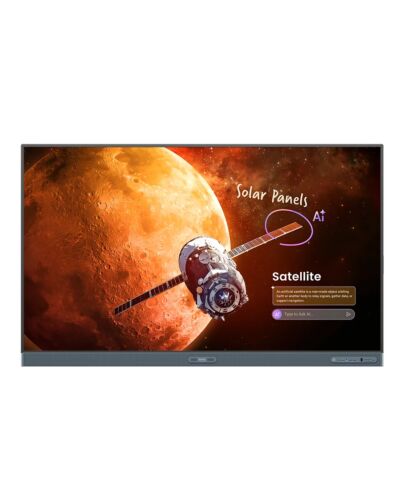
BenQ RP8605 interactive whiteboard 2.18 m (86") 3840 x 2160 pixels Touchscreen Black HDMI
Product Details
Description
Features


Premium Education Solution
BenQ Board Pro RP05 Interactive Display
BenQ's most advanced board. Intuitive for teachers, effortless and secure for IT.

Google EDLA
Google Play support

10 TOPS NPU
Industry-leading AI

Built-in AI features
Do-it-all teaching assistant

Eyesafe 3.0
Max blue light protection

70W sound system
Powerful, crisp audio

Directory sync
Auto account setup

Multi-user login
QR Code and NFC

Android 15
Future upgradeable

Less hassle for IT, secure logins for teachers
No manual account setup needed with directory sync. Import users f ClassLink, Clever, Google, Microsoft, and other identity providers and manage with ease.

Deploy, manage, and protect. Your way
The BenQ ecosystem simplifies device, app, and account management, reducing the workload for IT administrators.
Effective, user-friendly AI


Engage, captivate, and inspire
Designed for teachers, powered by AI. Simple to use and ready to transform learning.

Ask AI
Get answers on the spot

Lasso Search
Circle, search, discover

EZMath
Neat, legible formulas and shapes

Circle to Artify
F notes and sketches to art
Shape learning experiences your way
Enhance today's teaching methods, and be ready for the classroom needs of the future.

Beyond a whiteboard
Go beyond writing and drawing with EZWrite 6. Expand the whiteboard, split sections for group activities, and enrich lessons with 3D images, templates, and live camera feeds.

Turn every lesson into a shared experience
Wireless screen sharing is easy with InstaShare 2. Cast f a laptop or mobile device whether it's the full screen, an app, or media like photos, videos, camera feed, or Office files. It also ensures a focused classroom by automatically blocking inappropriate content.
No two classrooms are the same
Every student and teaching environment is unique. The RP05 delivers the versatility you need to foster learning in any classrooms.

Scrolling ink
Ink moves with the pages as you scroll in Note Browser

Ink freely
Add notes and highlight on top of any app, document, or screen

Side-by-side drag and drop
Easily move content f different apps

Go big
Display-to-projector mirroring for larger environments

Double your workspace
More space with screen extension

Max compatibility
Support Android, Windows, MacOS, CheOS, and more
Effortless to adopt
BenQ Boards are designed for easy adoption. Teachers and IT teams can also access a variety of resources to learn how to make the most of our interactive displays.

Onboarding guides

Teacher’s guides

BenQ Academy


ClassroomCare®
Attendance builds achievement
BenQ ClassroomCare® offers numerous protective features to ensure a safe environment for learning interactions.

Eyesafe 3.0
Highest level of blue light protection

Circadian optimisation
Supports healthy sleep

Germ-resistant
Effective against 99.9% of common germs

Anti-glare, flicker-free
Reduced eye strain, improved visuals
Air quality monitoring
Track CO₂, PM₂.₅, and TVOC in time

Built-in ioniser
Regulate air impurities

A meaningful milestone —
99.3% of BenQ products have completed a carbon footprint inventory
Specifications
Display
Computer system
Audio
Network
Ports & interfaces
Ports & interfaces
Ergonomics
Performance
Power
Operational conditions
Weight & dimensions
Packaging data
Packaging content
Other features
Logistics data
Additional Information
| EAN/UPC | 4718755096075 |
|---|---|
| MPN | 9H.FC3TC.DE1 |
| BRAND | BENQ |


