Laptop Parts & Accessories
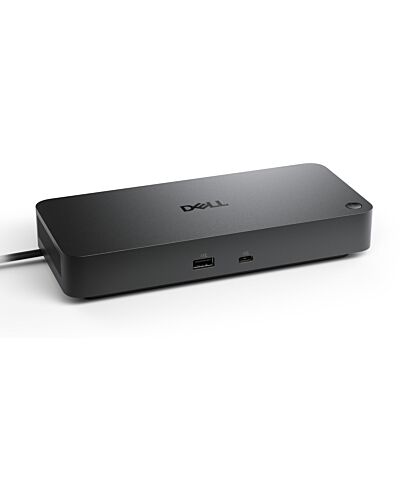
DELL WD25 Wired USB 3.2 Gen 2 (3.1 Gen 2) Type-C Black
£146.42
DELL WD25, Wired, USB 3.2 Gen 2 (3.1 Gen 2) Type-C, 100 W, 10,100,1000,2500 Mbit/s, Black, 2500 Gbit/s
In stock
- Immediately available
- Discreet Packaging
- Free Shipping
Product Details
Description
Boost your productivity with the latest pro dock that offers up to 100W power delivery and a wide variety of connecting options.
Reasons To Buy
Fuel your productivity
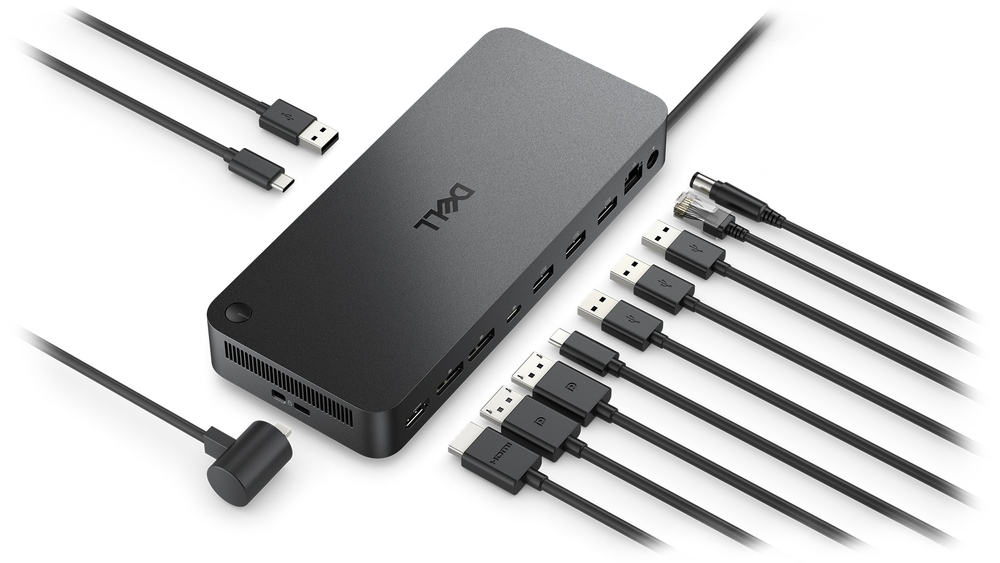
More manageable
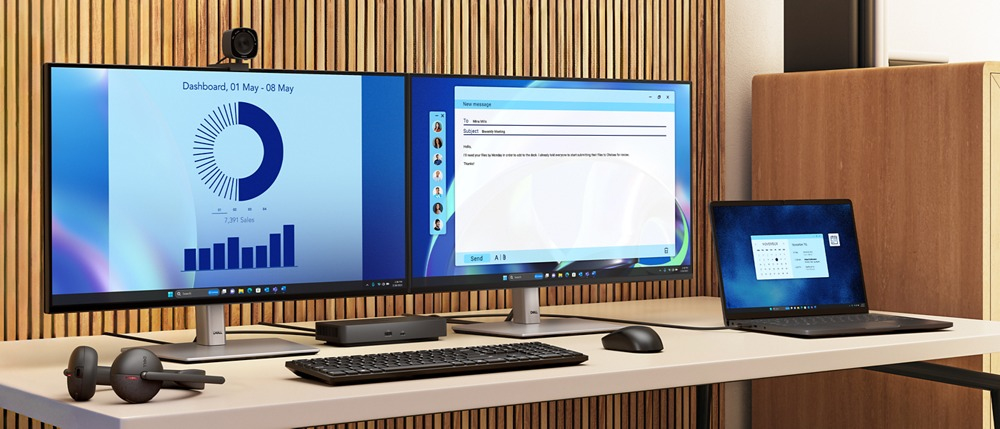
Improved manageability
Manage your dock f the Dell Device Management Console by utilising Dell Display and Peripheral Manager installed on your PC.
Simplify updates
Reduce IT complexity by deploying a single file across workspaces.
Minimise end-user disruption with silent updates that are executed upon dock disconnection.
Work with confidence
Enhance your docking experience with universally compatible features including MAC Address Pass-Through and Power Button Sync, for a better docking experience across brands.
Connect your way
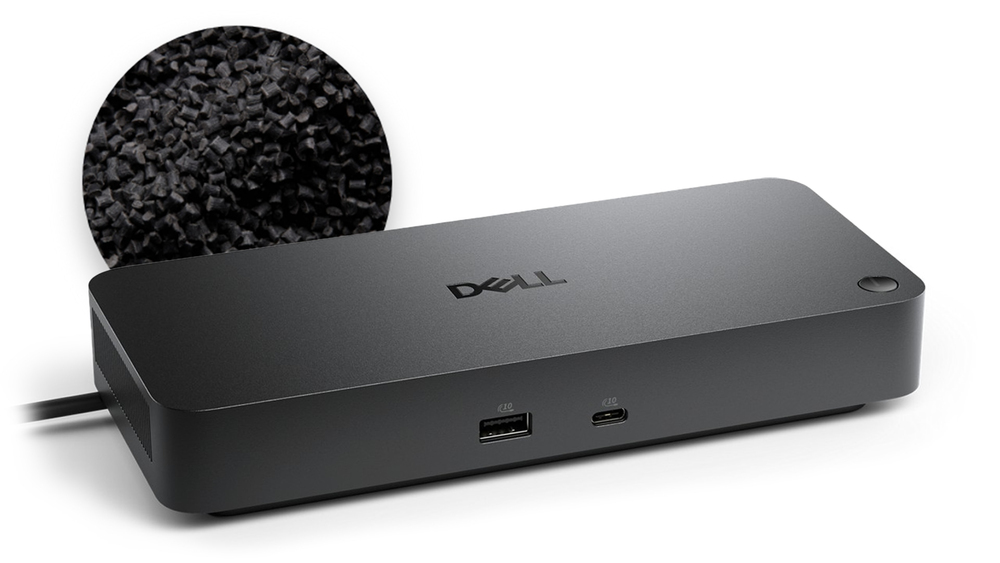
Designed for sustainability
Features
Dell Pro Dock - WD25
Boost your productivity with the latest pro dock that offers up to 100W power delivery and a wide variety of connecting options.
Power Delivery (Power Provided)
100W (Dell systems)
96W (non-Dell systems)
Video Resolution
4 x WQHD (3440 x 1440) @ 60Hz
3 x WQHD (3440 x 1440) @ 60Hz
2 x 5K (5120 x 2160) @ 60Hz
1 x 6K (6144 x 3456) @ 60Hz
Interfaces
2 x DP1.4
1 x HDMI 2.1
1 x USB-C 3.2 Gen 2 Multi-function DisplayPort 1.4
4 x USB-A 3.2 Gen 2 (10 Gbps)
1 x USB-C 3.2 Gen 2 (10 Gbps)
OS Required
Windows 10
Windows 11
Ubuntu
Red Hat Enterprise Linux
CheOS
macOS
Features / Data Link Protocol
RJ45 Ethernet port, 2.5GbE
Fuel your productivity
Gain the versatility to create your ideal workspace with a dock featuring 6 USB ports, support for 4 displays and driving up to 100W of power delivery to the latest Dell AI PCs for optimal productivity.More manageable
Keep your dock up to date and work without interruption.
Improved manageability
Manage your dock f the Dell Device Management Console by utilising Dell Display and Peripheral Manager installed on your PC.
Simplify updates
Reduce IT complexity by deploying a single file across workspaces.
Minimise end-user disruption with silent updates that are executed upon dock disconnection.
Work with confidence
Enhance your docking experience with universally compatible features including MAC Address Pass-Through and Power Button Sync¹, for a better docking experience across brands.
Connect your way
Configure your workspace to your liking with an ambidextrous USB-C cable² that can be routed left or right.Designed for sustainability
The Dell Pro Dock is built with at least 65% post-consumer recycled materials³ and packaged with 100% recycled or renewable packaging,³ and offering up to 72% power consumption reduction on standby e.³Ports and slots
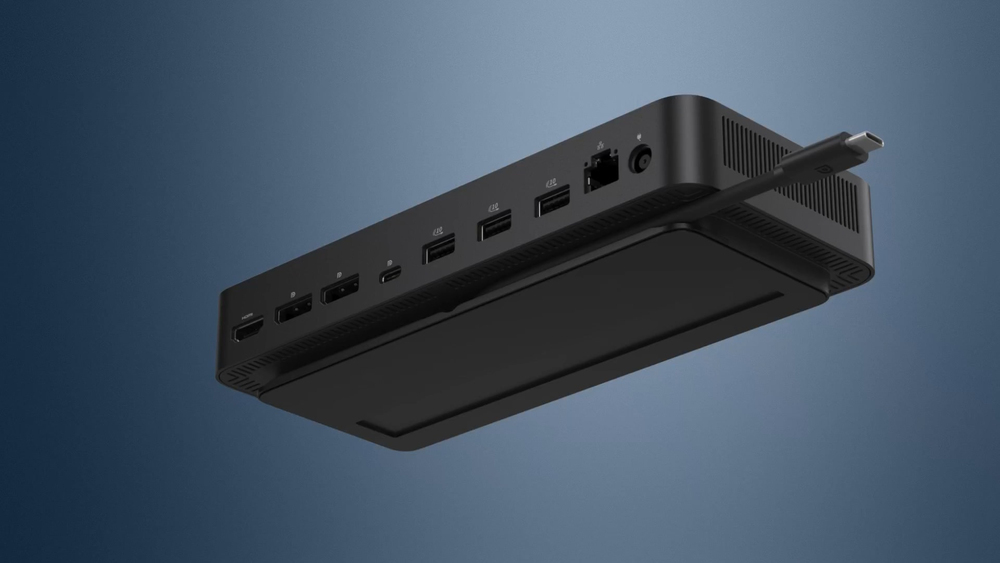
Front side
1. USB-A 3.2 Gen 2 with
PowerShare
2. USB-C 3.2 Gen 2
Rear side
3. HDMI 2.1
4. DisplayPort 1.4
5. DisplayPort 1.4
6. USB-C 3.2 Gen 2 Multifunction
DisplayPort 1.4
7. USB-A 3.2 Gen 2 with
PowerShare
8. USB-A 3.2 Gen 2 with PowerShare
9. USB-A 3.2 Gen 2 with PowerShare
10. 2.5 Gigabit Ethernet (RJ45)
11. Power In
1. USB-A 3.2 Gen 2 with
PowerShare
2. USB-C 3.2 Gen 2
Rear side
3. HDMI 2.1
4. DisplayPort 1.4
5. DisplayPort 1.4
6. USB-C 3.2 Gen 2 Multifunction
DisplayPort 1.4
7. USB-A 3.2 Gen 2 with
PowerShare
8. USB-A 3.2 Gen 2 with PowerShare
9. USB-A 3.2 Gen 2 with PowerShare
10. 2.5 Gigabit Ethernet (RJ45)
11. Power In
1. Power Button Sync will work with non-Dell notebooks if they support PD3.1 spec.
2. The accurate length of this cable is 0.80 meters. The image provided is for illustrative purposes only.
3. Based on Dell internal analysis, December 2024.
2. The accurate length of this cable is 0.80 meters. The image provided is for illustrative purposes only.
3. Based on Dell internal analysis, December 2024.
Specifications
Ports & interfaces
Connectivity technology*
Wired
Host interface*
USB 3.2 Gen 2 (3.1 Gen 2) Type-C
USB 3.2 Gen 2 (3.1 Gen 2) Type-A ports quantity
4
USB 3.2 Gen 2 (3.1 Gen 2) Type-C ports quantity
2
USB Power Delivery (USB PD)
Yes
USB Power Delivery up to
100 W
HDMI ports quantity*
1
HDMI version
2.1
DisplayPorts quantity
2
DisplayPort version
1.4
Microphone in*
No
DC-in jack
Yes
USB Type-C DisplayPort Alternate e
Yes
Network
Ethernet LAN*
Yes
Ethernet LAN (RJ-45) ports
1
Ethernet LAN data rates
10,100,1000,2500 Mbit/s
Wake-on-LAN ready
Yes
Performance
Card reader integrated*
No
Data transfer rate
2500 Gbit/s
Maximum digital resolution
6144 x 3456 pixels
Number of displays supported
4
Maximum refresh rate
60 Hz
Performance
Cable lock slot
Yes
Cable lock slot type
Kensington
Product colour*
Black
Charging function
Yes
Power
Power source type
DC
Power connector
USB Type-C
Power supply
130 W
Software
Windows operating systems supported
Windows 10, Windows 11
Mac operating systems supported
Yes
Linux operating systems supported
Yes
Other operating systems supported
CheOS
Weight & dimensions
Width
90 mm
Depth
35.2 mm
Height
205 mm
Weight
550 g
Packaging content
Cables included
Power
AC adapter included
Yes
Quick start guide
Yes
Additional Information
| EAN/UPC | 5397184961735 |
|---|---|
| MPN | DELL-WD25 |
| BRAND | DELL |
Disclaimer
Actual configuration might differ f illustration